54
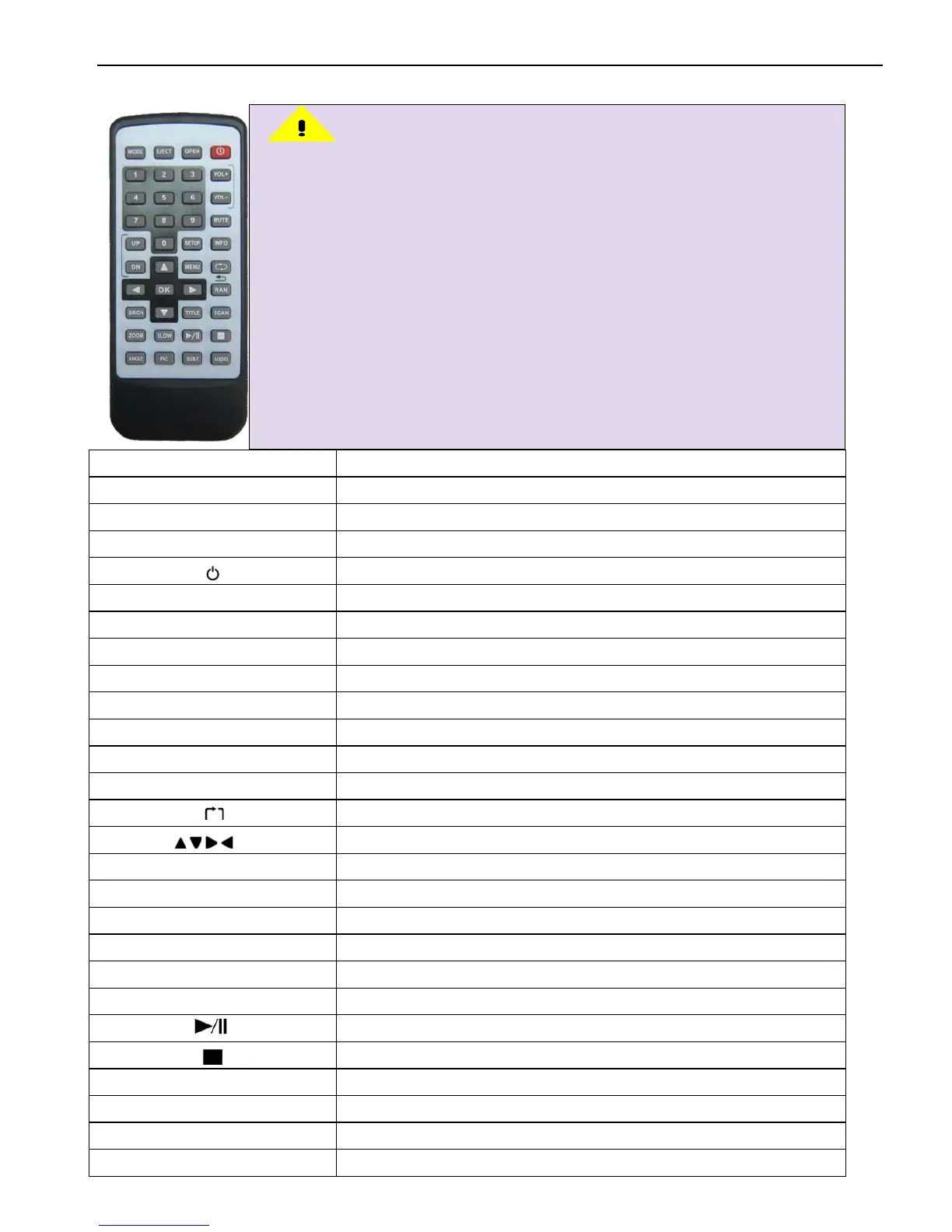
6. Remote control operation guide
NAME Function description
MODE Funciton modes switch
EJECT Eject disc
OPEN Insert/Eject disc/Flipping down screen
Power on/off
1.2.3.4.5.6.7.8.9.0 Frequency/Chapter/Preset station selection
VOL+ VOL- Volume up/down
MUTE Mute
UP Last frequency/Song/Chapter
DN Next frequency/Song/Chapter
SETUP Back to main interface
MENU Menu
INFO Disc info
Disc Stop/Frequency band switch
ANGLE Multi-angles switch display(disc supports)
PIC NC
SUB-T Subtitle
AUDIO Language
Note
:
1. Battery lifespan is around 6 months normally. Please change
the battery when the remote control is unable to operate.
Please take out the battery when it won't be used in long run,
in case the battery liquid leaks and damages the remote
control.
2. Do not drop for normal use.
3. Do not disassemble the battery, put it into fire, or put
together with other metal. Please put away the battery in safe
place from children.
4. Before use, please take out the insulation sheet.
5.



 To Next Page