25
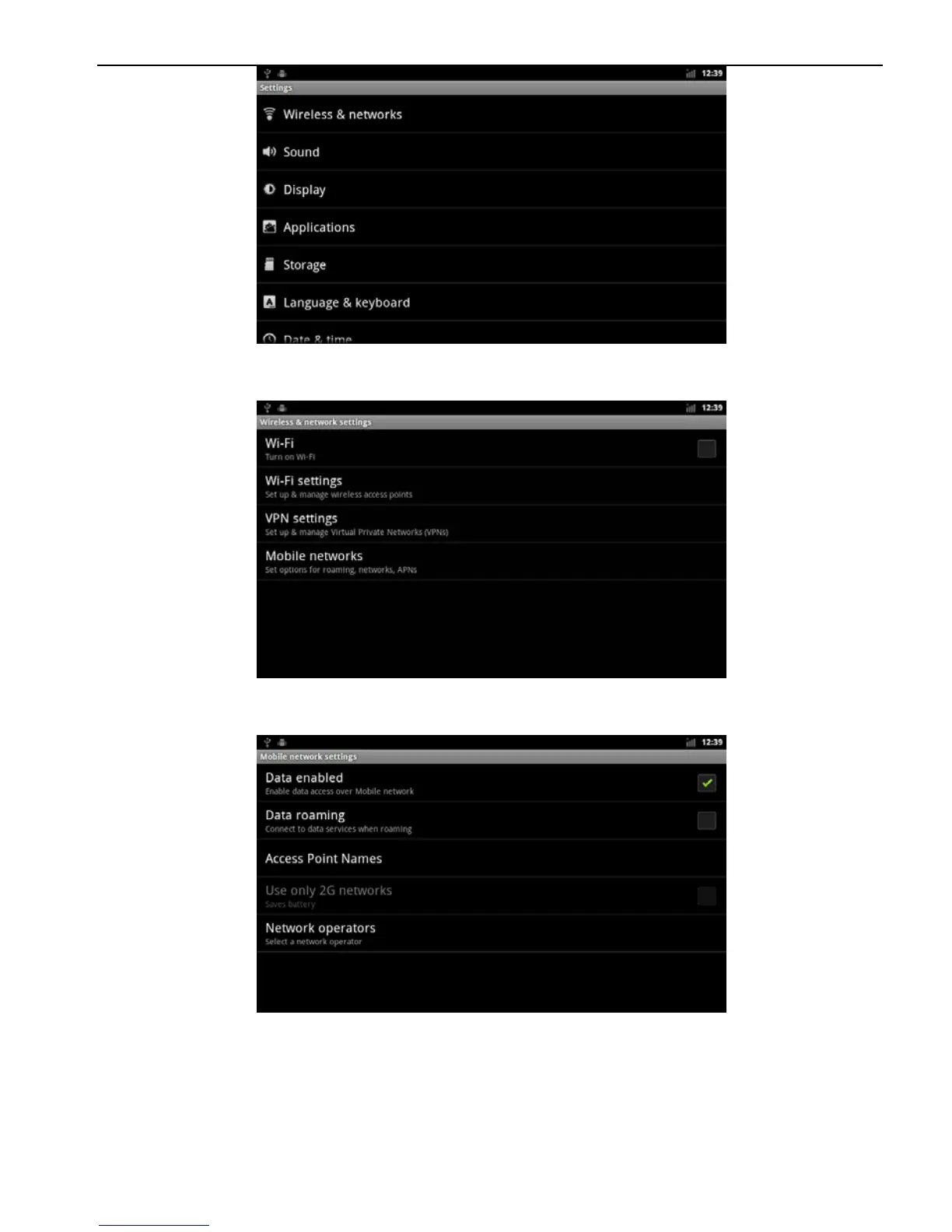
c. Select "Wireless networks", access to the network selection
screen.
d. Select Mobile networks, and enter the ‘mobile network’
settings of the main interface.
e.
First make sure the data roaming ‘Data roaming’ is selected, if
you have no choice, point the" Data roaming "pop-up prompt
menu, select" Ok ",



 To Next Page