32
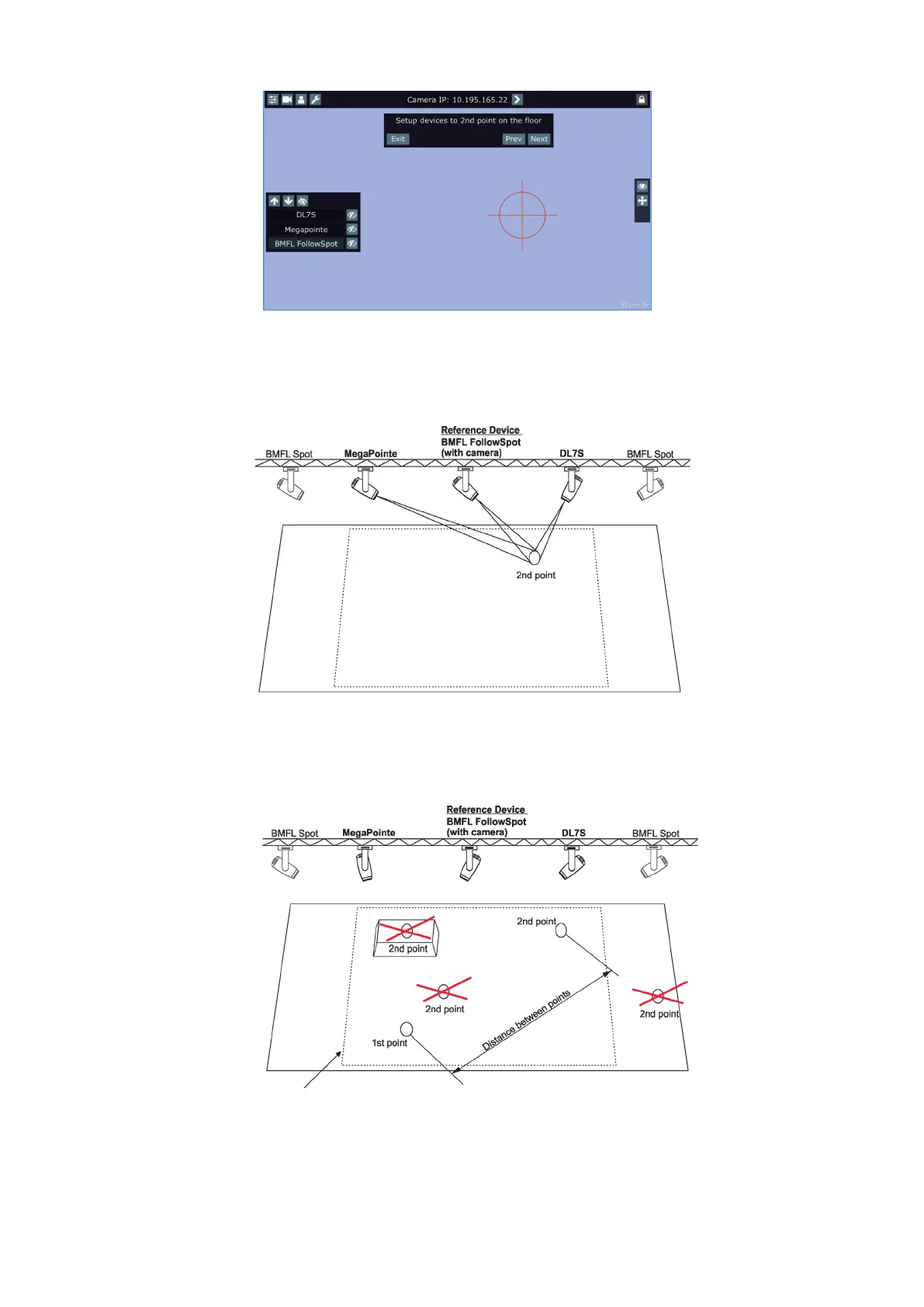
6. The following message will appear on the screen:
Zoom and iris are automatically set to the narrow beam at all devices used in the follow spot operation.
Activate one xture (by touching its button), e.g. BMFL FollowSpot, focus it (by means of the FollowSpot Con-
troller) and aim it to the second point on the oor (by means of the RoboSpot handles) as exactly as possible.
Repeat this action for another two xtures.
The two points should be placed suciently apart on the oor and situated inside the eld which is
intended for the follow spot operation. The two points should not be placed too close and must be in the same
level on the stage.
Two position points has to be placed on the stage in a way that all xtures used in the follow spot operation
have to change both pan and tilt values when go (light) from the 1st point to the 2nd point.
Working area for the follow spot operation















 To Next Page