19
5.5 RoboSpot handles calibration
To calibrate the RoboSpot handles.
1. Install the FollowSpot Controller on the FollowSpot Controller base
1. Deactive the FollowSpot Controller (button ACTIVE (1) must not light)
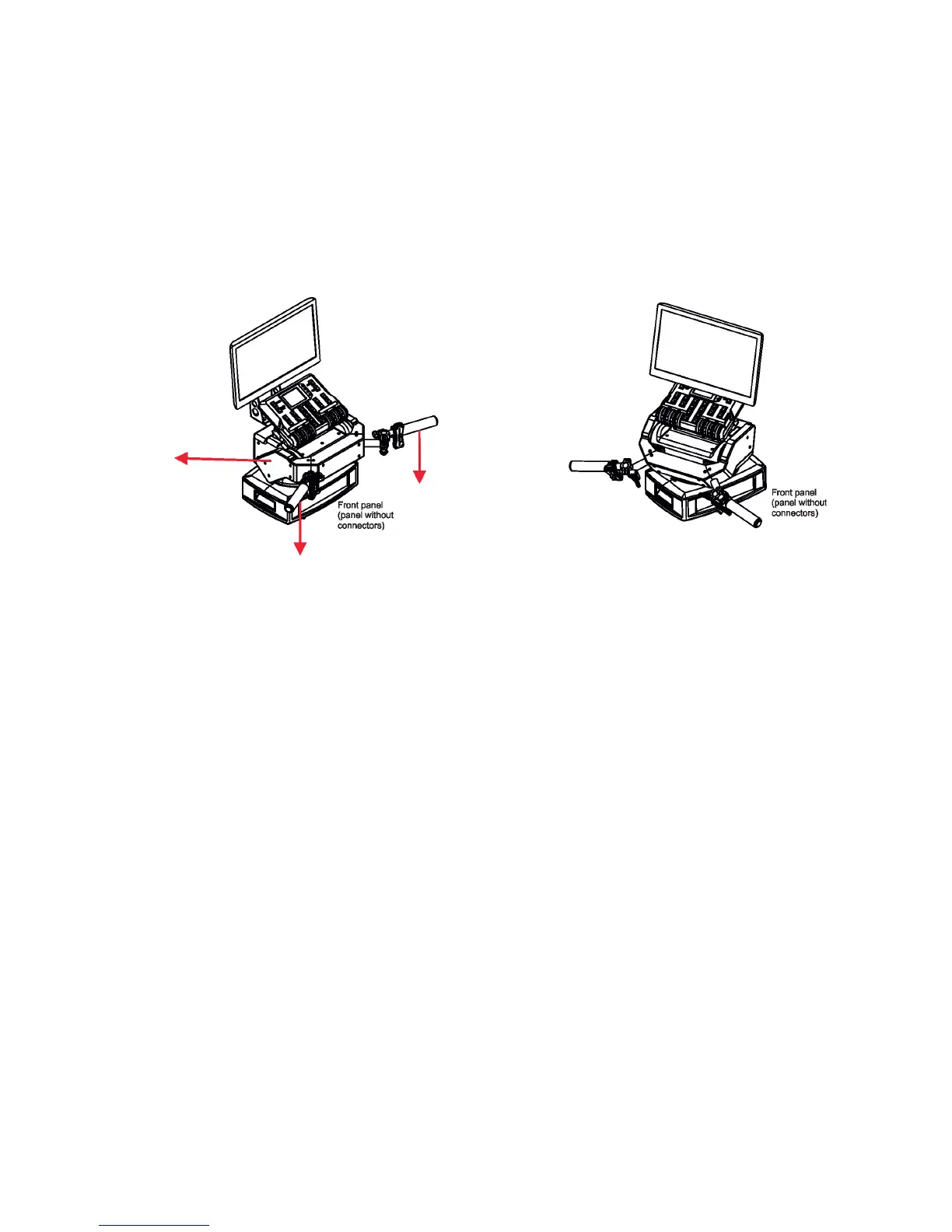
2. Move the control handles of the RoboSpot to the calibration position, in this way:
pan direction - move handles fully to the left until you reach a stop
tilt direction - move handles fully down until you reach a stop
3. Keep handles in the calibration position and press and hold the PAN button (5) for circa 6 seconds until this
button makes one ash - it is a nish of the calibration and you can use the FollowSpot Controller.
Middle position Calibration position
Move handles down to
reach the stop
Move handles to
the left to reach
the stop


 To Next Page