17
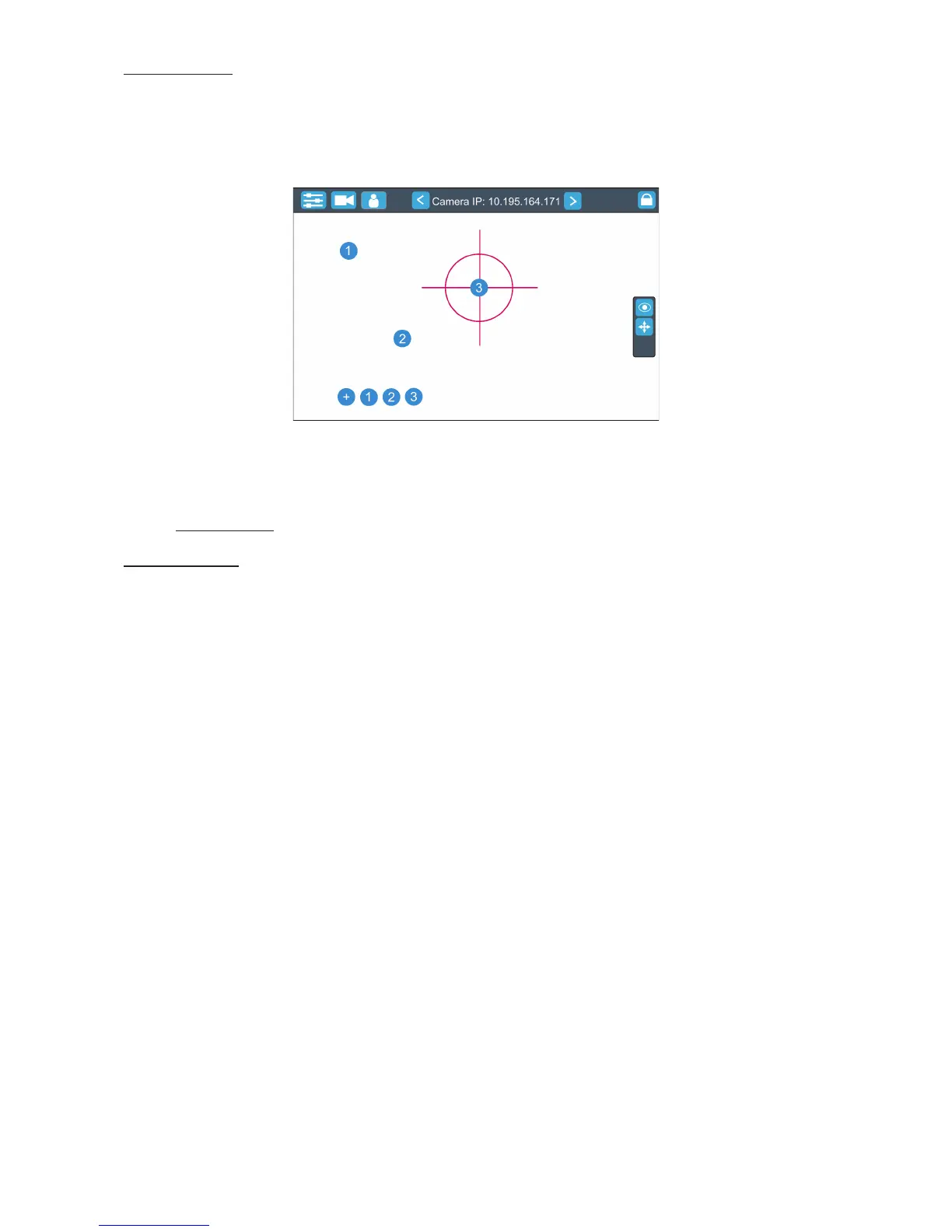
Position Buttons - if the function is on, the "+" button will appear at the bottom of the screen. Move the position
circle to desired position and press the "+" button. Button no.1 will appear at the bottom of the screen and
the button no.1 is assigned to this position of the position circle (if item " Show in scene is active, button no.1
is displayed in the position circle on the screen). You can assign up to 9 buttons to dierent positions of the
position circle on the screen.
If you touch a position button, the position circle will move to the position of this position button.
Example (option "Show in Scene" is active):
In the position button are also saved values of the following items: zoom, focus, camera zoom, pan/tilt sensi-
tivity and track.
To remove position button from screen, touch it until the message "Delete position button number X?" appears
on the screen and select option "Yes".
Show in Scene - the item allows you to show positions of the position buttons on the screen.
Multi Dev.Control - the menu serves for activating and setting control of xtures in the multi device operation.
For more information please see the chapter Multi device control.
5.3 Streaming a camera video
If you wish to stream a camera video over computer network, use a rtsp stream supported media player (e.g.
VLC media player, SMPlayer,...) running on your computer and type the following to your media player:
rtsp://IP address of camera/prole2/media.smp
example: rtsp://10.195.165.223/prole2/media.smp


 To Next Page