29
6. Control menu
The FollowSpot Controller is equipped with the QVGA Robe touch screen with battery backup which
allows you to set the device behaviour according to your needs.
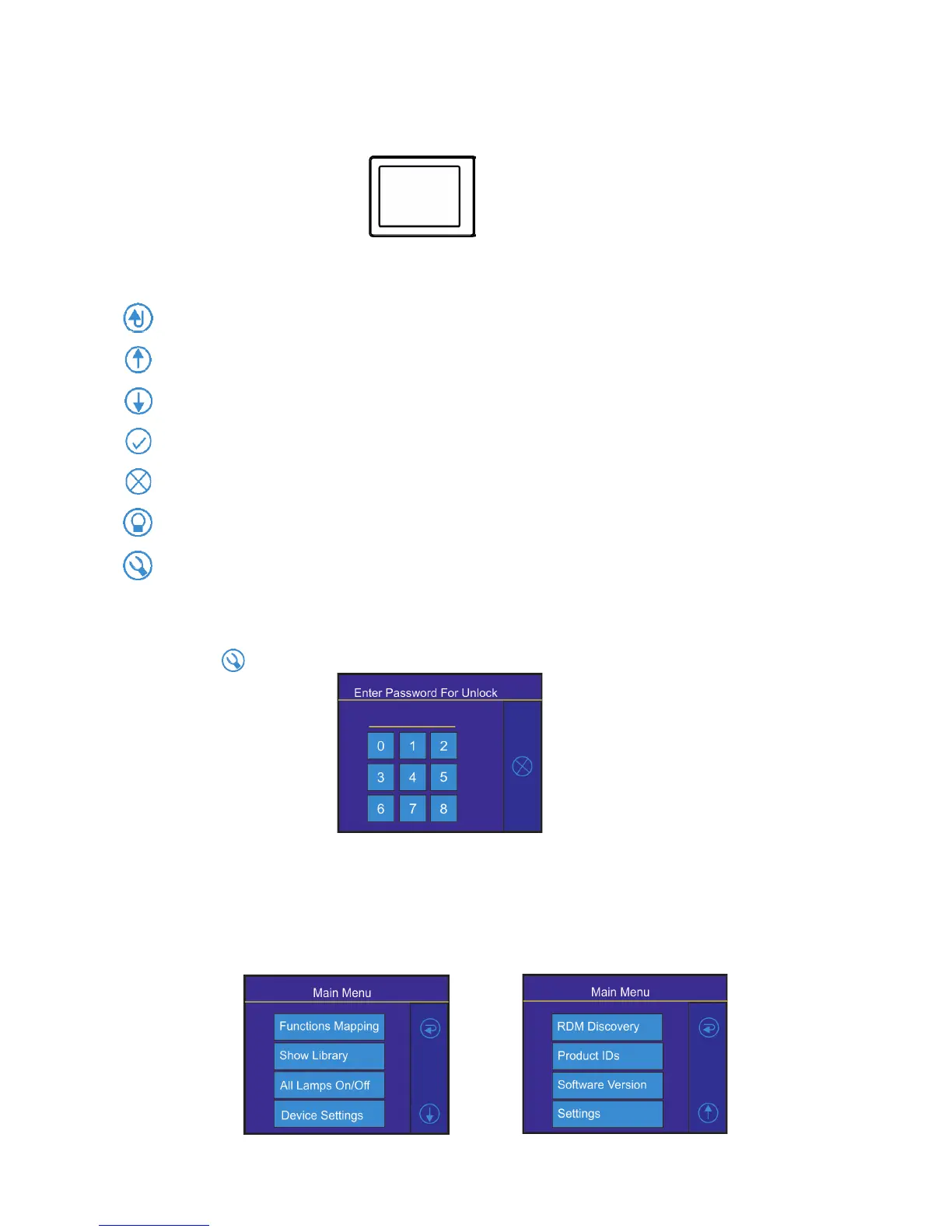
Icons used in the touch screen menu:
- [back arrow] used to move back to the previous screen (or menu level).
- [up arrow] used to move up on the previous page.
- [down arrow] used to move down on the next page.
- [conrm] used to save adjusted values and leave menu or to perform desired action.
- [cancel] used to leave menu without saving changes.
- [display on/o] used to switch on/o the display.
- [menu enter] used to enter xture menu.
Note: buttons of control panel are not functional.
Touch the icon to display the password entering screen:
Enter the default password (5242) to enter the main menu of the FollowSpot Controller. The password prevents
unauthorized person from changing setting of the FollowSpot Controller (password can changed or switched
o via the menu Settings).
Main menu
Page 1 Page 2


 To Next Page