36
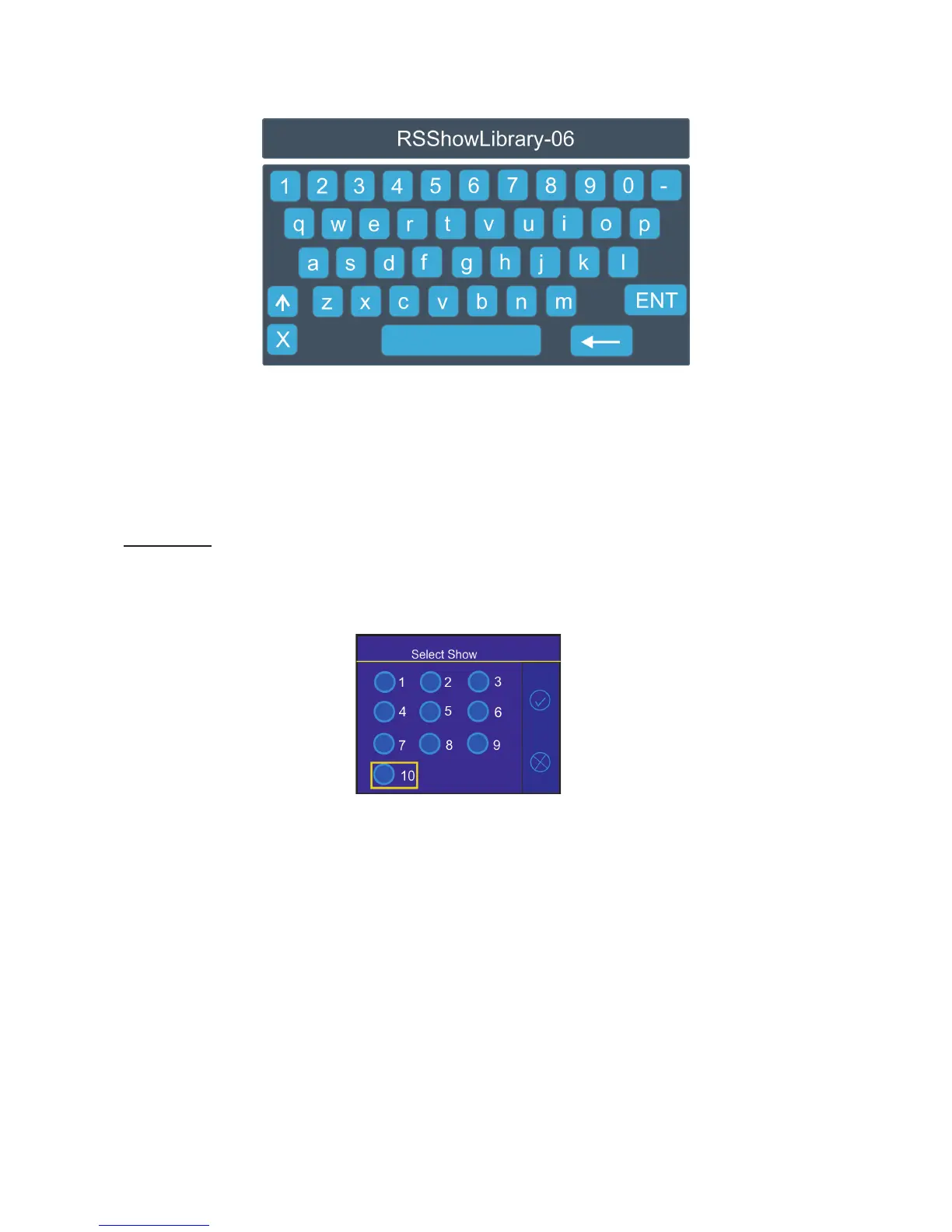
2. The virtual keyboard will appear on the screen with a default name of the show le. You can edit the name
of the show and conrm it by the key ENT. The show le on the USB ash drive will have extension rsL (e.g.
RSShowLibrary-06.rsL.
If the import is successful, the notice: "Export Show OK" will appear.
Error and notice messages:
"Export Show Error ID:" -it means that the show library export failed. If ID=-1, it means that show le
cannot be saved on the USB ash drive(e.g. the USB ash drive is set read-only)
"USB ash drive is not present "-it means that the USB ash drive is not connected to the USB port of
the RoboSpot.
Import Show - the menu item allows you to load a show le saved on a USB ash drive connected to the USB
port of the RoboSpot.
To load the library le.
1. Select a show (e.g. Show 10) to which you want to load a show le from the USB ash drive and conrm it.
2. The list of available show les on the USB ash drive will appear on the screen e.g.:
RSShowLibrary-01.rsL
RSShowLibrary-02.rsL
:
:
RSShowLibrary-10.rsL.
3 Select desired show le (e.g. RSShowLibrary-10.rsL) and touch the button "Load" to import selected show
le to the RoboSpot. If the import is successful, the notice: "Import Show OK" will appear.
Error and notice messages:
"No show les on USB ash drive" - it means that no show le was found on the USB ash drive.
" Import Show Error! " it means that some problem has occured during writing of show le to the internal memory
drive of the RoboSpot
"USB ash drive is not present " - it means that the USB ash drive is not connected to the USB port
of the RoboSpot.
" Err: Cannot nd show le " - it means that the show le cannot be loaded from the USB ash drive.
" Err: Wrong version of show le" - It means that the show le has a wrong format.
Note. You can load to selected show any show le, for example, to the show 10 you can load the le RSS-
howLibrary-02.rsL etc.


 To Next Page