Robotiq Hand-E C10 Gripper Instruction Manual
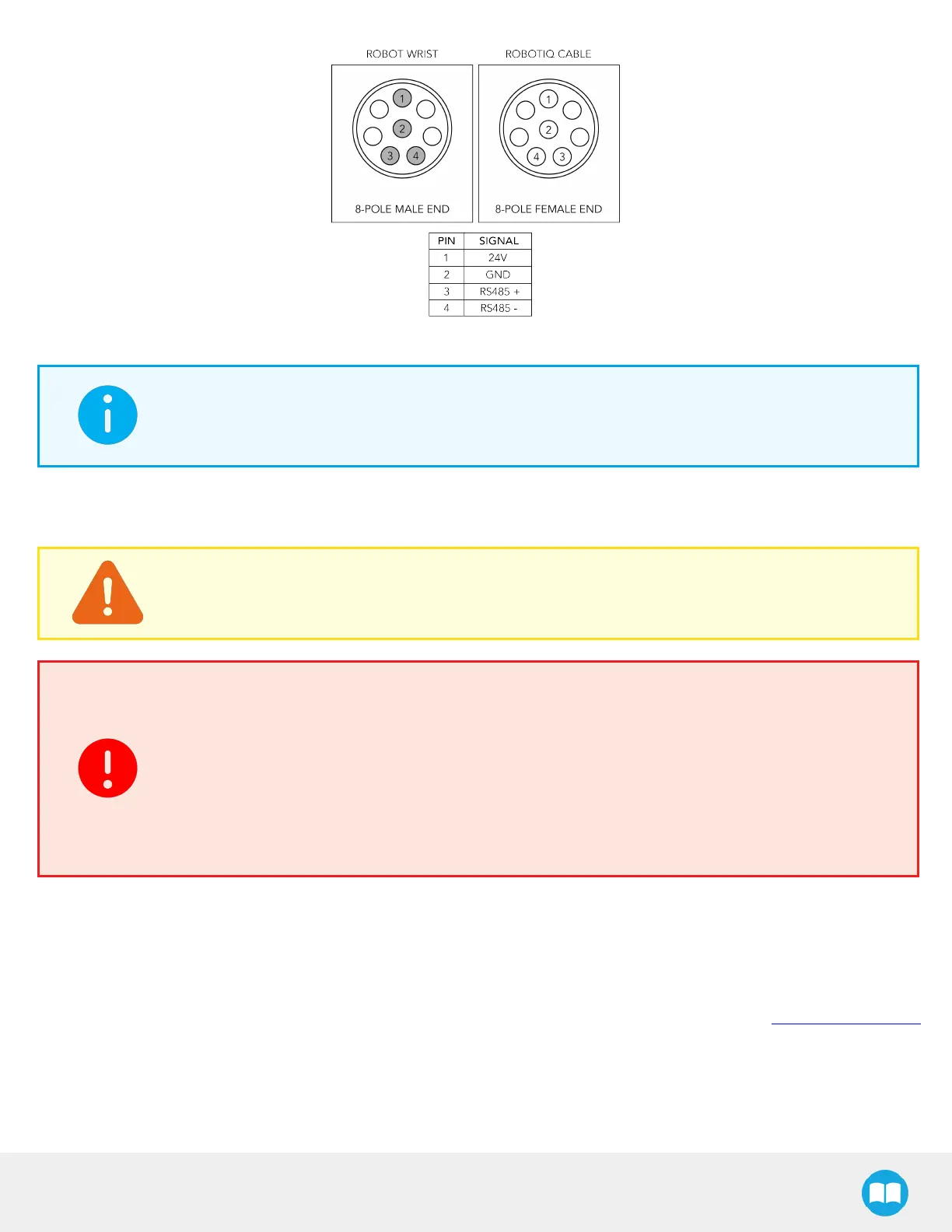
Fig. 3-18: Pinout of the Hand-E C10 Cable-to-Wrist Coupling
INFO
Power supply, communication signals, grounding, electrical resistance, and fusing are managed by the
robot itself.
Multiple Grippers
CAUTION
For multiple gripper configurations, connect the M8 splitter to the robot wrist connector.
WARNING
To connect two (2) or more grippers at the same time on a robot, each gripper must have:
l
a coupling for the transmission of power and communication signals
l
a dual gripper adapter plate to mechanically mount the gripper on the robot arm
l
a splitter
Refer to the Spare Parts, Kits and Accessories section for more details.
3.6. Testing the Gripper with the Robotiq User Interface (RUI)
Once installed and properly secured, your Robotiq Hand-E C10 Gripper should be tested with the Robotiq User Interface test
software using the provided USB converter. Follow these instructions.
1. Install the Robotiq User Interface (RUI). For details, see the Robotiq User Interface manual, available at .robotiq.com/support
31



 To Next Page