Robotiq Hand-E C10 Gripper Instruction Manual
Refer to the Control section for details on controlling the gripper.
INFO
Refer to he Control section for details on programming with the URCap package.
3.8.1. Installing URCap Package
Installing URCap Package on CB-Series
1. Make sure that PolyScopeis up-to-date and that the Universal
Robots controller is compatible with the gripper’s URCap
package.
2. Browse to support.robotiq.com and click Select product >
Hand-E Adaptive Gripper > Universal Robots > Software >
Gripper Software.
3. Download the UCG-X.X.X and extract its content on the root of
a blank USB stick.
4. If an I/O Coupling is present, install the appropriate URCap by
downloading the UCH-X.X.X in the I/O Coupling Software tab
and extract its content on the root of a blank USB stick.
5. Insert the USB stick in the UR teach pendant or controller.
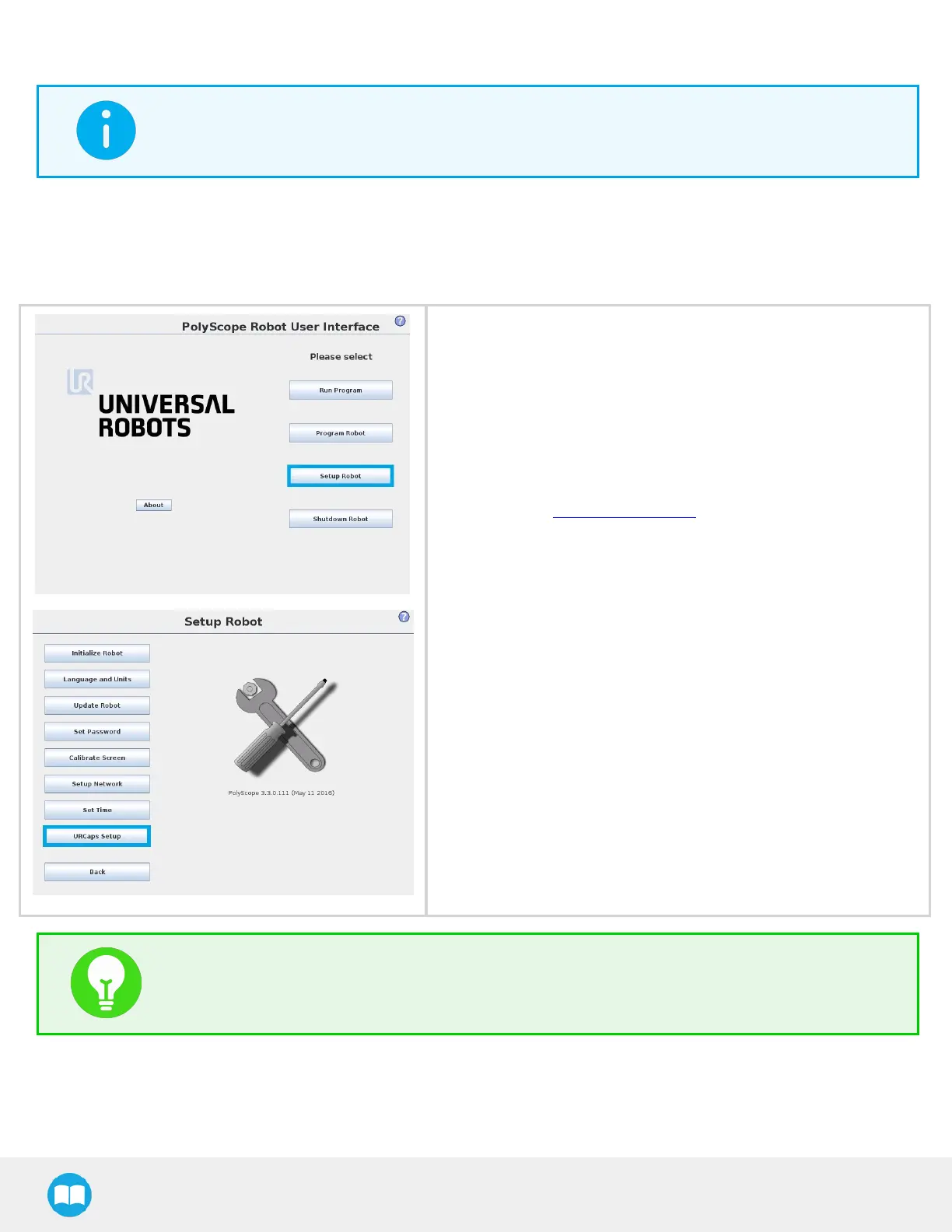
6. Access the Setup Robot.
7. Tap URCaps Setup.
TIP
To identify your PolyScope version, go to the PolyScopehome page and tap About. A window containing
the Universal Robots software version is then displayed.
34



 To Next Page