Robotiq Hand-E C10 Gripper Instruction Manual
INFO
The default gripper IDallocated to the first device connected is 1.
Fig. 4-9: Gripper IDmodification in the Gripper Dashboard
INFO
The E-Open and E-Close buttons allow the user to open and close the gripper even if it is not activated.
These emergency commands use very low speed and force settings.
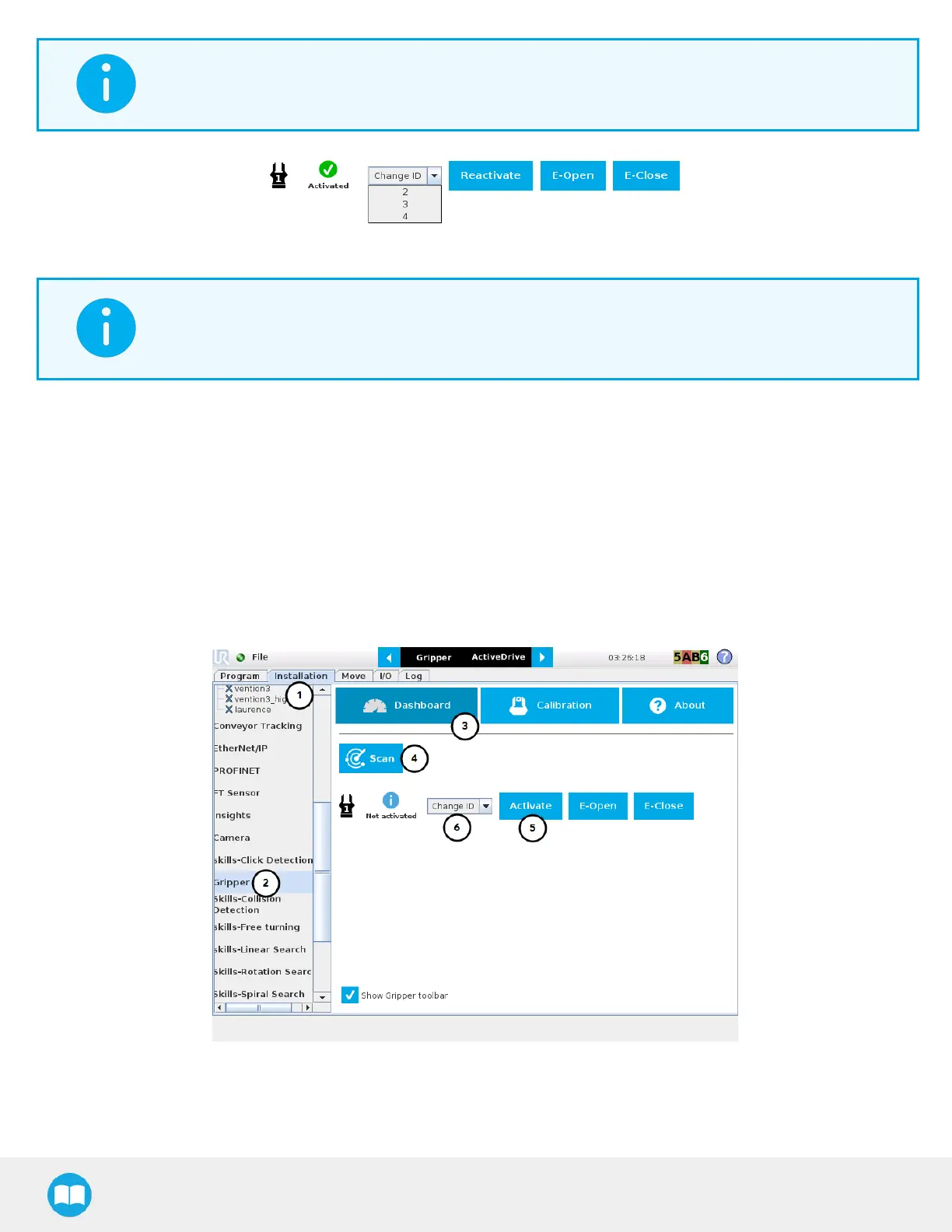
Single Gripper for CB-Series
Open or create a robot program
1. Tap the Installation tab.
2. Select Gripper in the left pane.
3. Tap the Dashboard button.
4. If no gripper is found, tap the Scan button to detect any gripper that might be connected to the robot.
5. Tap the Activate button.
Fig. 4-10: Gripper Dashboard (steps highlighted)
6. If required, change the IDof the gripper; ID numbers range from 1 to 4
71



 To Next Page