Robotiq Hand-E C10 Gripper Instruction Manual
4.9.4. Limiting your Gripper Force and Speed
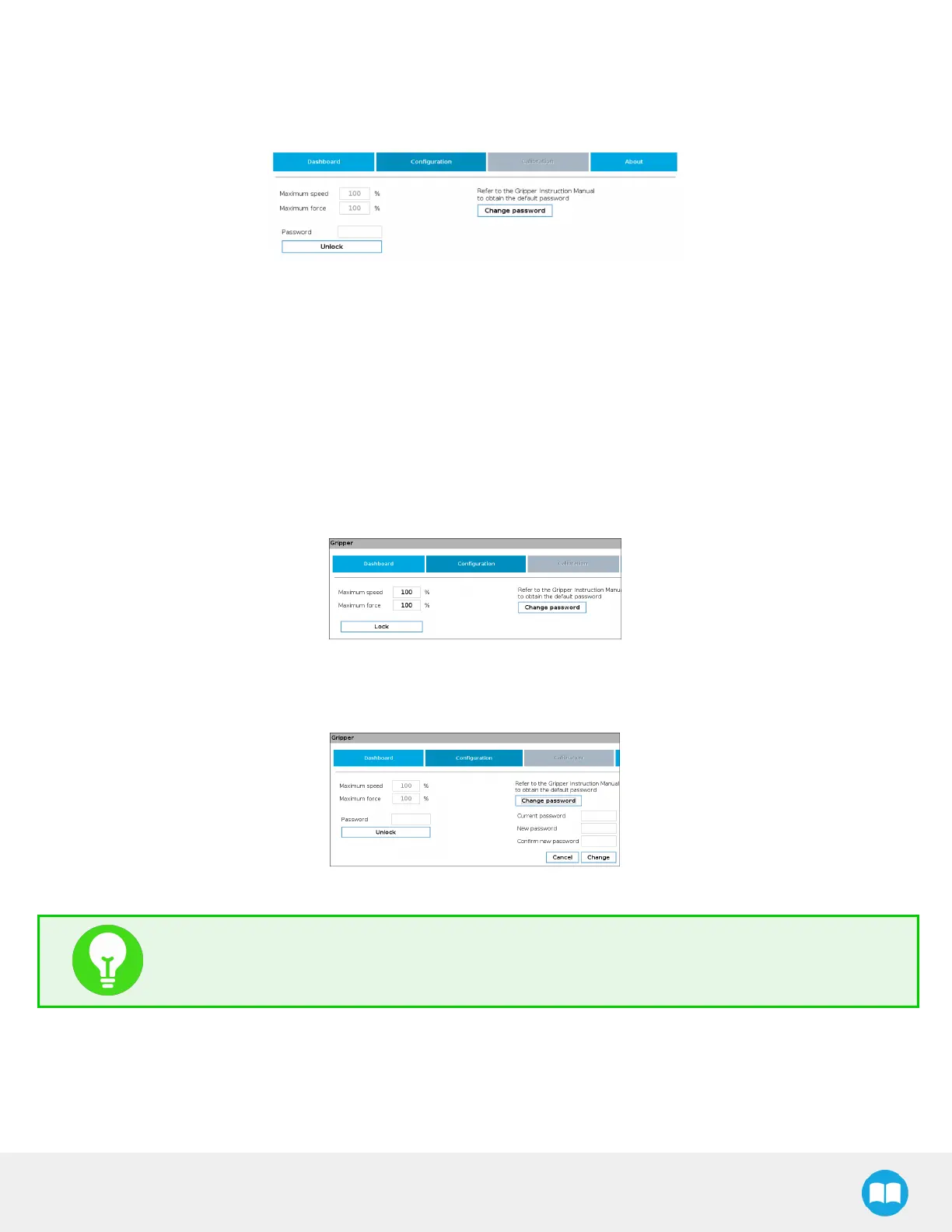
Grippers can have their force and speed limited at root-level when using the teach pendant. Follow these instructions to enable
this.
Fig. 4-12: Limiting the Gripper Force and Speed
1. Depending on your robot:
l
For e-Series: Go to Installation >URCaps > Gripper > Configuration.
l
For CB-Series: Go to Installation > Gripper > Configuration
2. Enter your password. Default is rqsafe.
3. Tap Unlock.
4. To set a maximum opening/closing speed for your grippers (noted as a percentage of its default speed), select the box next
to the "Maximum Speed" field, and enter a value. You can also limit grip strength by setting a value under field "Maximum
force". Values are set, tap Lock. This saves values you entered.
Fig. 4-13: Lock the Maximum Force and Speed
5. To choose a new password, tap the Change password button, and follow instructions on screen. To save your new
password, tap Change.
Fig. 4-14: Modification of the Current Password
TIP
Default password: rqsafe. If you lose your password, contact support team to reset it.
74



 To Next Page