Robotiq Hand-E Gripper Instruction Manual
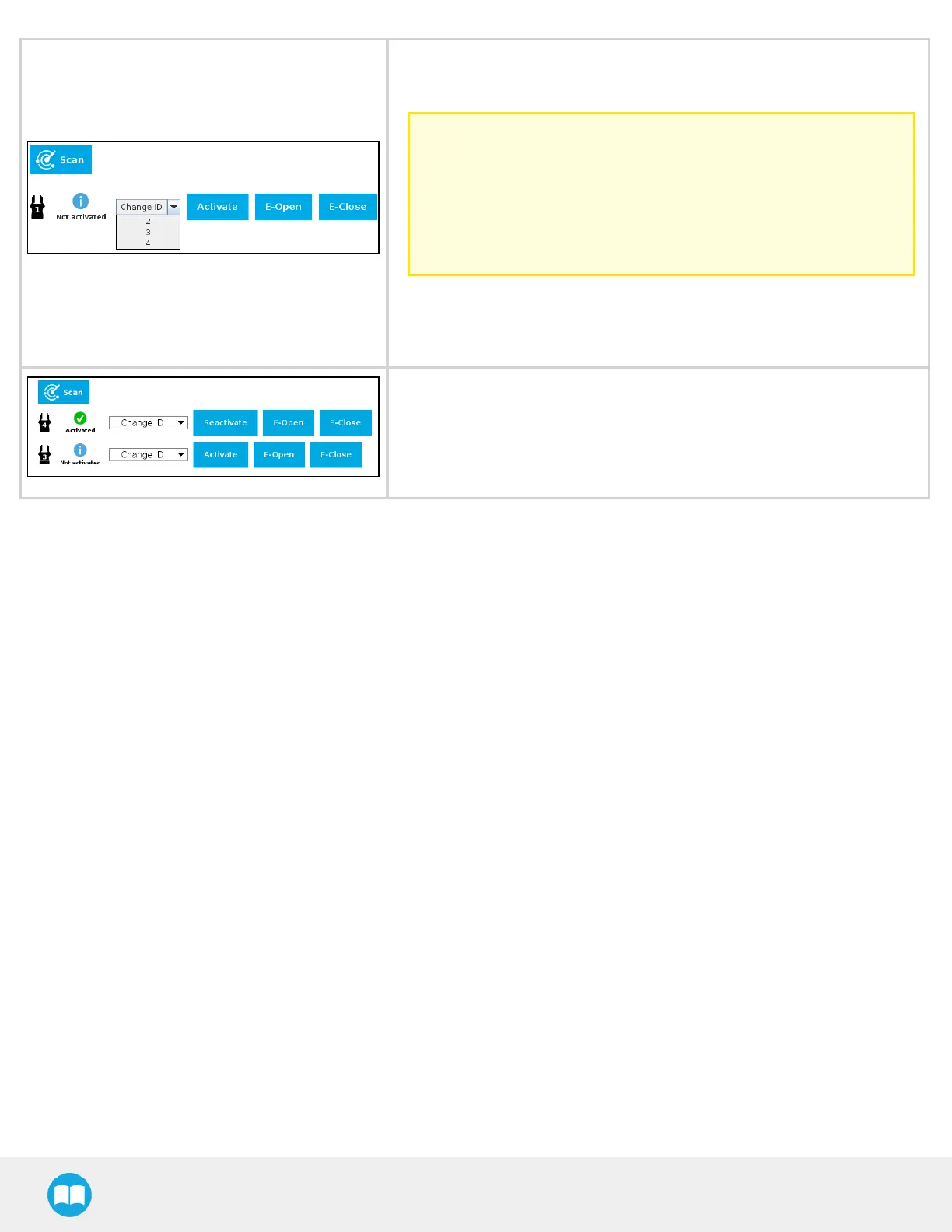
1. Check that gripper ID is different from that of other grippers that will be
connected to the robot, and if required, select a different IDfrom the
"Change ID" dropdown list.
Caution
Make sure that each gripper has a IDdifferent from other grippers
to the robot. Otherwise, communication issues will occur.
By default, Gripper ID is set to 1 in all grippers internal memory.
When you change gripper ID through PolyScope, that change is
committed to gripper memory.
2. Click on Activate to activate the gripper.
3. Perform the same routine for all grippers, if applicable, connecting only
one at the time.
1. Once all grippers ID have been set, connect them all to thesplitter.
2. Go back to the Dashboard tab, and confirm that all grippers are recog-
nized and can be controlled. Tap E-Open and E-Close to test each grip-
per.
40



 To Next Page