Robotiq Hand-E Gripper Instruction Manual
For both models:
1
Tap the Calibration tab
2
Tap the Calibrate button corresponding to the gripper you want to calibrate
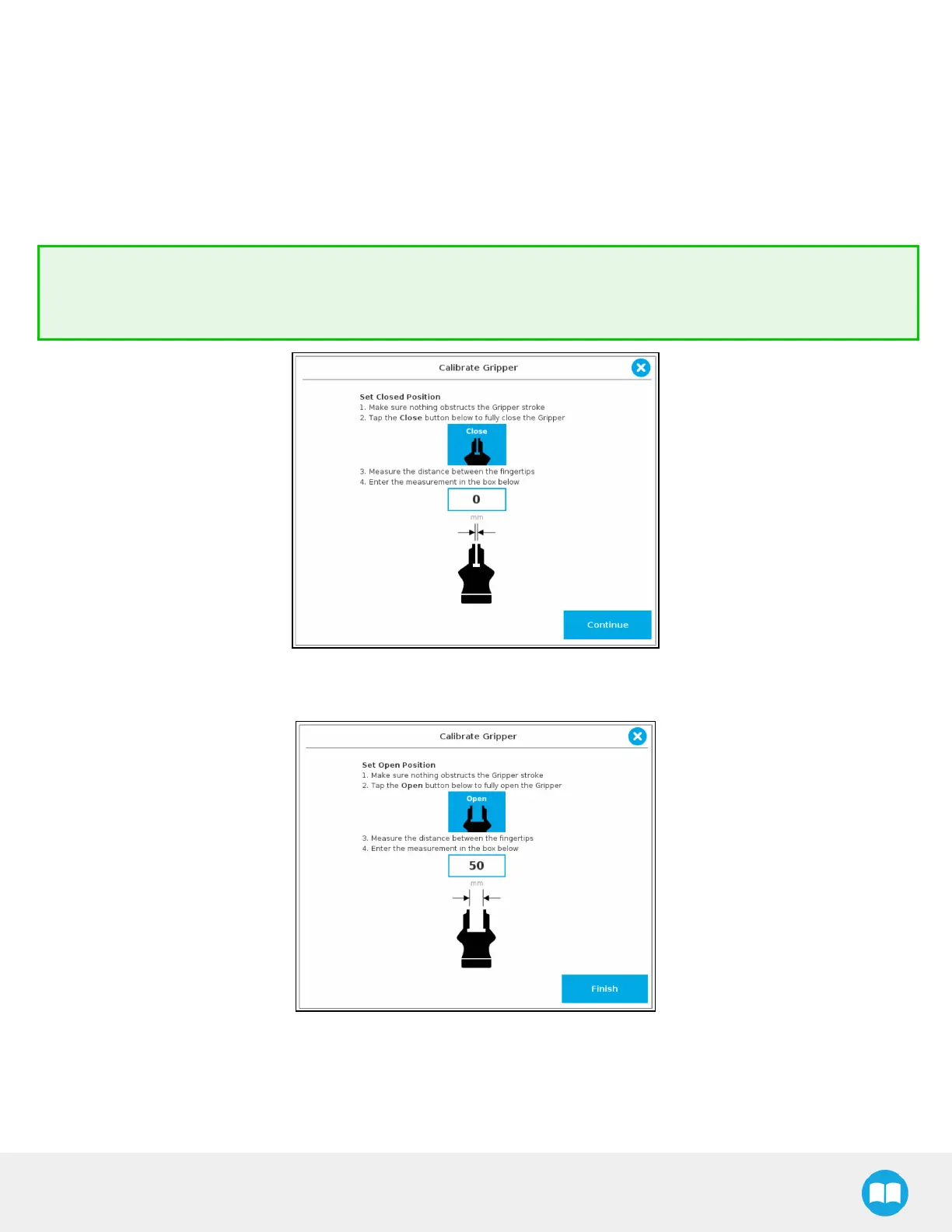
Tapping the Calibrate button in the Gripper Calibration menu launches the Calibration wizard.
Follow the instructions on the screen of the teach pendant.
Tip
Depending on the PolyScope settings defined by the user, the units of measurement can either display according to the
metric or imperial system.
Fig. 4-17: First step of the calibration wizard
Fig. 4-18: Second step of the calibration wizard
79



 To Next Page