Robotiq Hand-E Gripper Instruction Manual
Edit action screen
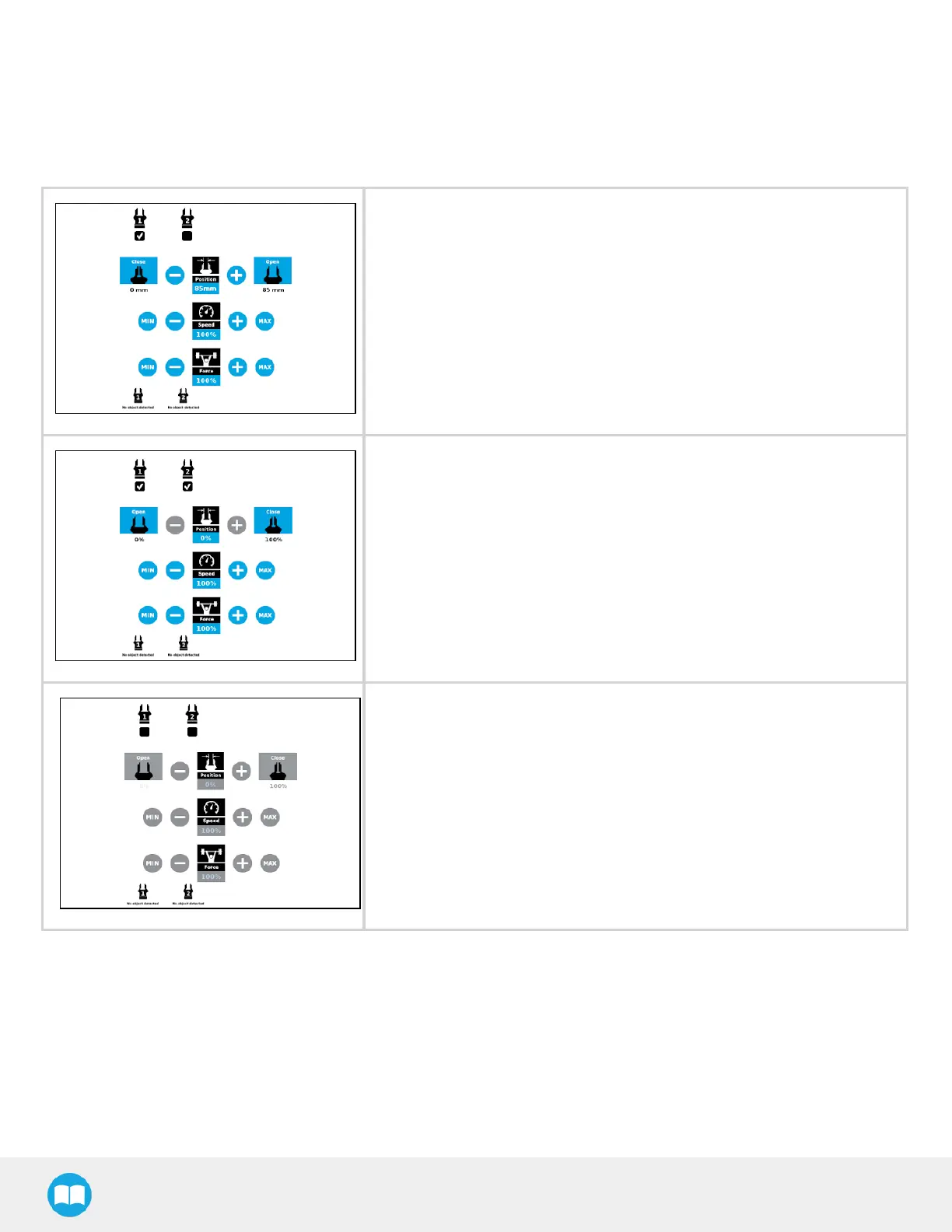
Tap Edit action from the Command window and use the Edit action screen to edit the gripper’s parameters and adjust its position,
speed and force. In normal usage conditions, the gripper will move as soon as you change the position setting. The gripper will not
move if it is not properly powered, connected and activated.
l When selecting one gripper, all buttons are available. The action will apply
to the selected gripper.
l When jogging the position, the selected gripper will move automatically.
l It is possible to jog the position (%).
l When selecting two or more grippers, it is not possible to jog the position.
l To jog the position, select only one gripper, jog the position and then
select all grippers. The second gripper will move to the requested position.
l When no grippers are selected, the action cannot be edited.
92



 To Next Page