Roche Diagnostics April 2007
Service manual · Version 2.0 D-5
91xx pH/Electrolyte Analyzers 13 Troubleshooting
Error messages and troubleshooting
Error messages and troubleshooting
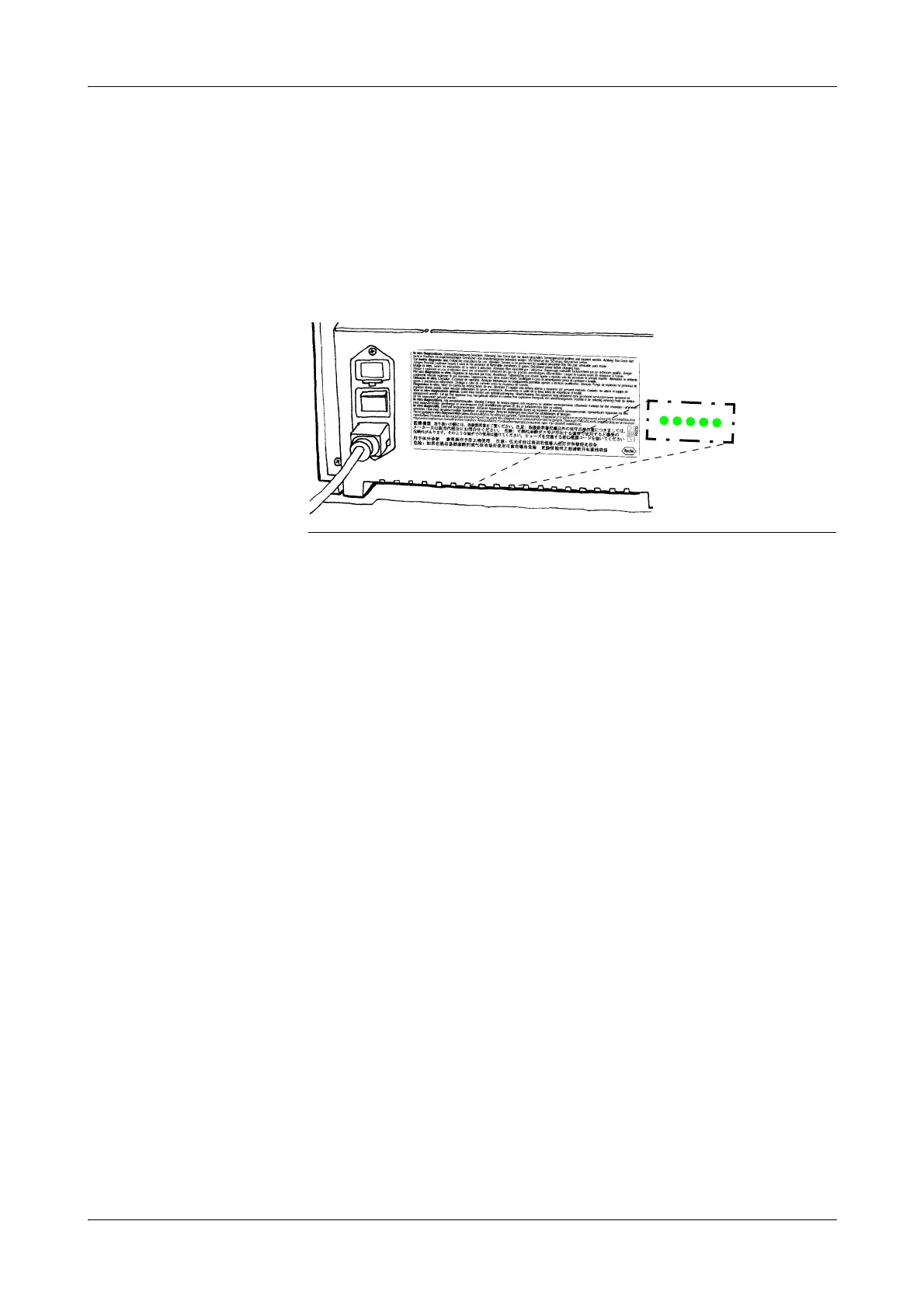
Status-LEDs
The 5 status LEDs at the bottom of the chassis back panel are lit simultaneously
during normal operation. See below if any LED is blank.
Possible causes and remedies
o One ore more supply voltages are out of range or missing. Check the voltage test
points.
e
For details, see Power circuits on page A-33.
o If the voltages are correct:
O Check subsequent cicuits and cabling for obvious damage and replace, if
necessary.
O Check and replace the corresponding fuse.
o Replace the SBC board.
o Replace the power supply.
STATUS: NOT CALIBRATED
This message is only displayed when a calibration has been interrupted by pressing
NO or opening the sample door. Perform a calibration to return to the [READY]
Mode.
STANDARD A NOT DETECTED
This message is displayed when sample contact 1 (9110 only) or the sample sensor is
unable to properly detect the Standard A solution in a programmed time period. As
the analyzer draws a sample of Standard A, the leading edge of the solution is detected
by sample contact 1 (by bridging solution between both parts of sample contact 1) or
the sample sensor. The sample sensor must also detect a continuous flow of
Standard A Solution into the sample chamber, lasting several seconds, without
encountering air bubbles or air. After several seconds, the trailing edge of the
Figure D-1 Status LEDs (back panel, bottom)









 To Next Page