Using the Sequencer
33
Saving a Pattern
Any settings you have edited for a pattern are lost if you select a different pattern or turn off the power after editing. For this
reason, be sure to save your important settings.
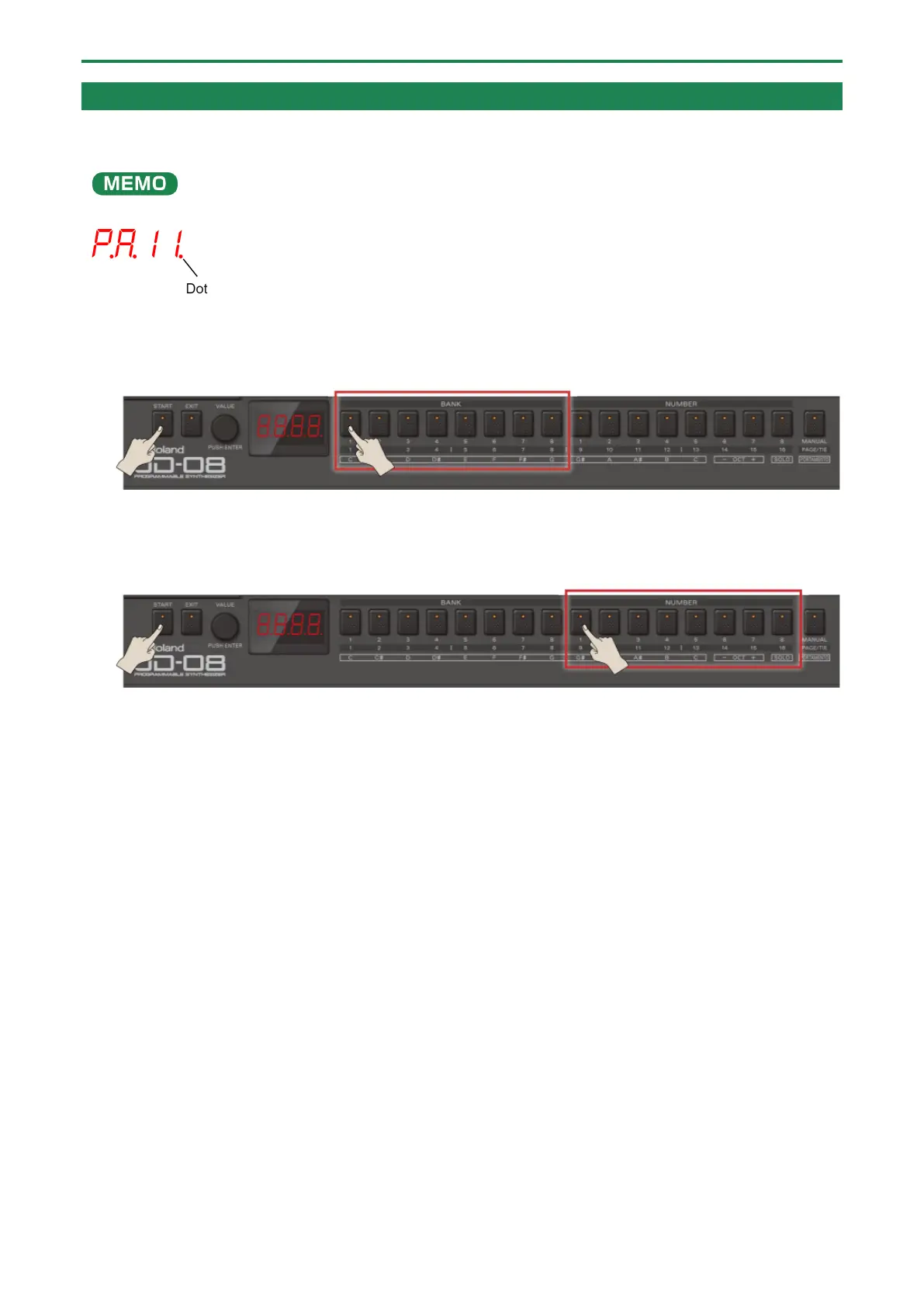
When you’ve edited a pattern and then long-press the [START] button, a dot is shown next to the pattern number in the
display.
1.
Press the BANK [1]–[8] buttons while holding down the [START] button to select the group and bank
where you want to save the data.
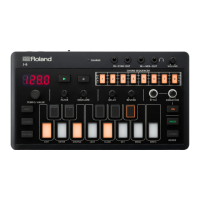
2.
Long-press the NUMBER [1]–[8] buttons while holding down the [START] button to select the save
destination pattern number.
The display blinks several times. The pattern is saved in the pattern number you selected.


 To Next Page