Need help?
Do you have a question about the ROLEC OCPP0410 and is the answer not in the manual?
General safety advice, warnings, and precautions for installation and use.
Explains the system of warnings, cautions, and notes used in the manual.
Lists the available Quantum:EV OpenCharge models and their specifications.
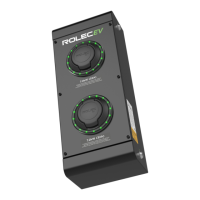
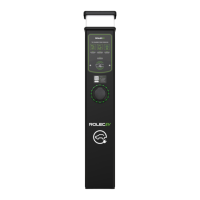
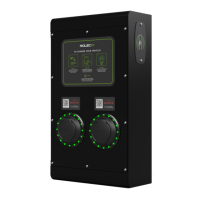
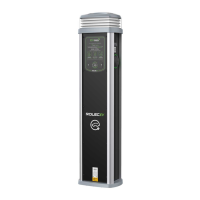
Highlights the main features and benefits of the Quantum:EV OpenCharge unit.
Details the physical dimensions, materials, mass, and operating conditions of the charger.
Outlines the electrical output, input voltage, current, protection, and connectors for each model.
Lists the standards and legislation the product complies with.
Lists optional accessories such as RFID cards, cables, and branding.
Details the items typically found in the product packaging upon delivery.
Describes the various labels found on the product, including rating, QR code, and warning labels.
Provides critical warnings and important notes before commencing the installation process.
Presents the wiring schematic for single socket single phase Quantum OCPP models.
Presents the wiring schematic for double socket single phase Quantum OCPP models.
Presents the wiring schematic for single socket three phase Quantum OCPP models.
Presents the wiring schematic for double socket three phase Quantum OCPP models.
Special considerations for installations funded by the OLEV grant.
General checks and preparation steps required before starting the installation.
Instructions for preparing and installing the ground mounting base for the charger.
Detailed steps for mounting the charger pedestal, including wiring and securing.
Step-by-step guide for securing the unit, making connections, and powering up for the first time.
Instructions for commissioning the charger using the EVCharge.Online platform.
Explains how the LED illumination lamp functions in response to light levels.
Provides an overview of how to operate the charger, including status indicators and RFID.
Details the process of activating the charger using an RFID card or fob.
Directs users to the EV Driver App User Guide for mobile application operation.
Outlines routine maintenance tasks, including cleaning and visual inspection of the charger.
Describes periodic functional tests for switchgear and electrical inspection requirements.
Guides the user through selecting and purchasing a data management plan for the charging points.
Advises contacting an installer to schedule the installation of charging points.
Explains the process of commissioning and connecting charging points to the system after installation.
Details access to the Back-Office Host Management Portal for premium plan users.
Information on booking training and support for system configuration and setup.
Installer ensures the client has completed payment and has the necessary guide.
Steps for installing charging points and connecting them to the EV Charge.Online network.
Advises installers to contact for back-office connection and remote commissioning.
Describes the final steps of booking host appointments for connection and configuration.
Instructs users to download the EVCharge app or visit the website to find charging points.
Explains how to use the map feature to locate and select a charging point.
Guides users on how to get directions to their chosen charging location.
Details the process of plugging in the vehicle to the charging point.
Explains how to use the smartphone camera to scan the QR code for starting a charge.
Describes how to choose the charging amount, either 'charge until full' or specific kWh.
Details payment methods, account setup, and securing the charging cable during a session.
Explains the ways to end a charging session, via the app or by unplugging the cable.
Allows users to save and sort their favourite charging locations.
Enables viewing of current and past charging session information.
Helps users understand their EV charging activity and behaviour.
Provides data export for expense or benefit-in-kind claims.
Allows topping up a virtual wallet for quicker charge activation.
Explains how to report faults via the app, including LED indicators and attaching photos.
Provides contact details for support regarding app or chargepoint issues.
 General
| Brand | ROLEC |
|---|---|
| Model | OCPP0410 |
| Category | Battery Charger |
| Language | English |

 To Next Page