Reference Manual
00809-0100-4841, Rev. AA
May 2007
4-75
Rosemount 3490 Series
PIN Security Personal Identification Number (PIN) security prevents unauthorised people
from programming the 3490 Series Control Unit. Typically, this is set-up when
all the other programming has been completed. As with bankcards, there is
one PIN number.
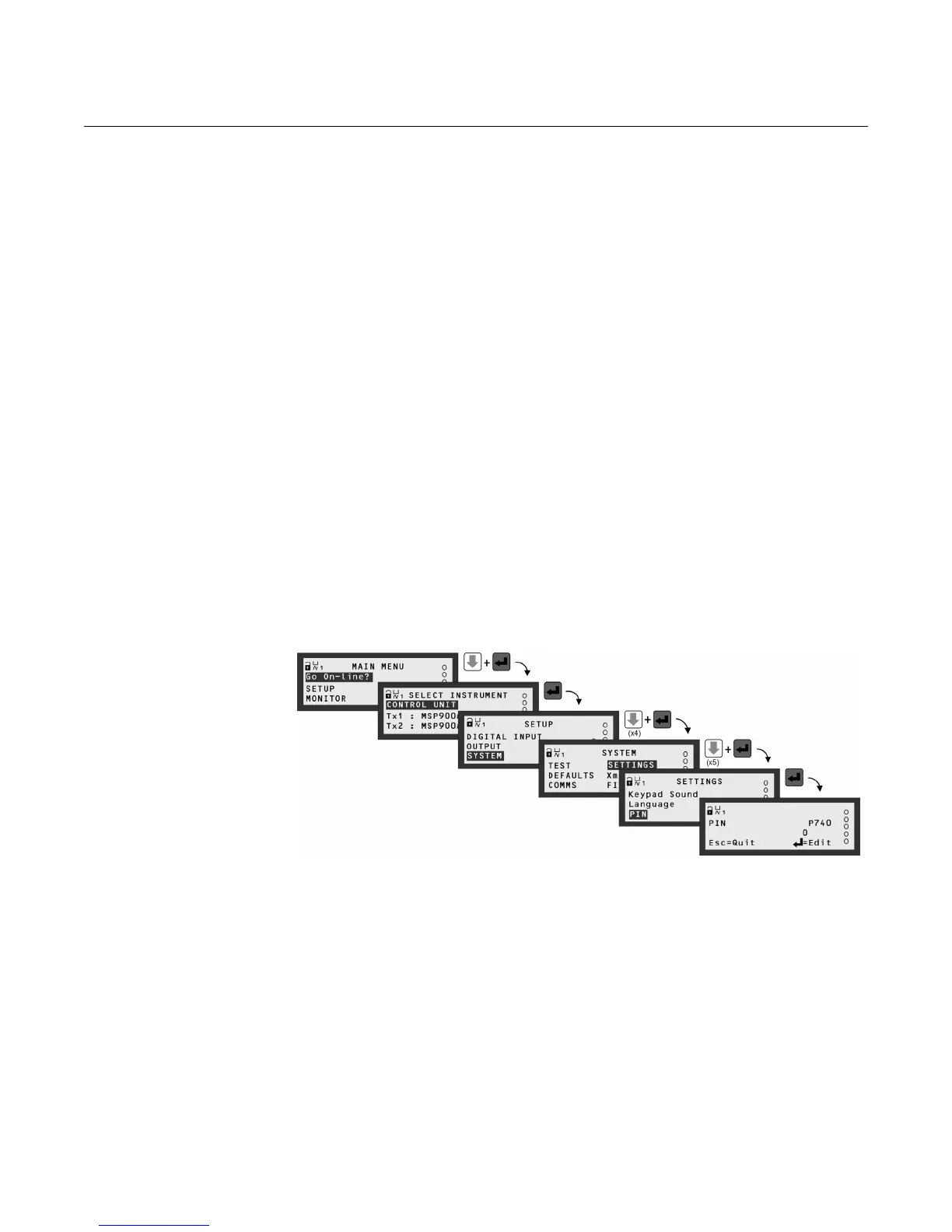
The factory default is for PIN security to be inactive. To activate, navigate the
menu system to the PIN screen and edit a 4-digit personal identification
number (PIN) that you want. The PIN is edited with the arrow keys and
confirmed with the red (ENTER) button; the 4-digit PIN will then be replaced
by "- - - -" to indicate that PIN security is active. (By default, the PIN is "0" if
inactive).
Once PIN security is activated, a prompt for the PIN will appear when needed
for an activity, such as starting a Wizard. If correctly entered, no further PIN
requests are made unless there is a period of keypad inactivity, or the
"Cancel Password" option is selected from the MAIN MENU screen. This
menu option appears only after correctly entering the PIN; the option
disappears when selected, therefore making the 3490 Series Control Unit
secure and will prompt for the PIN when needed.
If the PIN number has been forgotten, contact Rosemount, Inc. for
assistance.
Please ensure that you have the serial number of the 3490 Series
Control Unit available. It is located in the menu system at:
MAIN MENU / [CONTROL UNIT /] SETUP / SYSTEM / FIXED / Serial No.
Figure 4-44. Navigating to the
PIN set-up screen
The SELECT INSTRUMENT menu is skipped automatically if there are no HART transmitters.
(Model 3491 screens are shown.)



 To Next Page