Reference Manual
00809-0100-4841, Rev. AA
May 2007
Rosemount 3490 Series
4-4
THE HIERARCHICAL
MENU SYSTEM
How to navigate the
menu system
If you wish to have a quick tour of the menu system, follow instructions in this
section, otherwise feel free to explore on your own. Should you get lost, use
the ESC button repeatedly until the primary display re-appears.
Tour of menu system:
1. Ensure that the Primary Display (or Large PV Display) is visible.
If you are already within the menu system, hold down the ESC button for
5 seconds, and then continue with Step 3.
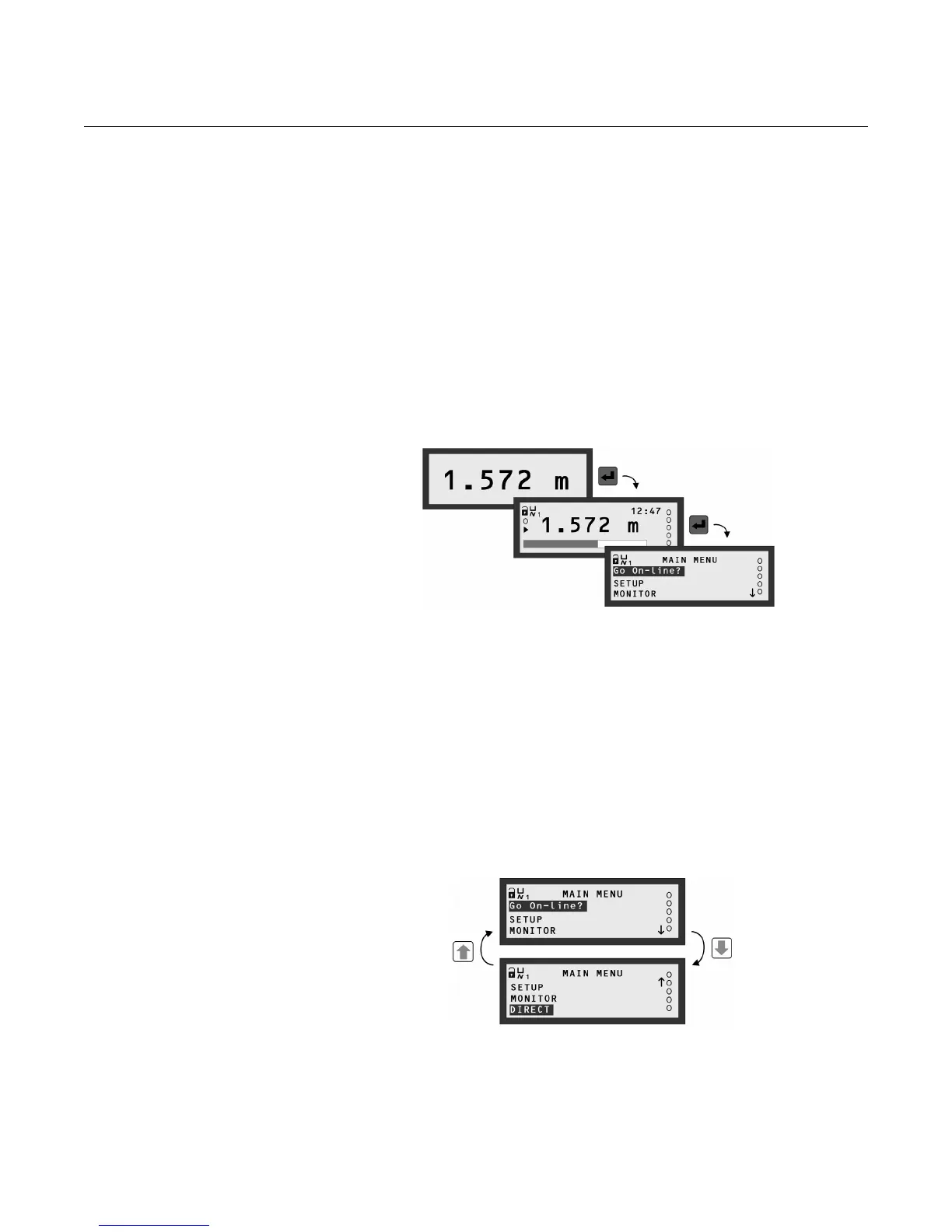
2. Press the red (ENTER) button once to display the MAIN MENU
(see Figure 4-3). The MAIN MENU is the top level of the menu system.
Figure 4-3.
How to enter the menu system
3. Navigation of the menu system is achieved by using the ARROW buttons,
the red (ENTER) button, and the ESC button. The ESC button returns you
to the previous menu level, unless you are at the top level.
4. The highlighted (blinking) text indicates what menu option will be selected
if the red (ENTER) button was pressed now. Do not press it yet.
(Do not worry if the menu option is "Go Off-line" instead of "Go On-line".)
5. The
↓ indicates there are further menu options available, accessible by
using the DOWN-ARROW button.
An
↑ indicates there are further menu options available, accessible by
using the UP-ARROW button.
Figure 4-4. How to navigate the
menu system
6. Now use the UP-ARROW button to highlight menu option "Go On-line?"
(or "Go Off-line?").
7. Press the red (ENTER) button once to select it.
8. Use the red (ENTER) button to toggle between on-line and off-line modes
(see Figure 4-5).



 To Next Page