Reference Manual
00809-0100-4841, Rev. AA
May 2007
Rosemount 3490 Series
2-4
CONTROL UNIT
FRONT PANEL
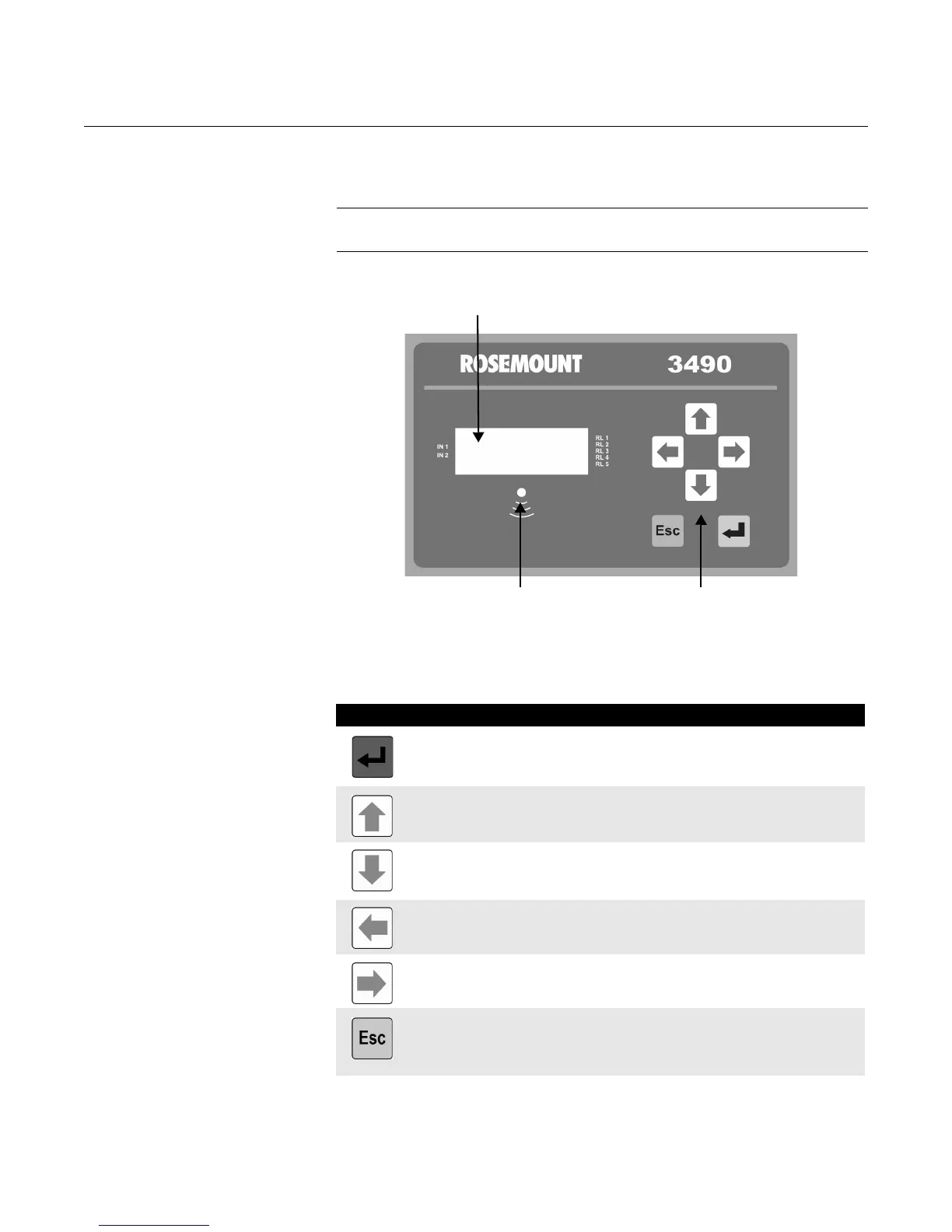
This section describes the front panel fascia, which comprises keypad,
display, and status LED.
NOTE:
A full specification for the control unit is in Appendix A.
Figure 2-2. Front panel fascia
Keypad The membrane keypad comprises 6 function buttons. They are used for
navigating a hierarchical menu system and for viewing/editing application
parameters. A summary of each button function is provided below.
4-line back-lit LCD display
Status LED
Keypad
Button What the button will do
When the Primary Display is shown, press the red (ENTER) button to access the
Hierarchical Menu System. At other times, this button is for selecting a menu
option and for confirming an edited parameter value or option.
When navigating the menu system, the UP-ARROW button is for moving upwards
one line. At other times, this button is for scrolling up through a list of alphanumeric
characters or a multiple-choice list of options.
When navigating the menu system, the DOWN-ARROW button is for moving
downwards one line. At other times, this button is for scrolling down through a list
of alphanumeric characters or a multiple-choice list of options.
The LEFT-ARROW button is for moving left e.g. to another character when editing
a parameter value.
The RIGHT-ARROW button is for moving right e.g. to another character when
editing a parameter value.
When navigating the menu system, the ESCAPE button will return you to the
previous menu level and the Full Primary Display.
At other times, e.g. editing a parameter, it is for restoring a parameter value/option
to the setting prior to when editing started.



 To Next Page