Reference Manual
00809-0100-4841, Rev. AA
May 2007
4-7
Rosemount 3490 Series
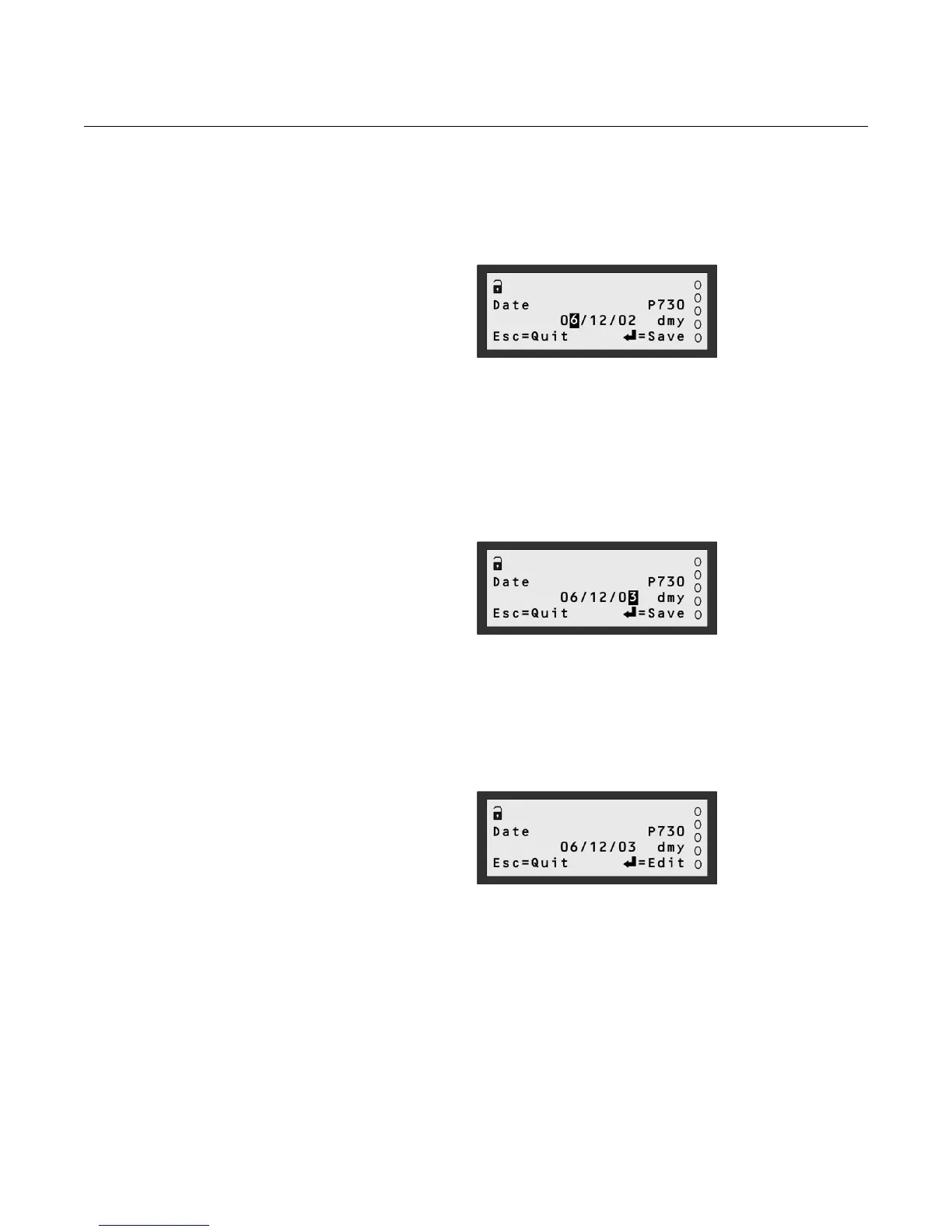
6. Press the UP-ARROW button once to change the 5 to a 6.
The UP-ARROW button will scroll up through the numbers.
The DOWN-ARROW button will scroll down through the numbers.
Figure 4-10.
Changed the “5” to a “6”
7. Press the RIGHT-ARROW button until the “2” is highlighted.
If you go too far to the right, continue to use the RIGHT-ARROW button.
8. Press the UP-ARROW button once to change the “2” to a “3”.
If you go beyond the 3, use the DOWN-ARROW button to decrease the
number. Alternatively, keep using the UP-ARROW button.
Figure 4-11.
Changed the “2” to a “3”
9. Press the red (ENTER) button to save the new date and return to View
Mode.
Note that on display line 4, "Save" has changed back to "Edit".
10. Press the ESC button to return to the SETTINGS menu.
Figure 4-12. New date saved



 To Next Page