19/74
5.2 TV Configuration
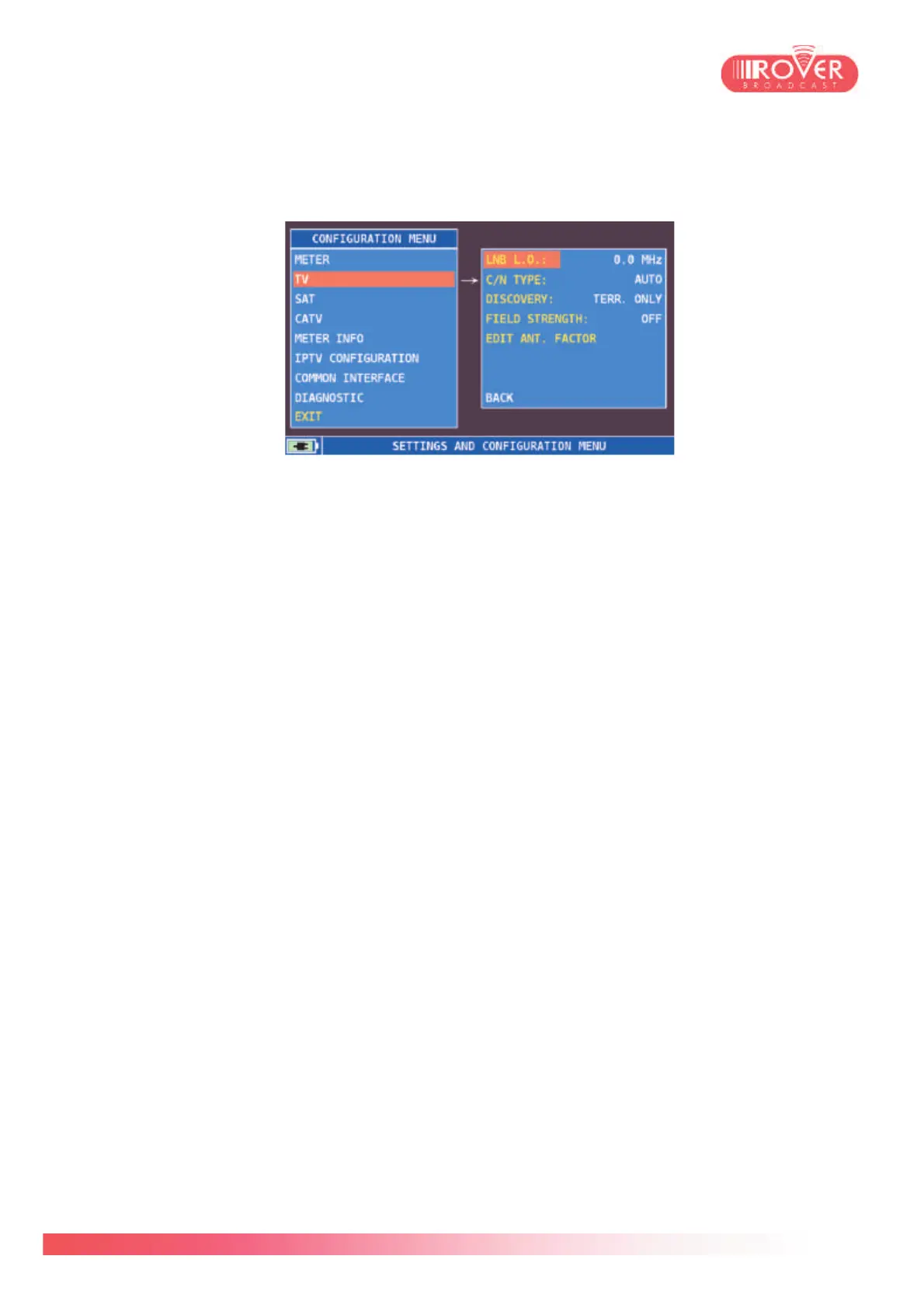
Selecting TV from the left menu, will open the TV parameters configuration screen:
LNB L.O. is set to 0 by default. It should be set to the desired value if it is necessary to
down-convert the signal frequency into the TV band (VHF or UHF) before starting the
measurements.
C/N TYPE by default is set to OUT BAND and can be also set to IN BAND. If is set to mode
IN BAND the signal/noise ratio is measured between the signal level of the video carrier and
the noise level, estimated in the band between the colored subcarrier and the audio carrier;
if set to OUT BAND mode the signal/noise ratio is measured between the signal level of the
video carrier and the noise level estimated in the guard band (-1.250 MHz from the video
carrier).
DISCOVERY could be set to both TERRESTRIAL ONLY or to TERR&CABLE. If set to
Terrestrial Only, it means that the Auto discovery function will look only for terrestrial (DVB-
T / T2); when set to Terr&Cable, the Auto discovery function will look also for DVB-C
channels.
FIELD STRENGHT is set to OFF by default. It should be configured when the meter is used
to perform field measurement campaigns using an external antenna. This parameter can be
set to OMNIANT, LOGANT (which are the factory default ones – corresponding to the
recommended antennas) but also to CUSTOM meaning that the user can define a new
antenna type.
To each antenna type corresponds an antenna factor table that will be applied during the
measurement campaign to determine the correct field strength value.
EDIT ANT.FACTOR is enabled only if Field Strength is set to CUSTOM. It displays a table
containing 10 calibration points, each identified by the frequency, the Antenna factor value
and the cable loss, as shown in the next page:



 To Next Page