20/74
5.3 SAT Configuration
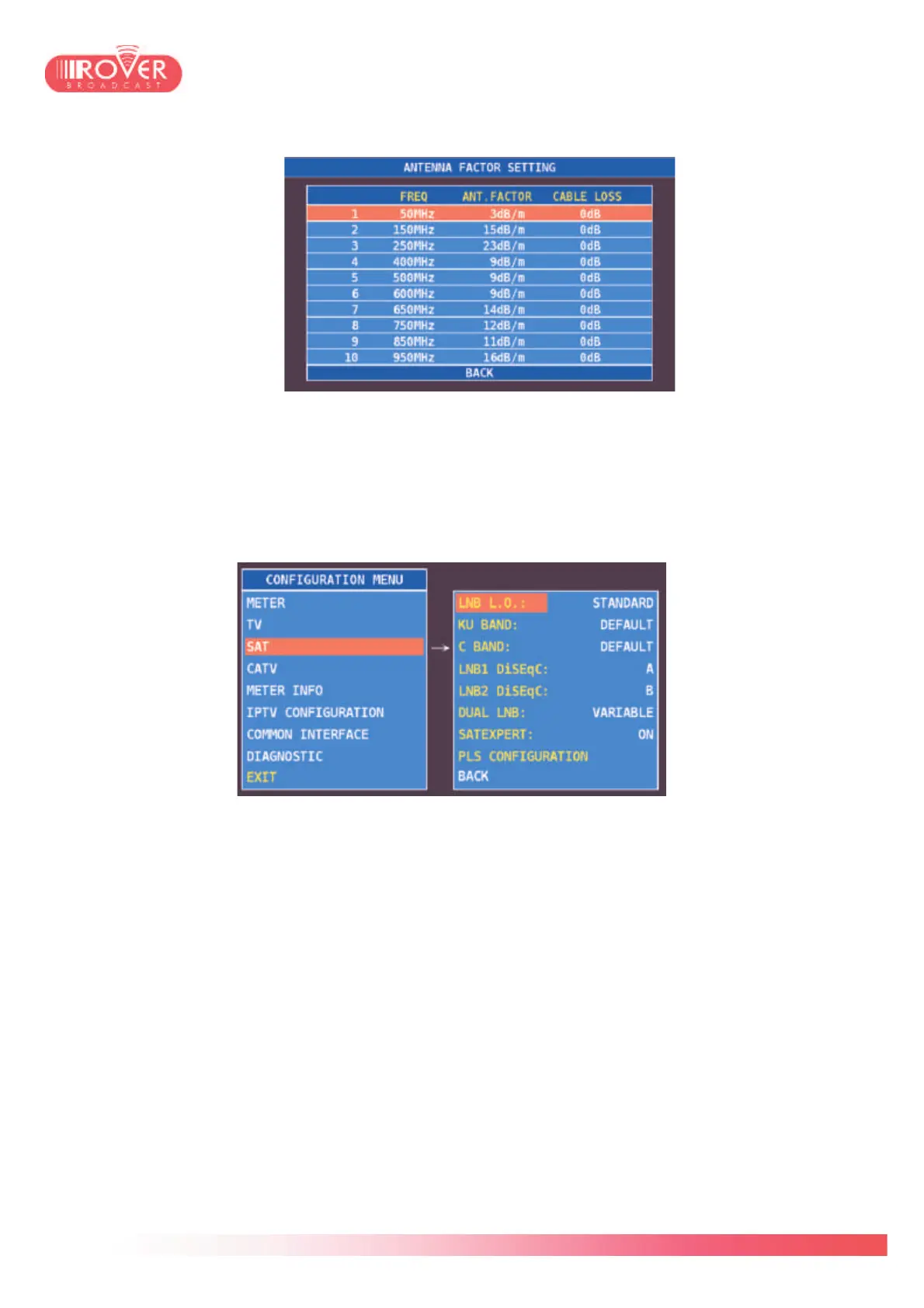
Selecting SAT from the left menu, will open the SAT parameters configuration screen:
LOCAL OSCILLATOR: could be set to STANDARD or to 0MHz. When set to Standard, it
enables the selection of down-converter local oscillator from the 2 subsequent menus, Ku
band and C band and the signal frequencies will be displayed according to the selected
values (base-band frequency + local oscillator). When set to 0MHz, will result in displaying
signal frequencies in base-band values (from 950 to 2250 MHz).
D.I.S.Eq.C. 1 and D.I.S.Eq.C. 2 could be set to A, B, C, D and determines wich D.I.S.Eq.C.
will be assigned to the two satellites used in the Dual LNB mode.
Dual LNB by default is set to VARIABLE; it can assume also the values 9° & 13°, or
13°&19° and 19°&23°. It determines the satellites couple to be addressed during the
measurements on Dual LNB installations and on which is applied the D.I.S.Eq.C. 1 and
D.I.S.Eq.C. 2 parameters.
SATEXPERT could be set OFF and ON (default). It is an automatic satellite discovery
function that let the user identify the received signal (Astra, HotBird, ect) based on the
satellite fingerprint recognition.
If set to ON, when doing spectrum analysis of a satellite signal, the meter will compare the



 To Next Page