26
Introducing the ZoneFlex Access Point
Getting to Know the Access Point Features
Rear Panel Features
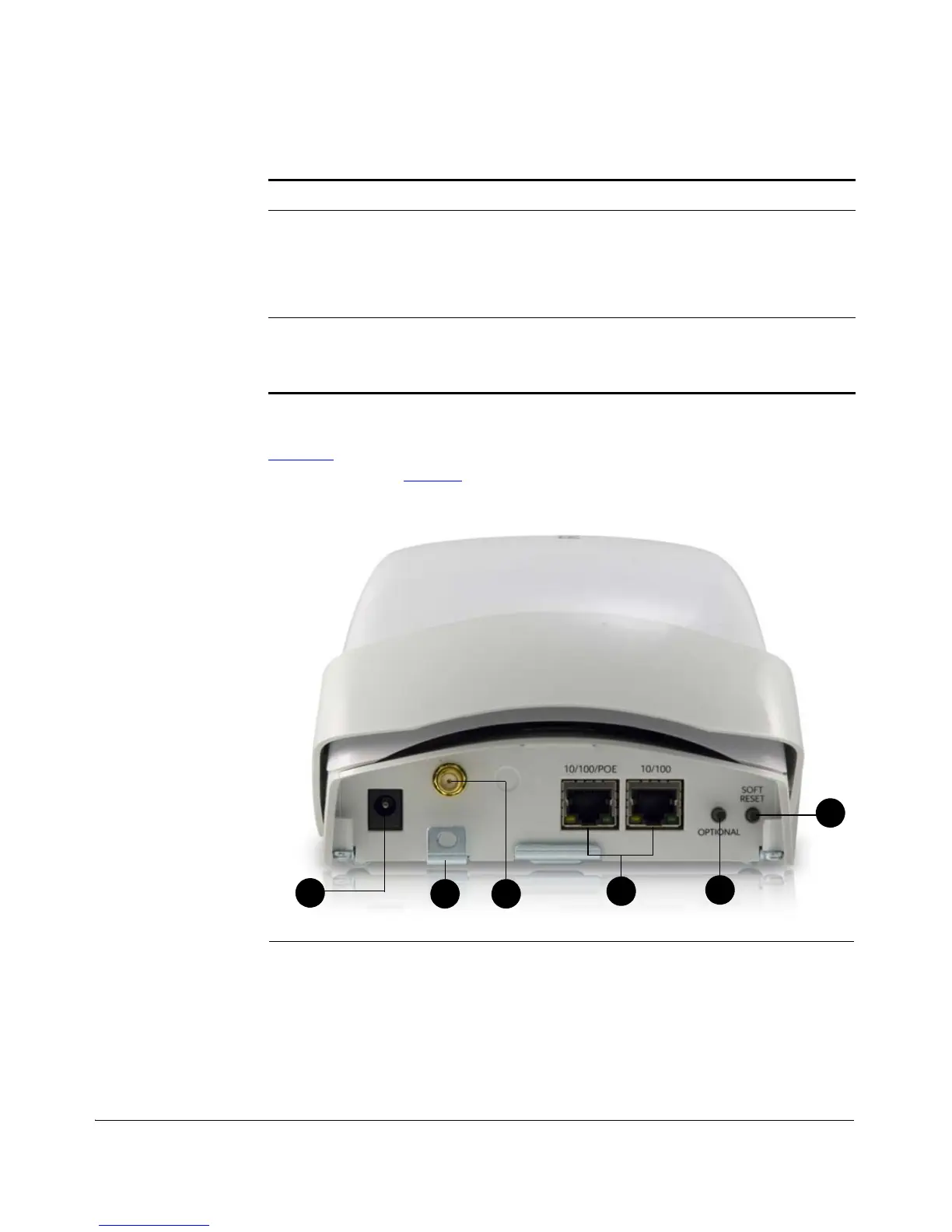
Figure 14 shows the rear panel of the ZoneFlex 2942. For a description of each rear
panel part, refer to Table 18
.
Figure 14. ZoneFlex 2942 rear panel features
7 Kensington Lock The Kensington lock feature, located on the
opposite side of the unit from the pictured LEDs, is
designed to prevent the sliding door from opening,
thus locking the unit. The Kensington lock works with
a Kensington MicroSaver lock.
8 Power LED (front) • Off: Off
• Red: Boot up in process
• Green: On
Table 17. ZoneFlex 2942 side panel elements
Number LED/Button Name Description












 To Next Page