14
Russound ACA-E5 Installation Manual
RNET SOURCE EQUIPMENT RNET LINK
RNET LINK TO RNET SOURCE EQUPIMENT
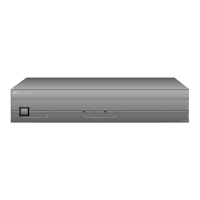
The RNET Link In and Link Out can be used to connect the ACA-E5 to other specified Russound RNET-
enabled source equipment. The connection is made using a CAT-5 patch cable from the Link Out of the
controller and into the Link In of the RNET-enabled souce. Another CAT-5 patch cable can be used to link
out of that source and link into another RNET-enabled source in the system. Use a standard CAT-5 patch
cable with an RJ45 connector on each end.
Along with RNET data signals, the RNET Link In and Link Out jack passes source IR signals. To avoid
potential cross-talk between the source-specific IR repeating signal lines, the cable should not exceed
18 inches in length. These are only for source-specific IR remote repeating, not codes initiated from the
controller’s internal IR library.
RNET SOURCE EQUIPMENT
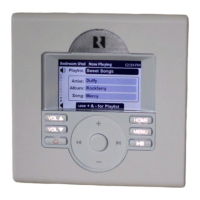
RNET-enabled sources fully integrate with ACA-E5 multizone systems. All source configuration and
programming is performed through SCS-E5 software. When applicable, these sources are controlled via
RNET keypads or the HHR-E5 remote control, and display source information on the keypads.
NOTE: For proper operation of the SMS3 Smart Media Server, both the ACA-E5 and the SMS3 MUST
be connected to a DHCP router with NAT/firewall and be on the same local network.


 To Next Page