Need help?
Do you have a question about the RWD MP-500 and is the answer not in the manual?
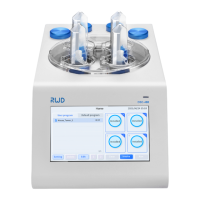
The RWD MP-500 Micropipette Puller is a laboratory instrument designed for creating glass microelectrodes with symmetrical tips. It achieves this by softening a single capillary glass with high-temperature heating and then pulling it into two microelectrodes. The device is primarily used in universities, research institutions, hospitals, and assisted reproductive centers for applications such as patch clamp experiments and microinjection operations. It also finds use in industrial applications requiring micro-control, such as preparing liquid flow pipelines in microfluidic chip technology, nozzles in printed circuit and 3D printing, operating needles in cell systems, and particle capture needles in material science.
The MP-500 Micropipette Puller integrates a heating assembly, a pulley assembly, and an air cooling system. It allows users to precisely control the pulling process to produce microelectrodes tailored to specific experimental needs. The device features a capacitive color touch screen for intuitive operation and provides reference pull protocols that can be modified. A key function is the one-button glass softening point test, displayed directly on the main interface for user convenience. The integrated plug-in humidity control chamber ensures dry air around the filament and capillary glass during pulling, preventing adverse effects of humidity on the results. The device also includes safety features such as a low light transmittance cover to isolate hazardous factors like heat, dazzling light, and rapid clamping arm movement. It automatically shuts off power if the heating function is abnormal.
The MP-500 is designed for ease of use and precision. The front panel cover features a roller design for easy opening. Users can install capillary glass by moving puller bars, fixing the glass in the V-groove, and centering it with the heating filament. The device provides recommended pull protocols based on glass type, heating filament, and desired microelectrode type (e.g., patch clamp, intracellular recording). These protocols can be customized. The softening point test is crucial when replacing heating filaments or using different glass types. The system allows for parameter adjustment, including heat, pull, and velocity, to achieve desired microelectrode characteristics. For patch clamp microelectrodes, specific guidelines are provided for thickwall and thinwall glass, including recommended delay settings and methods for testing median velocity and selecting appropriate velocity based on target impedance. The device stores up to 99 pulling programs, and users can create, copy, and rename programs. A preheat jaws function helps stabilize pulling results by maintaining jaw temperature at 70°C. The system also includes diagnostic tools for pressure, heat, pull, and velocity to ensure proper operation and troubleshoot issues like air leakage.
Maintenance of the MP-500 includes routine cleaning and component replacement.
 General
| Brand | RWD |
|---|---|
| Model | MP-500 |
| Category | Laboratory Equipment |
| Language | English |

 To Next Page