10
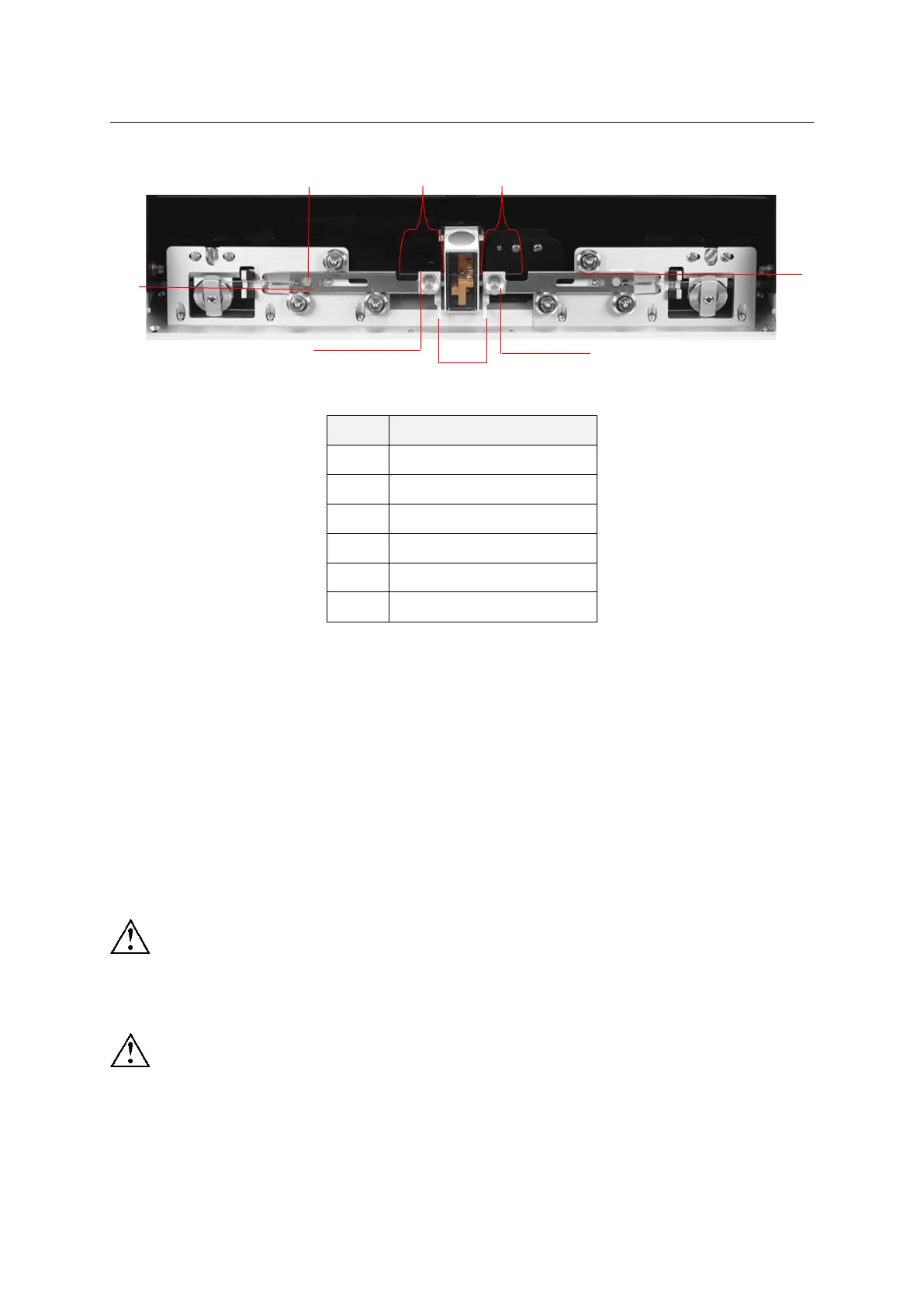
Figure 4-3
1) Move the puller bars toward opposite directions to the end of their travels respectively until
they are caught to prevent them from sliding left and right;
2) First put the glass in the V-groove, turn the knob to fix the glass slightly, and note that the
glass can still be slid;
3) Press the buttons on both sides to release the puller bars, gently hold the puller bar handles
to pull both bars toward each other to the middle of the heating chamber;
4) Slightly loosen the knob, gently push the glass along the V-groove and make it carefully go
through the heating filament until the lengths of the glass on both bars L1 and L2 are
approximately equal; tighten the knob to complete the glass installation.
The glass must be close to the V-groove when sliding, otherwise the heating filament
may be damaged!
Do not use excessive force when pulling the bars and tightening the knob, otherwise
the glass may be broken!
2
L2
3
6
L1
5
4
1


 To Next Page