12
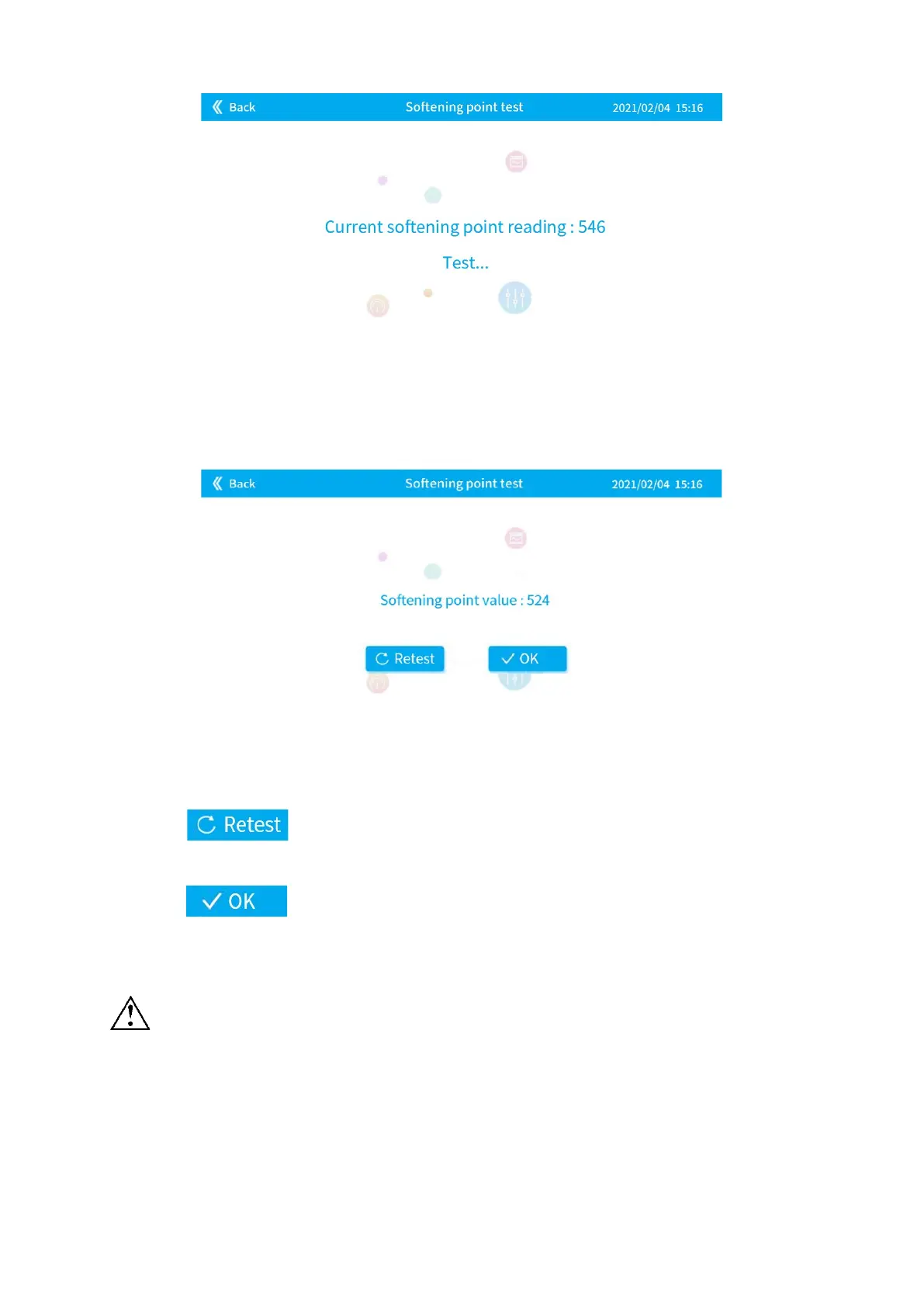
Figure 4-5
3) Get and record the softening point test value.
Figure 4-6
4) Click on the interface in Figure 4-6 to enter the [Softening point test]
interface as shown in Figure 4-4 and retest the softening point.
5) Click to enter the [Main Interface] shown in Figure 4-2, and the current
softening point test value will be automatically filled in the softening point input box.
6) It is recommended to repeat the test 3 times. The maximum value is the softening point.
After testing softening point, the glass will be broken. Please replace the glass before
pulling! Refer to


 To Next Page