26
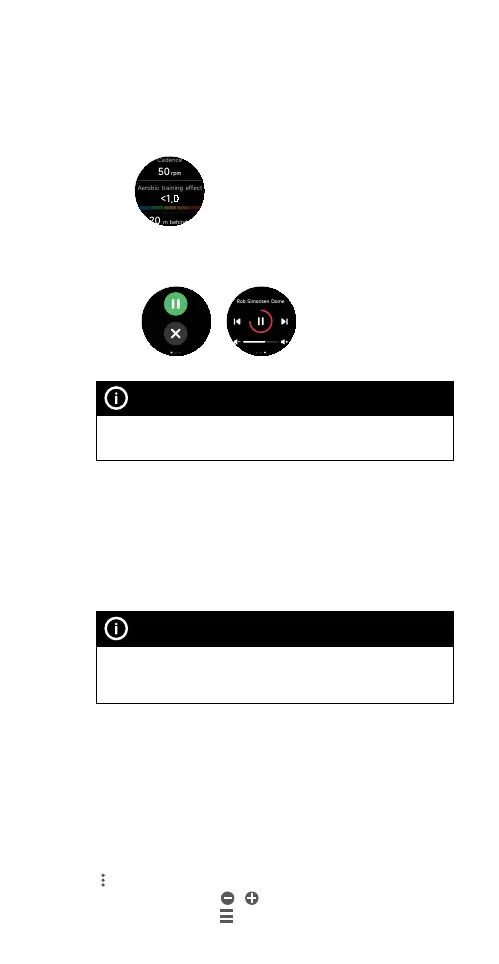
4) During a workout session, you can do the following:
• Press the smartwatch button to pause and
resume the workout.
• Swipe up/down from the edge of the screen to
view workout data which vary by workout mode.
• Swipe left/right from the edge of the screen to
switch between the workout real time data,
session control and music control screens.
NOTE
Music and session control screens are not available for
swimming workouts.
5) To end a workout session, press and hold the
smartwatch button. A workout summary is displayed
after the session has ended.
Starting and ending a workout with the Ryze Connect App
You can start and end a selected workout mode on the
smartwatch from the Ryze Connect App.
NOTE
For workout control and route tracking using connected GPS,
keep your smartphone and smartwatch close to each other to
ensure they are connected via Bluetooth.
1) Enable location service on your smartphone. When
prompted, grant permission to access location for
the App.
2) In the App, go to the Exercise tab. Tap to choose
a workout mode above the map view. Swipe the
workout list left or right to view all workout modes.
To edit the workout list above the map view, tap the
icon and then tap on Edit Sports. To remove/add a
workout mode, tap
/ . To rearrange workout modes,
hold and drag the
icon next to the workout name.



 To Next Page