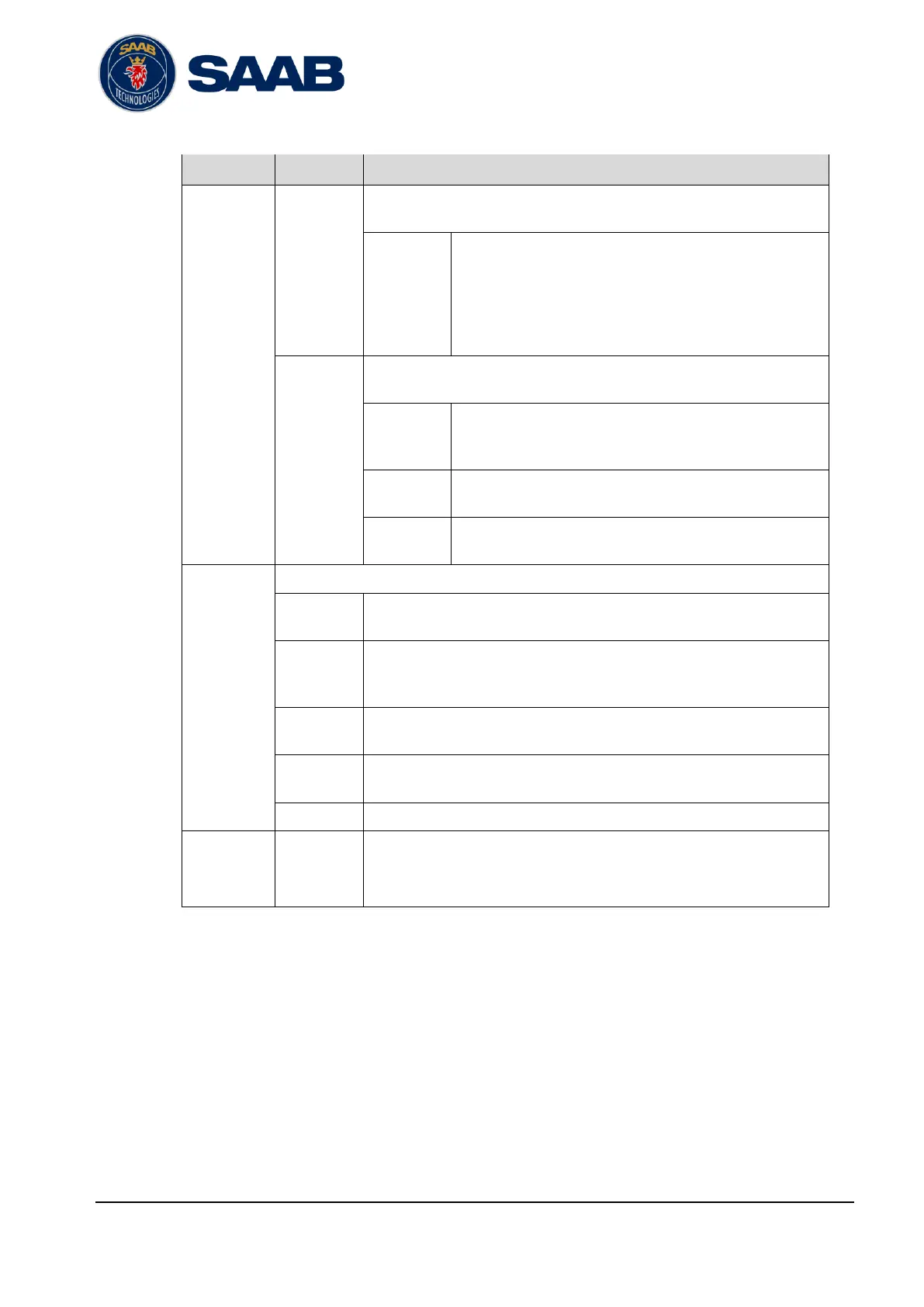
Check this circle to use RATDMA for AtoN transmission scheduling. If
RATDMA is used then the Report Interval is enabled
The delay in seconds between the transmitted reports
for this AtoN. Avoid setting this value too low, as it will
increase the VDL load, but use values below 360 (6
minutes) to avoid the target to be removed from the
target lists of the AIS users between transmissions.
This setting is only used when RATDMA is selected.
Check this circle to use FATDMA for AtoN transmission scheduling. In
this case, the UTC Minute, Start Slot and Increment settings are enabled.
The UTC minute for the start slot. This is only of
interest if increment is larger than one frame (one
minute).
The start slot of the AtoN message 21 broadcast
(AtoN). Note that message 21 are always 2 slots long.
The number of slots between the start slot and the
next transmission on the same channel.
Flags are used to set bits of data in the AtoN report transmitted.
Normally not used. See Ref [2] and Ref [6] for further information.
Check this box if the AtoN position is surveyed with high accuracy.
High accuracy is valid if the entered position has been established
with an accuracy of at least 10 meters.
Check this box if the described AtoN does not exist physically.
Check this box to indicate that the AtoN is off position. This is only valid
for a floating AtoN.
Check this box to indicate that the AtoN is using RAIM.
The dimensions in meters of the AtoN.
Dimension parameters are defined with the position of the AtoN as
reference.
Table 6-16 – Parameters for the Aids to Navigation category page


 To Next Page