Saab TankRadar
®
ProPro Display Panel
5-24
Edition 2. Ref. No: 306010E
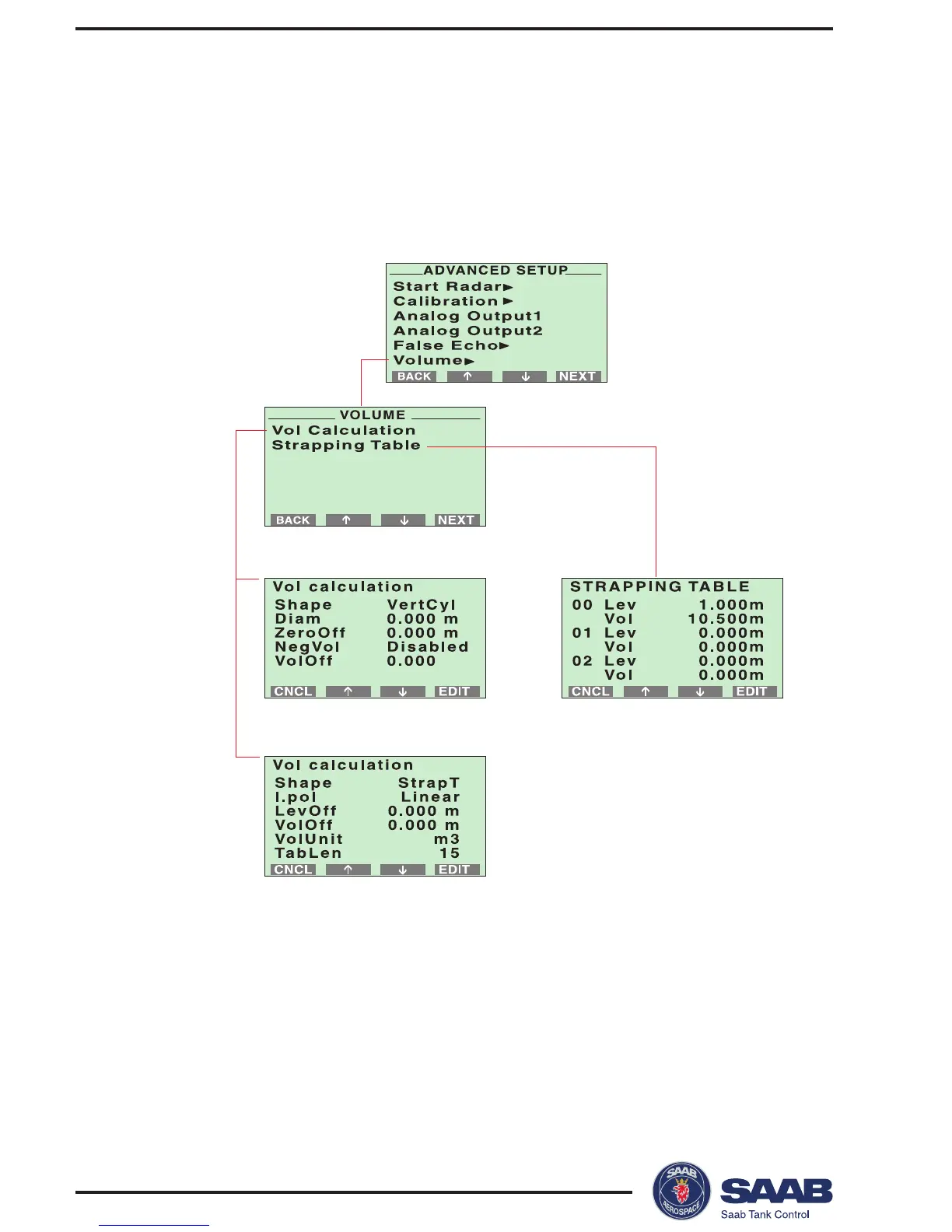
9. Select the Volume option from the Advanced Setup menu (optional).
The Volume option allows you to setup the Pro transmitter for volume calculations.
You can choose between using either a predefined tank shape like a sphere or a
horizontal or vertical cylinder, or entering level and volume values into a strapping
table
When the configuration is finished you can start viewing meas-
ured data by returning to display mode.



 To Next Page