Saab TankRadar
®
ProPro Setup
4-6
Edition 2. Ref. No: 306010E
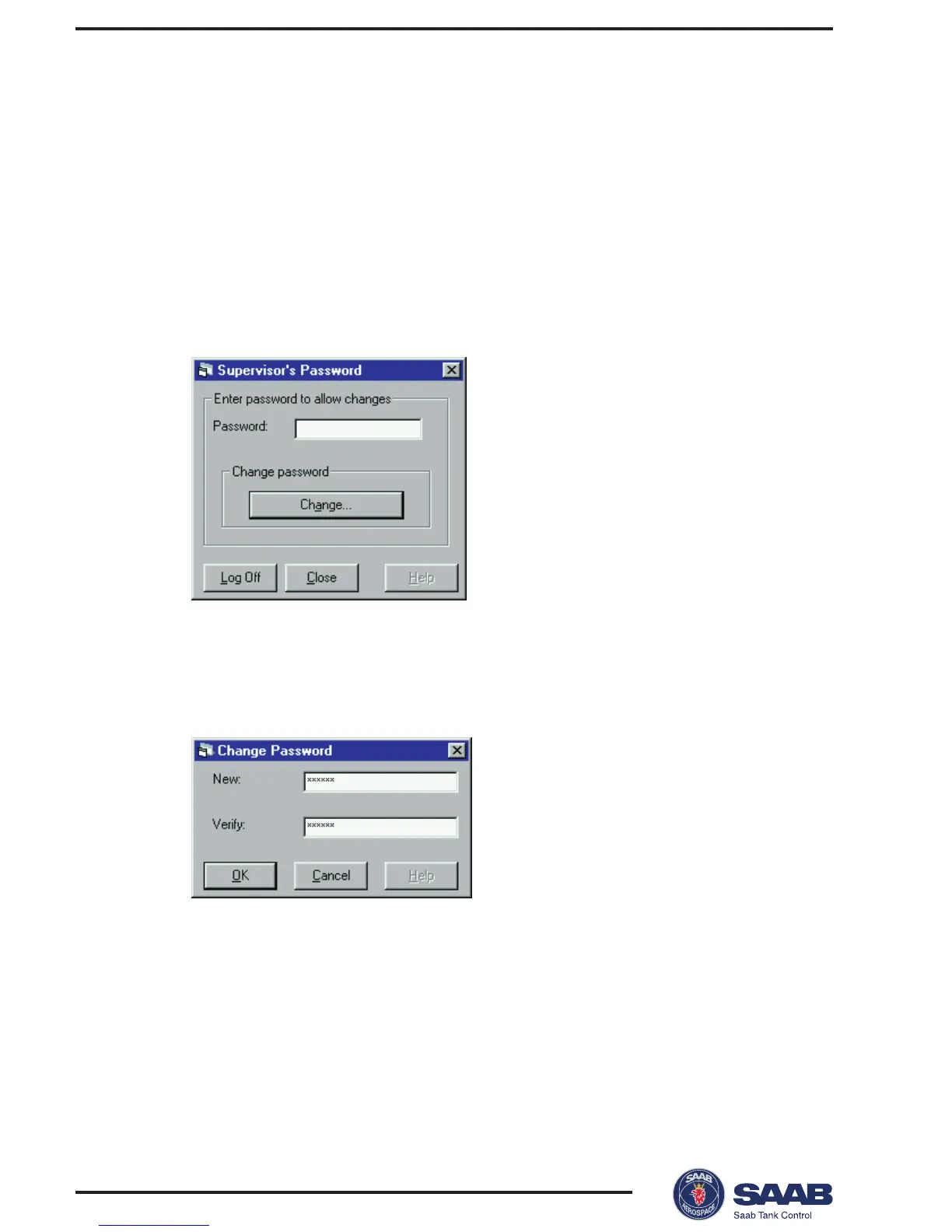
Setting a Password
You can set a password to prevent unauthorized changes of the
transmitter configuration. Then you will have to enter the pass-
word in order to obtain access to configuration and service op-
tions. You do not need to enter a password for viewing tank data.
To set a password do the following:
1 Select Password from the Setup menu.
2 Leave the Password input field blank if no password has been
set.
3 Click the Change button.
4 Enter a new password in the New input field.
5 Verify the new password and click the OK button.
Response: the Change Password window is closed.
6 Click the Close button in the
Supervisor´s Password
window.



 To Next Page