Saab TankRadar
®
Pro Pro Setup
4-9
Edition 2. Ref. No: 306010E
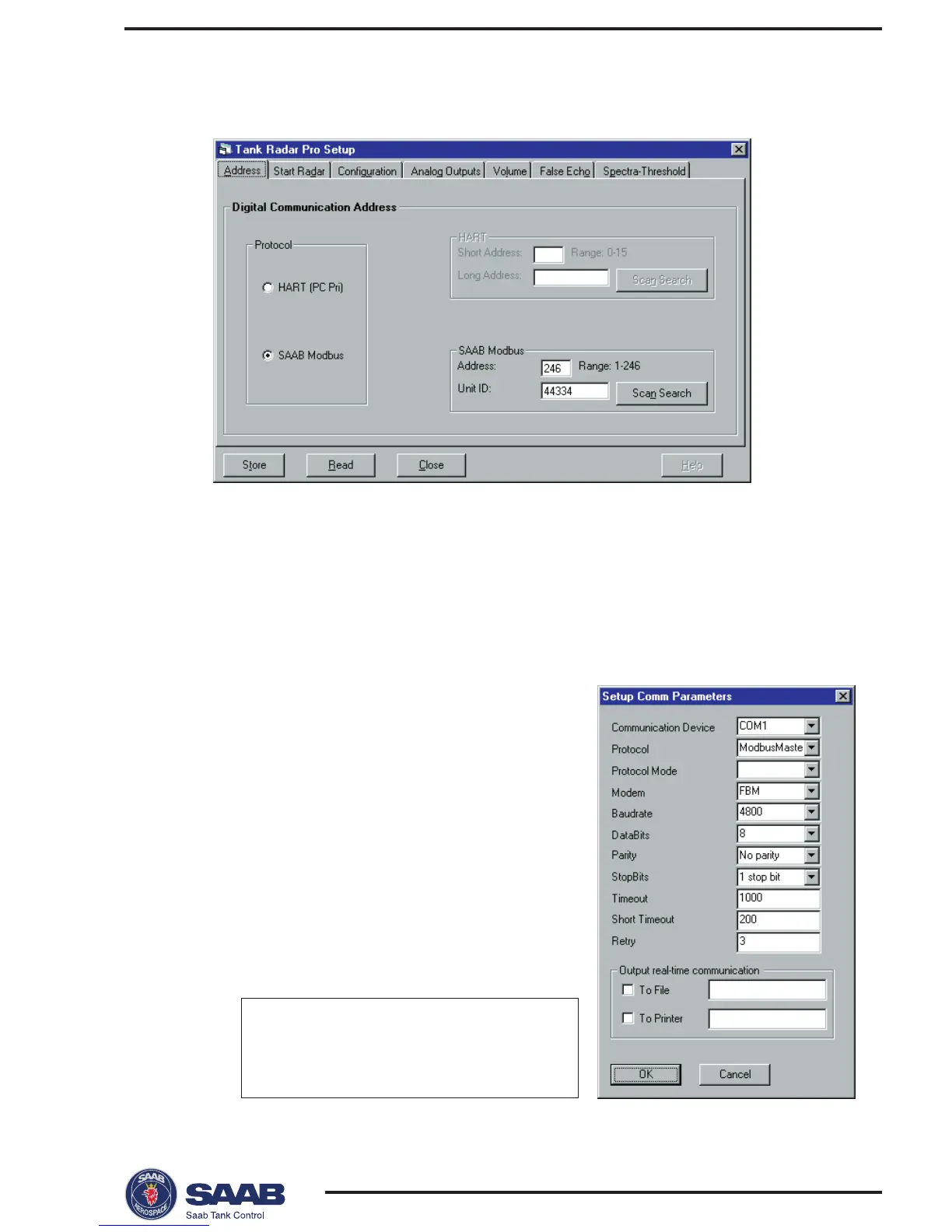
2 Enter protocol and address data.
1 In the Protocol box specify the protocol that you will use for the
serial communication.
• Choose HART if your gauge is equipped with an analog output
and a HART interface (make sure that the HART interface is
correctly installed according to the recommendations for active
and passive analog outputs, see
Electrical Installation
).
- or -
• Choose Saab Modbus if your gauge is
equipped with a TRL/2 Bus interface.
Make sure that you select the same
protocol that was specified during the Pro
Setup installation. If you need to change
the current communication settings (if you
for example have changed modem), open
the IO Master Server program from the
Windows95 task bar. Choose Parameters
from the Format menu to view the com-
munication parameters. The following
settings are used for TRL2 Bus and HART
interface:
HART TRL2 Bus
Protocol HartMaster ModbusMaster
Baudrate 1200 4800
Parity Odd No parity



 To Next Page