Saab TankRadar
®
Pro Pro Setup
4-11
Edition 2. Ref. No: 306010E
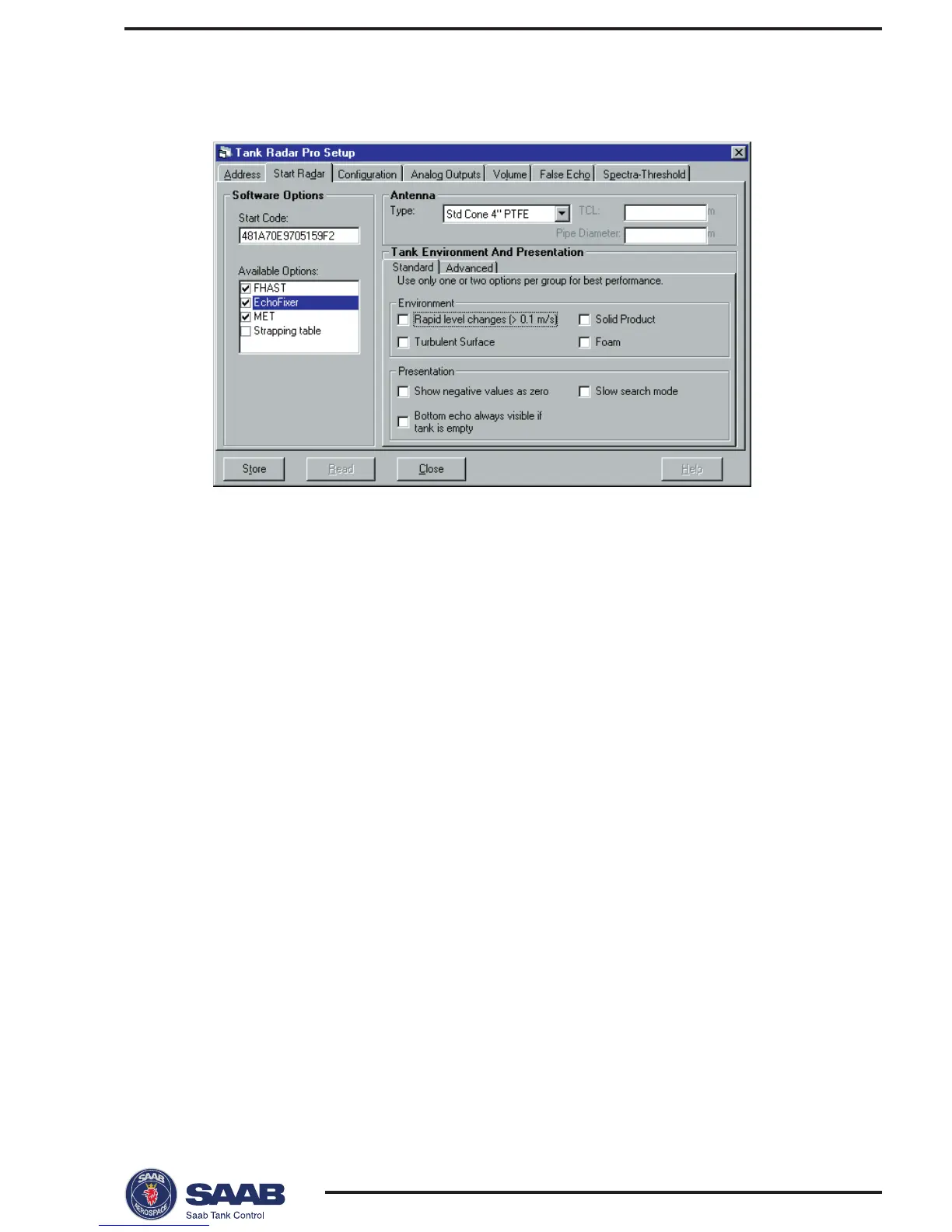
3 Select the Start Radar tab
1 Click the Read button.
Response: the current settings and the Start Code are displayed.
2 Check that the correct set of available options is displayed. Contact
your local representative if you like to add one or more of the follow-
ing software options: EchoFixer, MET, FHAST filtering or strap table
volume calculations.
3 Mark the check boxes that corresponds to available software op-
tions that you want to enable.
Note! The strapping table option can only be enabled by selecting the
Strapping Table option in the Volume tab.
4 Select the type of antenna to be used.
HP=high performance (Hastelloy, Tantalum, Titanium, Monel).
Std=standard.
P=PTFE tank sealing.
Q=Quartz tank sealing.
C=Ceramic.
Enter the pipe inner diameter if the antenna is mounted in a still
pipe.
The TCL parameter is entered for non-standard antennas only.



 To Next Page