Saab TankRadar
®
Pro Pro Setup
4-21
Edition 2. Ref. No: 306010E
Calibrating the Digital to Analog Converter (DAC)
The Digital to Analog Converter (DAC) is factory calibrated. How-
ever, if you want to check the calibration by measuring the output
current, do the following:
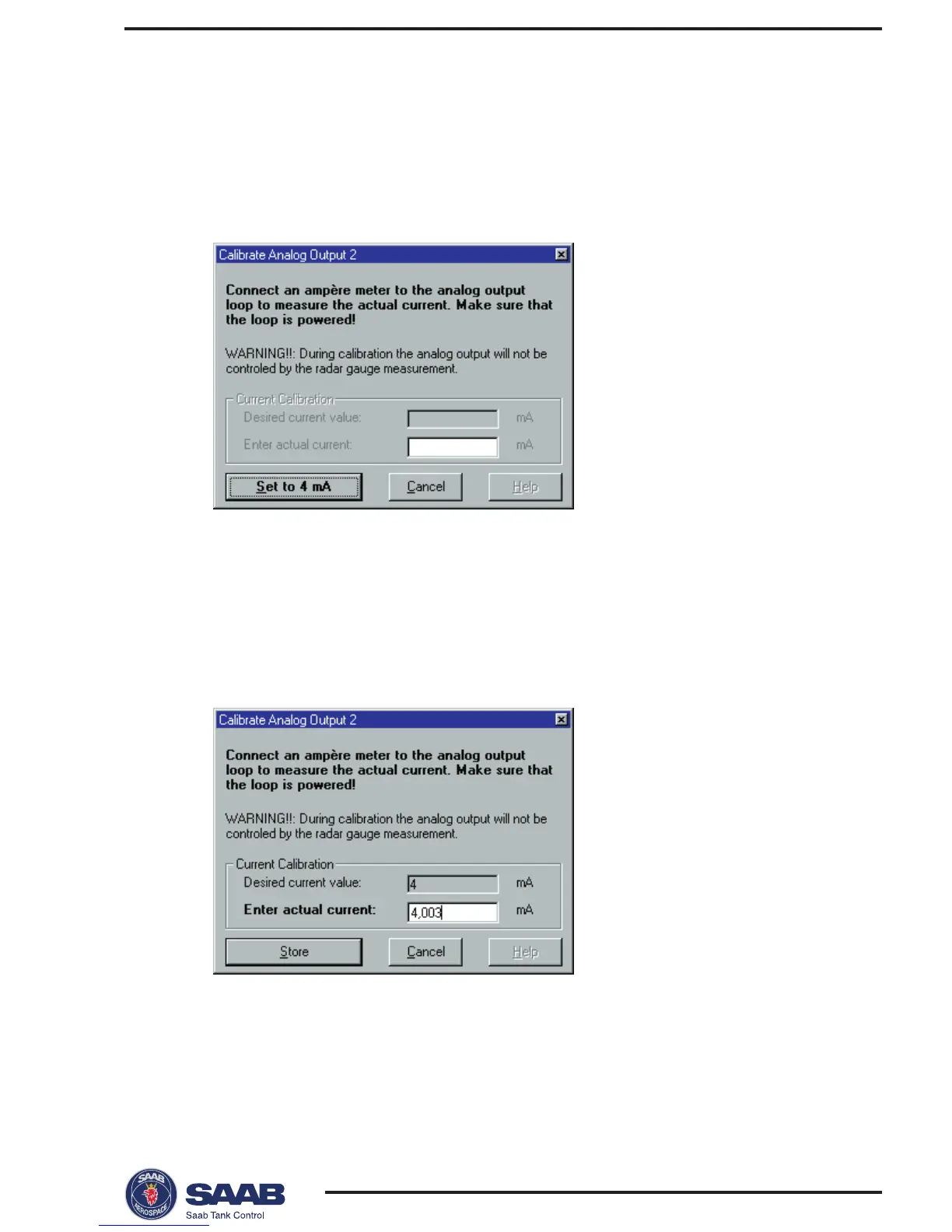
1 Click the Calibrate DAC... button.
2 Read the instruction and the warning.
Note! The analog output will be set to fixed current mode.
Make sure that control systems connected to the output are not
harmed.
3 Click the Set to 4 mA button.
4 Enter the measured output current and click the Store button.



 To Next Page