Saab TankRadar
®
ProPro Setup
4-24
Edition 2. Ref. No: 306010E
Ideal tank
Use this option if approximation of your tank with an ideal tank
shape provides sufficient accuracy. Enter the follwoing parameters:
• Tank diameter (or the length if it is a horizontal tank).
• “Distance between zero volume and zero level mark”: set this
parameter if you do not want zero volume and zero level to match
(for example if you want to include volume below the zero level).
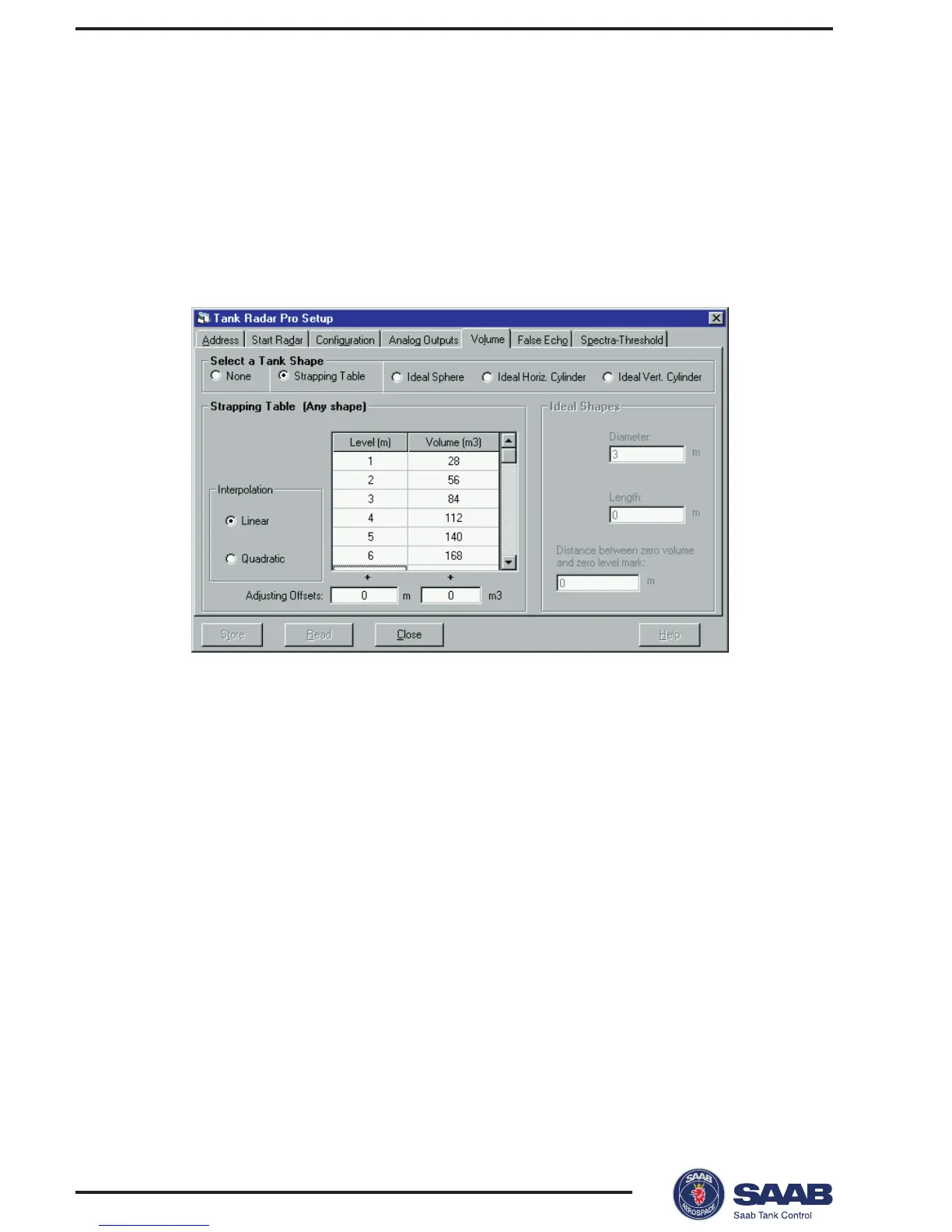
Strapping table
• Enter level and corresponding volume values. These figures can
typically be obtained from tank drawings or from certificate from the
tank manufacturer. If the level/volume table is based on a reference
point that is different from your reference point, you can adjust by
adding corresponding offset values in the Adjusting Offsets fields.
The Adjusting Offset is added to every value in the corresponding
column.
• Select which interpolation method to use for calculating vol-
umes between the strapping points. Normally, linear interpolation is
the preferred method. For spherical tanks, quadratic interpolation
may result in a smaller error. However, it may be necessary to try
both methods in order to evaluate which one is best in your particu-
lar case. By using linear interpolation and a sufficient number of
values in the strapping table, the interpolation error can normally be
reduced to a minimum.
3 Click the Store button.



 To Next Page