Saab TankRadar
®
Pro Pro Setup
4-31
Edition 2. Ref. No: 306010E
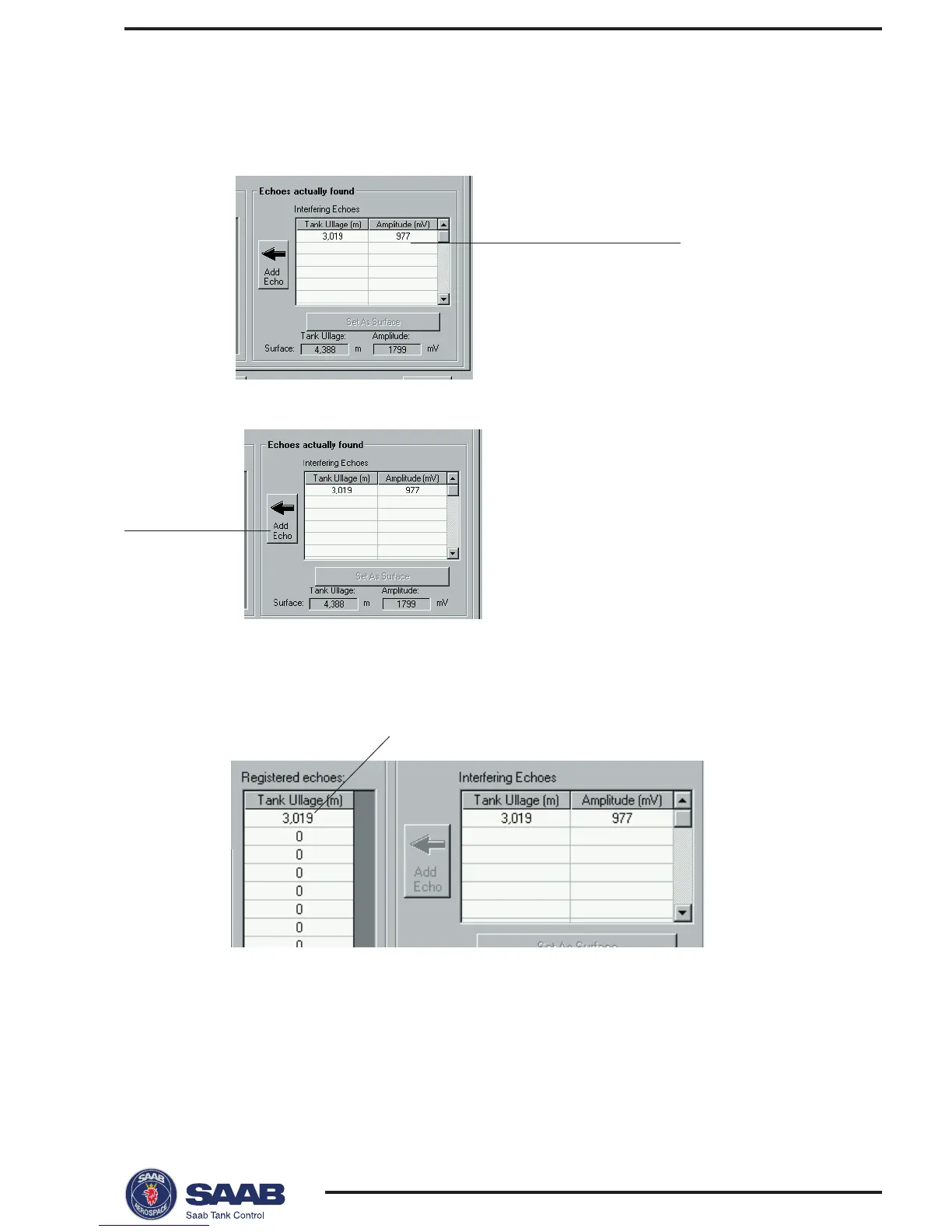
Response: the echo is displayed in the table of Registered echoes.
2 Click the Add Echo button.
3 Repeat step 2 until all echoes that you want to register as interfering
echoes (see recommendations on the previous page) are added to
the left-hand table.
4 When you have finished the registration of disturbing echoes, click
the Close button to close the window.
To register interfering echoes do the following:
1 Select an echo from the list of Interfering Echoes.
Echo to be registered
Add Echo
Registered echo



 To Next Page