English
154
10.5 Serial port connection
Through the serial port the machine can be connected to the
AUTHORIZED CUSTOMER SERVICE CENTER’s equipment, for
checks or programming operations (A - F. 10).
• Check if the electric cables of the system are
proportioned to the machine power consumption.
The connection point (electric plug or all-pole switch) must
be located in an easily reachable place, in order to
disconnect the machine from the electric line in case of
need.
• Connect the cord (G - F. 7) to the electric network.
F. 10
A
10.4 Electric connection
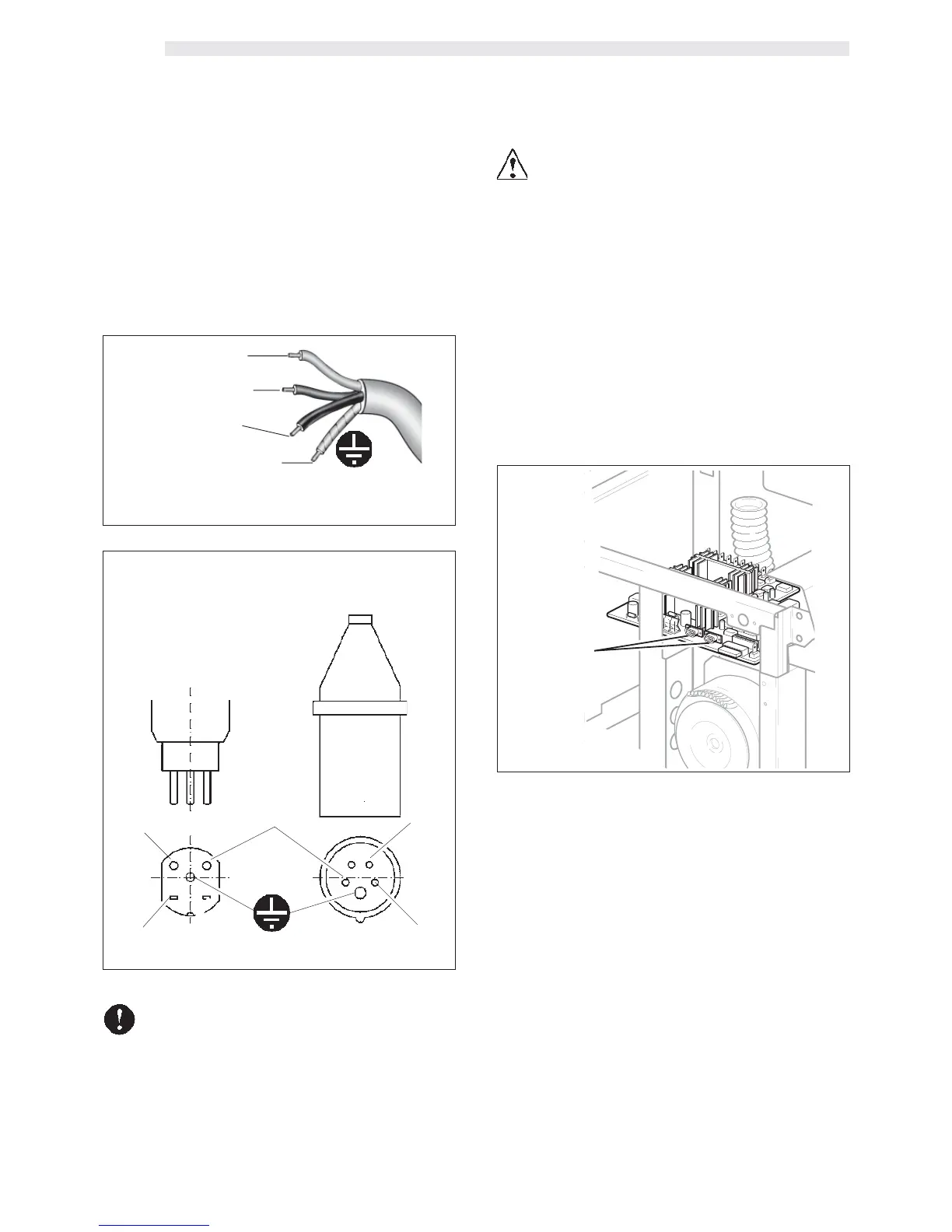
NOTE - In case of plants with a 400 V two-phase current, use
the two phases to supply the machine with 230 V single
phase current (F. 8). As for the 230 V single-phase
connection, require the special installation kit (code
%1034.R09).
• Place the machine on the support and insert the electric power
cord (G - F. 7) in the hole (A).
F. 8
F. 9
CEI
L
1
L
2
N
L
2
L
1
Neutral (N) – Blue
Phase (L
1
) – Brown
Phase (L
2
) – Black
Ground – Yellow/green
CH
(Switzerland)
Power cord type H07RNF
section 4x2,5 mm
2
Connection of the two phase electric line plug 400 V2N~
Depending on the current regulations of the Country where
the machine operates, the cable connecting the electric
line has to be pre-set or equipped with an all-pole switch
(with a minimum contact opening of 3 mm), (or with a
plug in accordance with the same regulations).
• The all-pole switch has to be adequate to the machine
power consumption and must be able to intercept every
voltage polarity.








 To Next Page