INTEGRA-X User Manual WEB GUI
SAF Tehnika JSC 76
Status mode
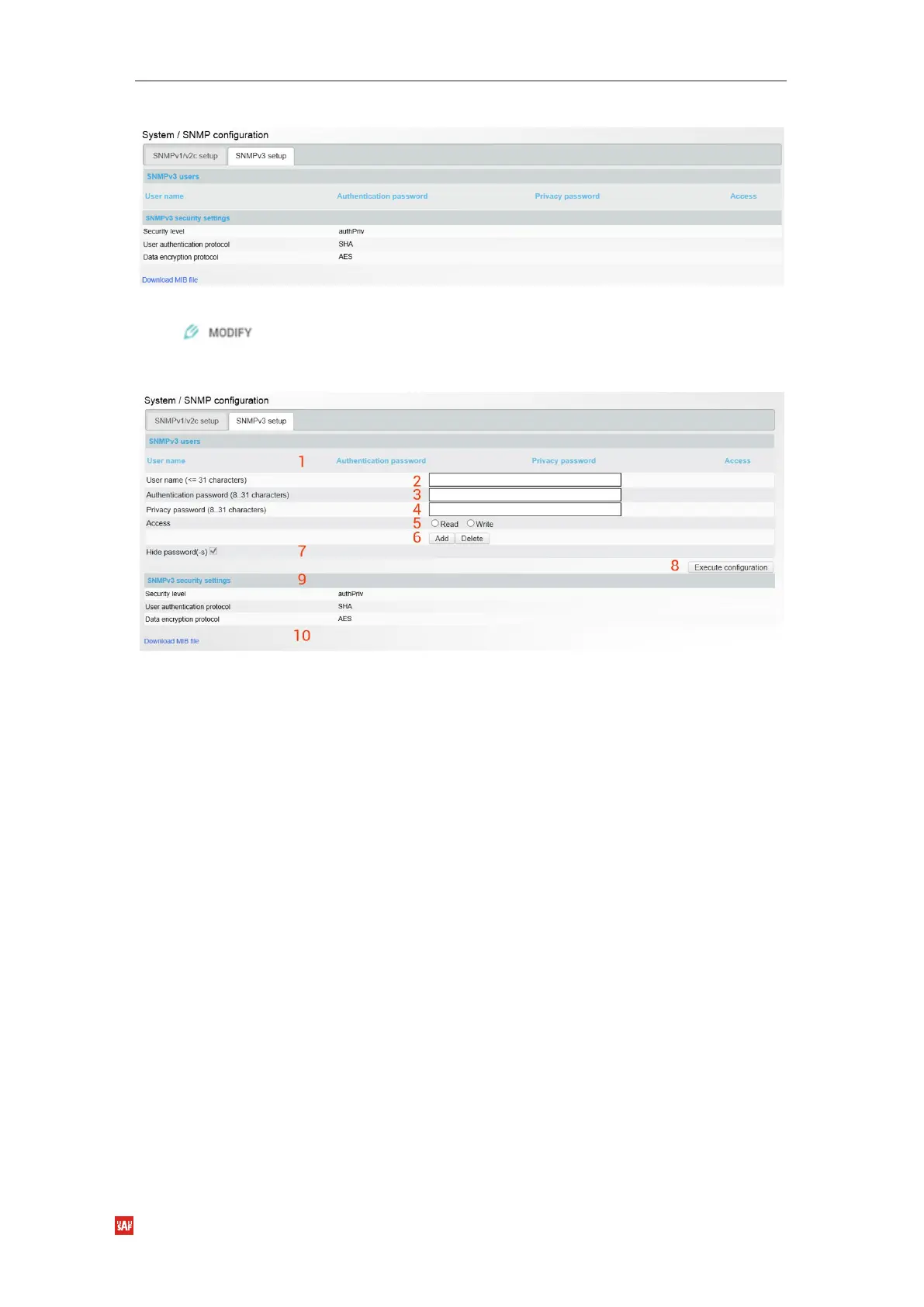
Figure 3-80 SNMPv3 status page
Press button.
Modify mode
Figure 3-81 SNMPv3 setup page
1)
SNMP users
– Shows list of configured SNMPv3 users;
2)
User name (<=31 characters)
– Enter SNMPv3 authentication user name. Length can be up
to 31 symbols;
3)
Authentication password (8...31 characters)
– Enter SNMPv3 authentication password.
Length can be between 8 and 31 symbols;
4)
Privacy password (8.31 characters)
– Enter SNMPv3 data encryption password (AES
protocol is used on SNMP agent’s side). Length can be between 8 and 31 symbols;
5)
Access
– Select “Read” for read-only access or “Write” for read-write access;
6)
Add/Delete
– Use to add or delete selected user name. In order to delete user names from
the list, click on the required user name in the list above;
7)
Hide passwords(-s) – uncheck to display passwords for selected SNMPv3 user;
8)
By pressing
„Execute configuration”,
changes made to the corresponding section apply only
to the local side Integra-X;
9)
SNMPv3 security settings
– Shows SNMPv3 security settings used;
10)
Download MIB file
– Click to download Integra-X MIB files.



 To Next Page