Chapter 2: Installation
Firmware – S2011 and S3012
Revision: 1 (9/98) 6 © Saftronics, Inc.
CAUTION
When moving the unit, lift the cabinet by the base, never lift by the front cover. Otherwise, the main unit may be dropped causing
damage to the unit.
• Mount the Inverter on nonflammable material, (i.e., metal). Failure to observe this can result in a fire.
• When mounting units in an enclosure, install a fan or other cooling device to keep the intake air temperature below 45°C. Overheating
may cause a fire or damage to the unit.
2.1 Removing and Replacing the Digital Operator
Remove and replace the Digital Operator as follows:
2.1.1 Removing the Digital Operator
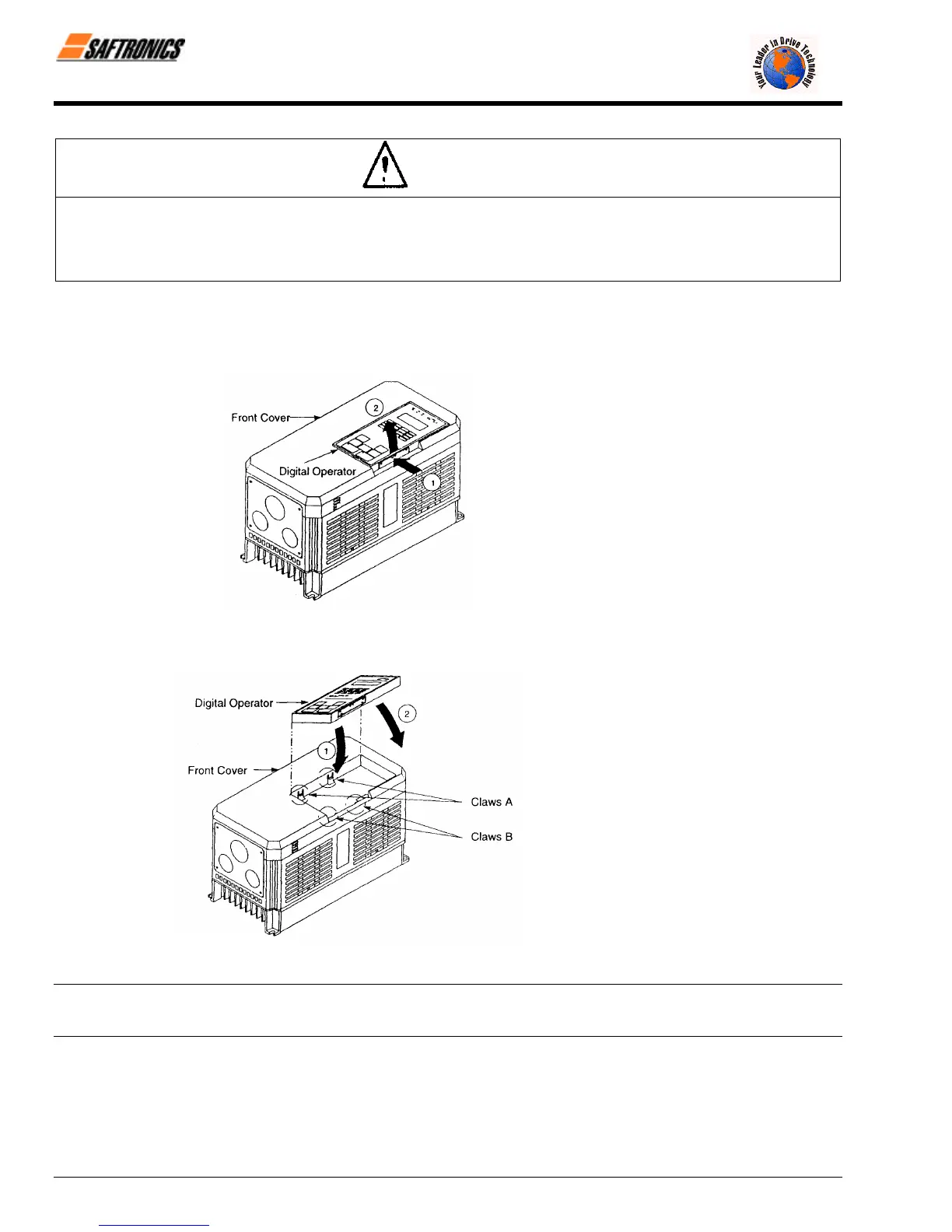
To remove the Digital Operator from the front cover,
push the Digital Operator lever in the direction
shown by arrow 1 and lift the Digital Operator in the
direction shown by arrow 2.
Figure 5 Removing the Digital Operator
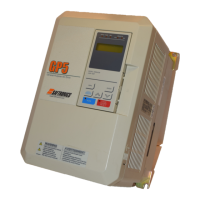
2.1.2 Replacing the Digital Operator
Engage the Digital Operator on claws A in the
direction shown by arrow 1 and then on claws B in
the direction shown by arrow 2 to lock the Digital
Operator.
Figure 6 Replacing the Digital Operator
NOTE: Never fit the Digital Operator in any other direction or by any other method. The Digital Operator will not be connected to the
Inverter.
efesotomasyon.com - Control Techniques,emerson,saftronics -ac drive-servo motor


 To Next Page