- 16 -
2 - Installation
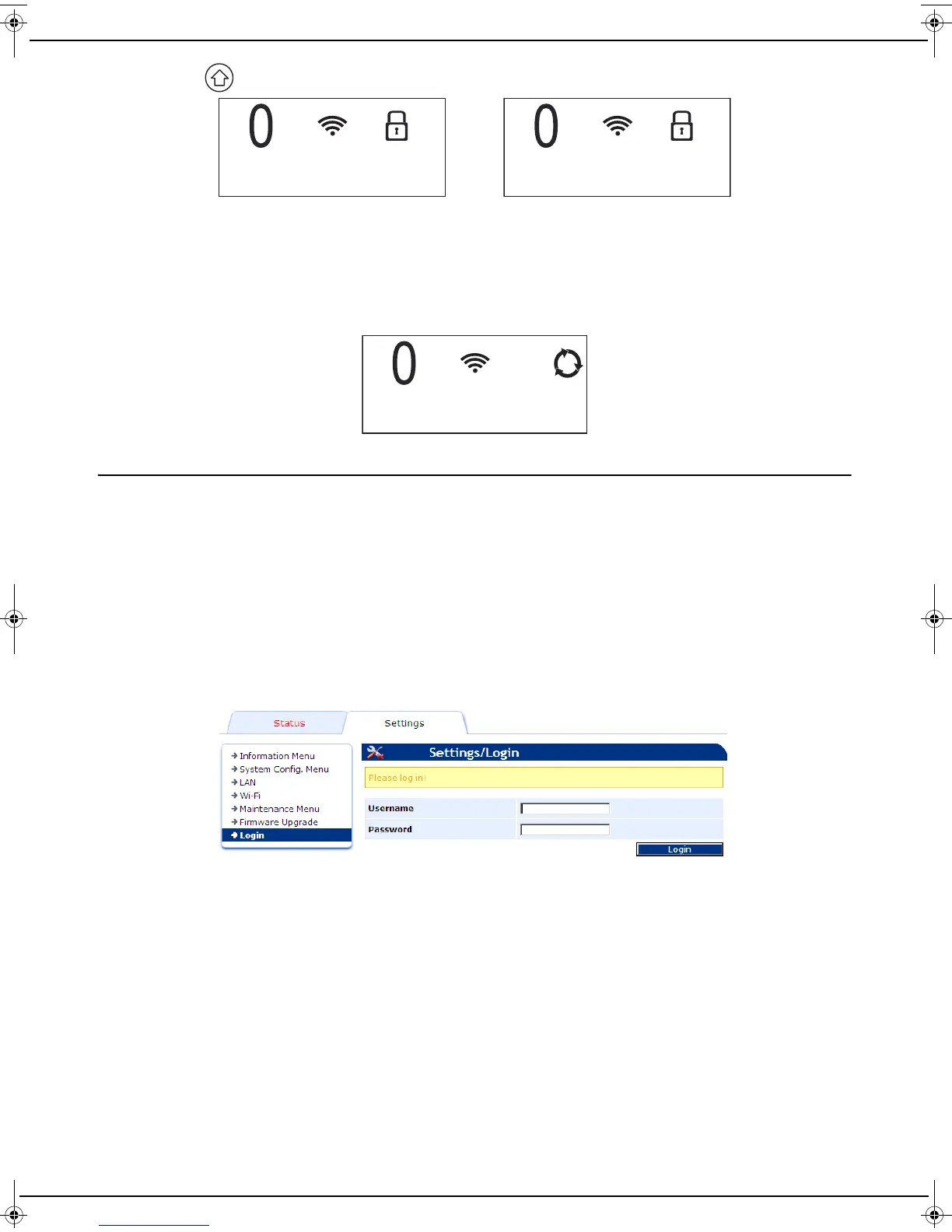
12 Press the key, the following messages are displayed alternately on the LCD screen:
13 Log onto the service provider's website from your computer and go to your machine's settings page.
Depending on your service provider, you may have to enter a pin code in a field. If this is the case, please enter
the code value displayed on your machine as this pin code.
To complete the pairing process, in all cases press the web page "pairing" button.
Note that you have 1 minute from the onset of pairing on your machine to complete the pairing process on your
service provider's website. If this period is exceeded, you will need to repeat the complete pairing procedure.
14 Once pairing is complete, the machine is ready for use and the screen shown below is displayed
Connection with advanced settings
This paragraph is intended for advanced users who need to install the machine on a network with specific
characteristics, for example to use a fixed IP address. These specific settings can be configured on the embedded web
interface, in the LAN and Wi-Fi menus in particular.
To configure the machine’s settings, follow this procedure:
1 Connect your machine to your computer using the network cable supplied. Note the IP address displayed on the
machine’s LCD screen. This operation may take up to 1 minute. To display the IP address, you can also use the
“Maintenance menu”, page 28.
2 Open a web browser on your computer and enter the IP address as follows: http://machine’s adresseIP (IP
address displayed on the LCD screen).
The web interface is displayed.
3 Enter your user name (default user) and password (default user) and then click on Login.
CODE : xxxxxx
SERVICE - 1
LU IB1100E_EN.book Page 16 Mercredi, 15. mai 2013 9:01 09


 To Next Page