- 17 -
2 - Installation
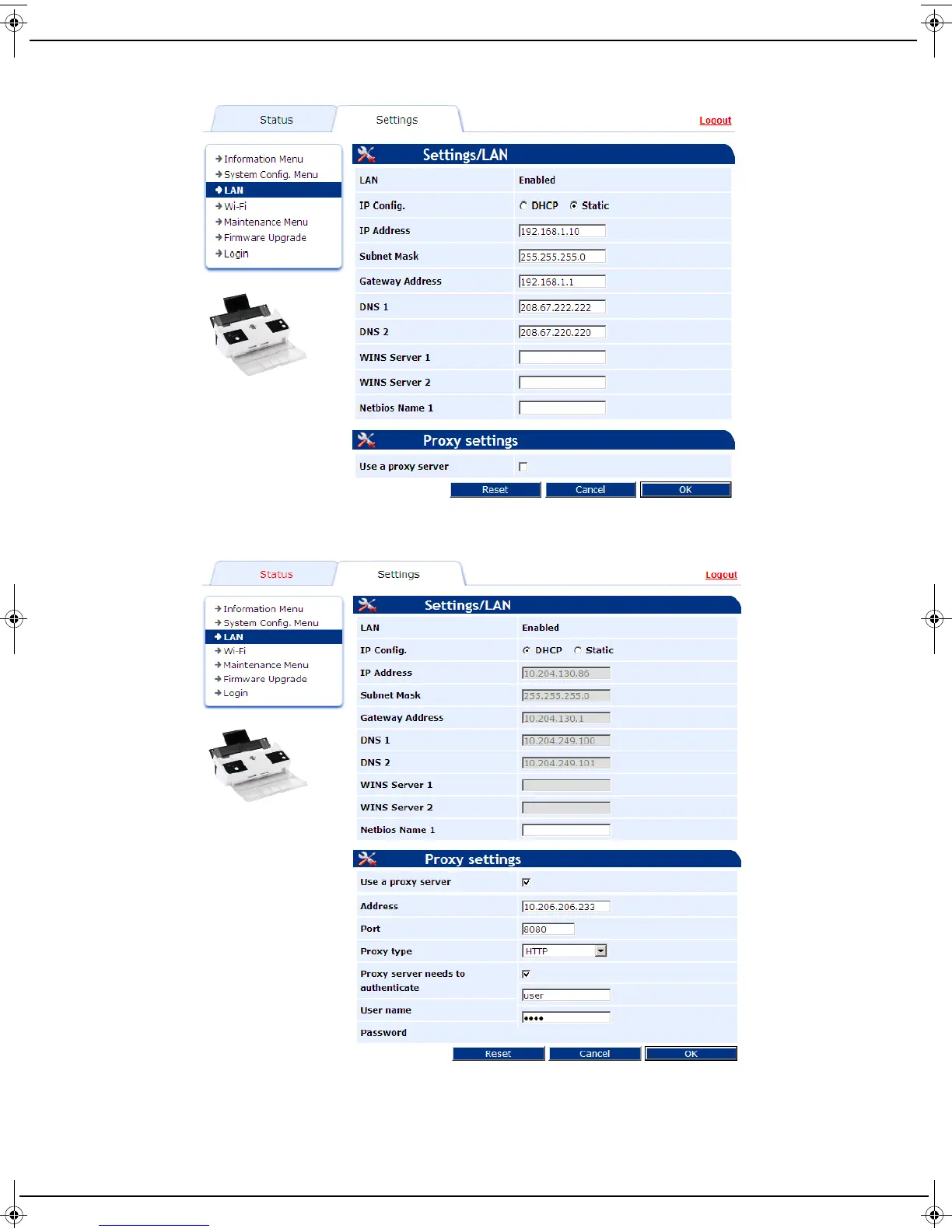
4 Configure the settings according to your needs. The screen below gives an example of how to configure LAN
settings. There is also a similar screen in Wi-Fi menu for configuring Wi- Fi settings.
5 If your network is connected to the Internet through a proxy, check the Use a proxy server box and then fill in
the proxy settings. The screen below gives an example of how to configure LAN proxy settings.
6 Once you have finished, click Logout to exit the web interface.
LU IB1100E_EN.book Page 17 Mercredi, 15. mai 2013 9:01 09


 To Next Page