System and Navtex app installation
4-2 Chapter 4: Configuration 98-139768-A
4.2 System and Navtex app installation
The System app is already installed in the SAILOR 6004 Control Panel. You use the System
app to install the Navtex app.
4.2.1 System app
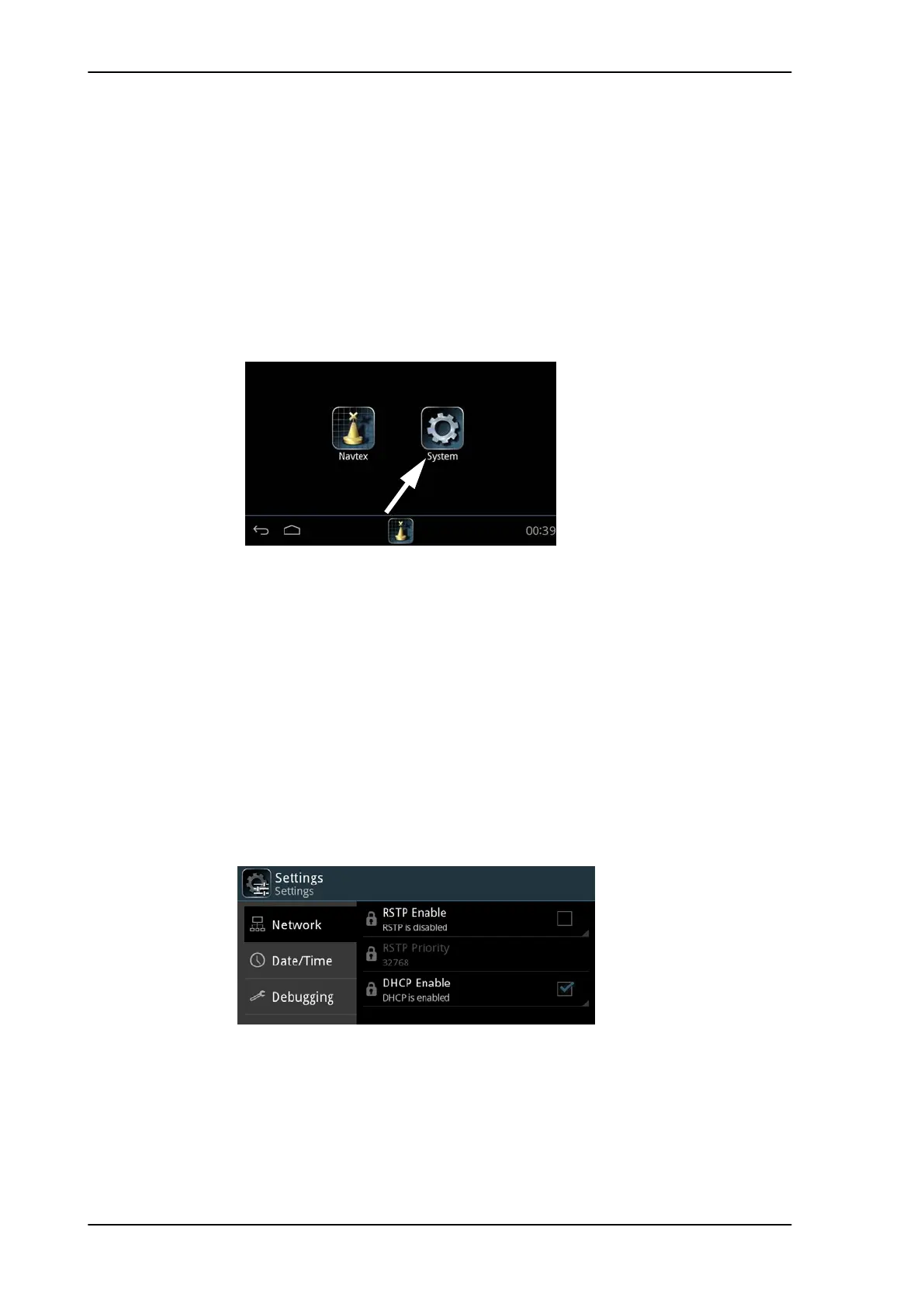
Having switched on the SAILOR 6004 Control Panel, an icon named System is always
displayed, plus the icon(s) of the applications that are installed. Under System you can set
up and manage the SAILOR 6004 Control Panel.
Tap the icon System and the following topics are available:
• Settings for Network settings, Date/Time and Debugging.
• Applications to install and manage applications.
• Self Test for testing Touch, Controls, Display, Audio, USB, Light Sensor, Alarm Output,
NMEA and LAN.
• About with Legal information, software versions and network information.
Settings
Tap Settings to enter the section for network configuration, date and time setting and
debugging. Tap the section you want to work with and explore the touch screen for each
setting. To change a setting you must enter the password for user level (user) and tap OK.
Applications
Tap Applications to install, uninstall or update applications. This section has two tabs:
Available, showing the apps that are available to the SAILOR 6004 Control Panel on the
current network, and Installed, showing the apps already installed.
Figure 4-1: Screen to enter System (example)
Figure 4-2: System - Settings, Display



 To Next Page