Alarms and notifications
5-4 Chapter 5: Service & maintenance 98-139768-A
5.2 Alarms and notifications
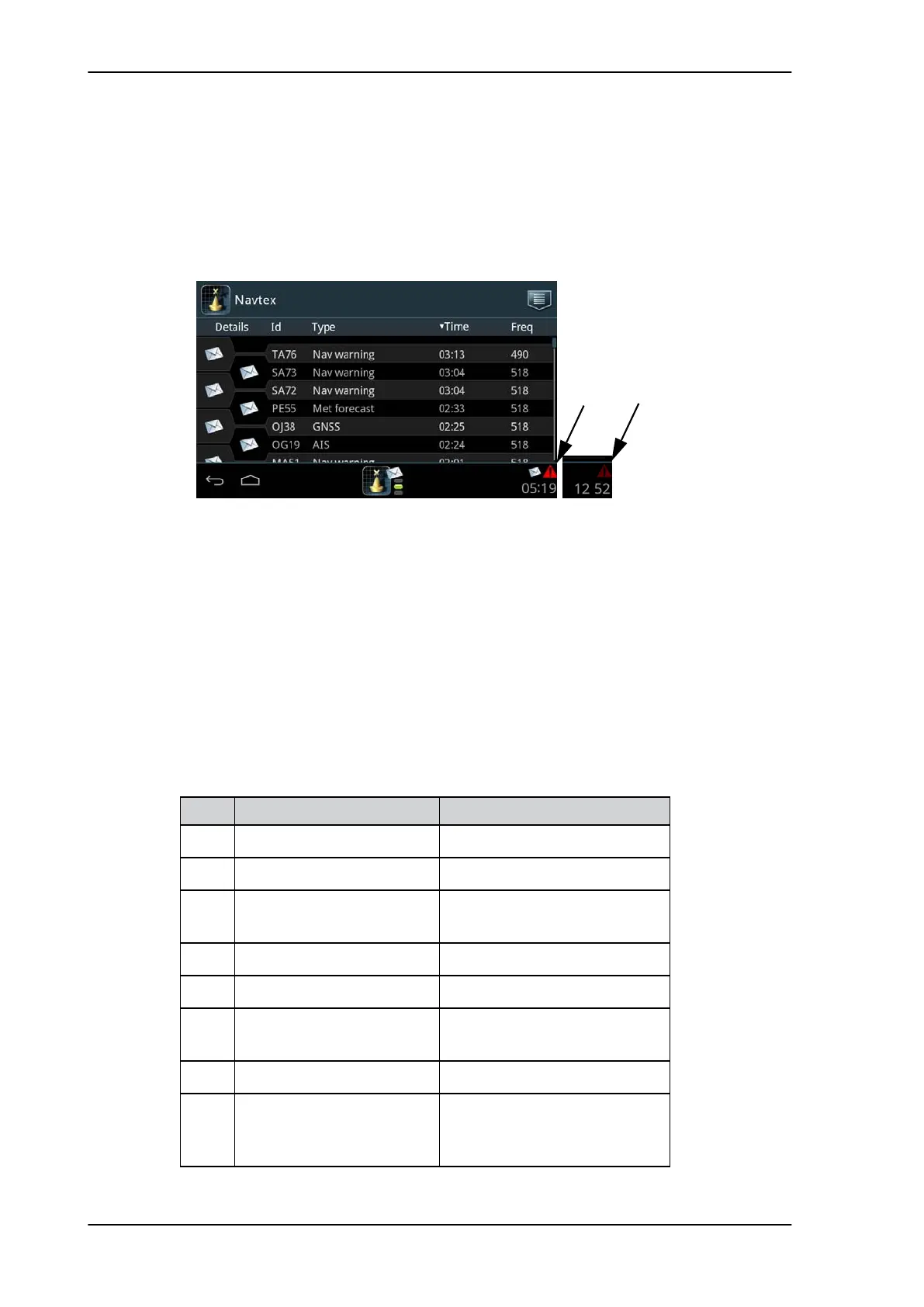
If an alarm is reported from the SAILOR 6390 Navtex Receiver a flashing red triangle
appears in the bottom bar of the SAILOR 6004 Control Panel display:
• Flashing, bright red triangle: Unacknowledged alarm(s).
• Faded red triangle: Acknowledged alarm(s).
To acknowledge an alarm do as follows:
1. Tap the flashing, bright red triangle to display the list with active alarms.
2. Tap the alarm to acknowledge the alarm.
When all active alarms are acknowledged the bright red triangle turns into a faded red
triangle.
Alarms and notifications are either shown in the display of the SAILOR 6004 Control Panel
or output via NMEA sentences and displayed in other equipment.
5.2.1 Installation with SAILOR 6004 Control Panel
Figure 5-5: Viewing alarms
Flashing,
bright
red
Faded
red
Alarm Description Remedy
001 Navigational Warning Read associated message.
002 Meteorological Warning Read associated message.
003 Search and Rescue
Information
Read associated message.
004 Receiver Malfunction Contact your supplier.
005 Built-in Self Test Failure Check antenna installation.
006 General Failure Power cycle the unit. If this does
not help, contact your suplier.
067 GNSS position lost Check the GPS input.
068 Automatic mode disabled
(no fix)
Check the GPS input. Without a
valid GPS input the automatic
mode does not work.
Table 5-1: Navtex alarms



 To Next Page