Verification
98-139768-A Chapter 4: Configuration 4-19
4444
Configuration
4.4.3 Checking RF Reception Levels
To check RF reception levels, do as follows:
1. Access the log-in page of the Service Interface, see Using a PC and an Internet browser
on page 4-4.
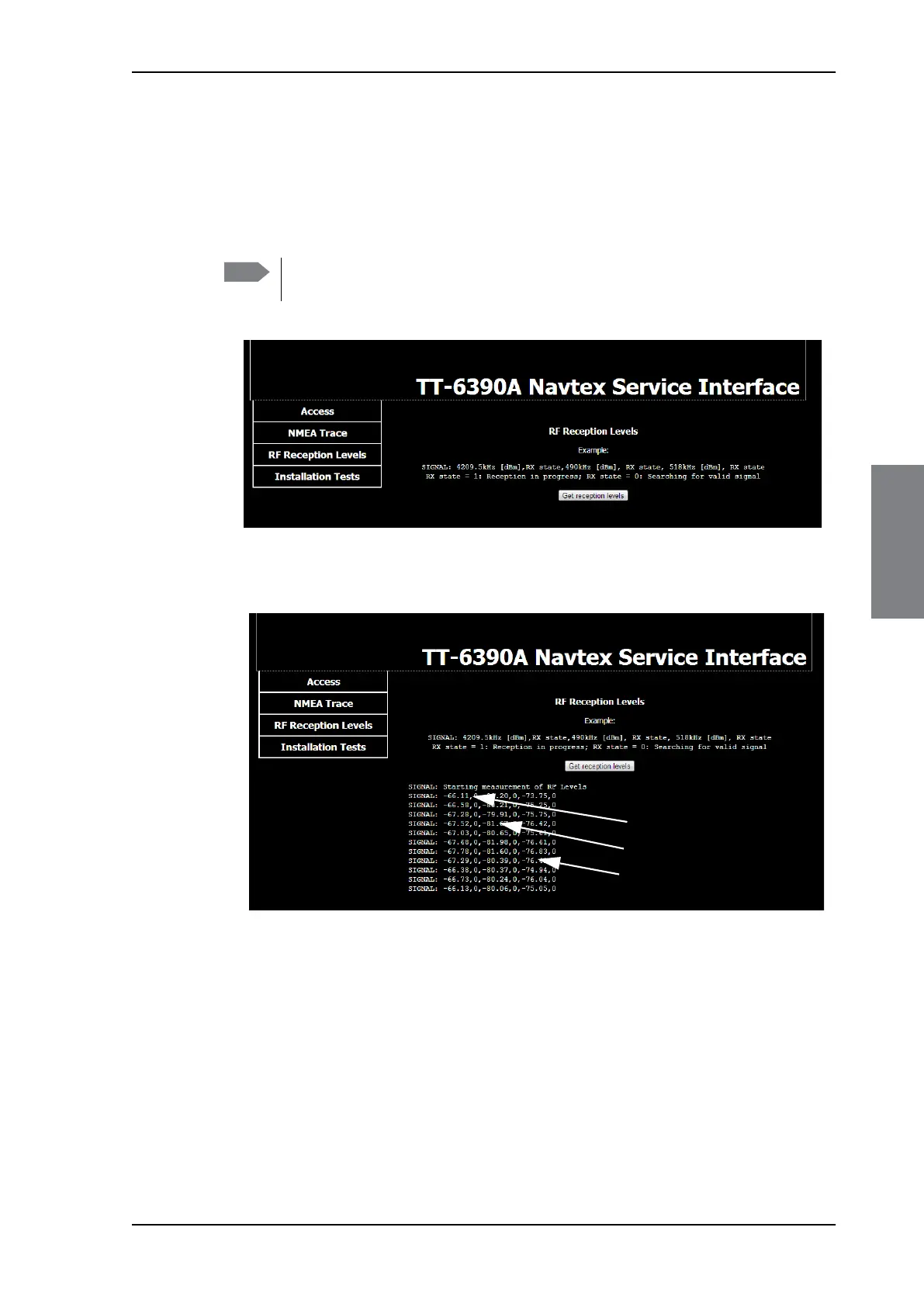
2. Click RF Reception levels.
3. Click the button Get reception levels. RF levels are measured and sent to the service
interface.
Example: SIGNAL: -67.28,0,-79.91,0,-75.75,0
4.201 MHz signal: -67.28 dBm, Searching for valid signal
490 kHz signal: -79.91 dBm, Searching for valid signal
518 kHz signal: -75.75 dBm, Searching for valid signal
Note
Do not log in to the Service Interface! The tool to measure RF reception levels
works separately.
Figure 4-18: Verification of RF reception levels
Figure 4-19: RF reception levels for all 3 frequencies
4.201 MHz
490 kHz
518 kHz



 To Next Page