Verification
4-18 Chapter 4: Configuration 98-139768-A
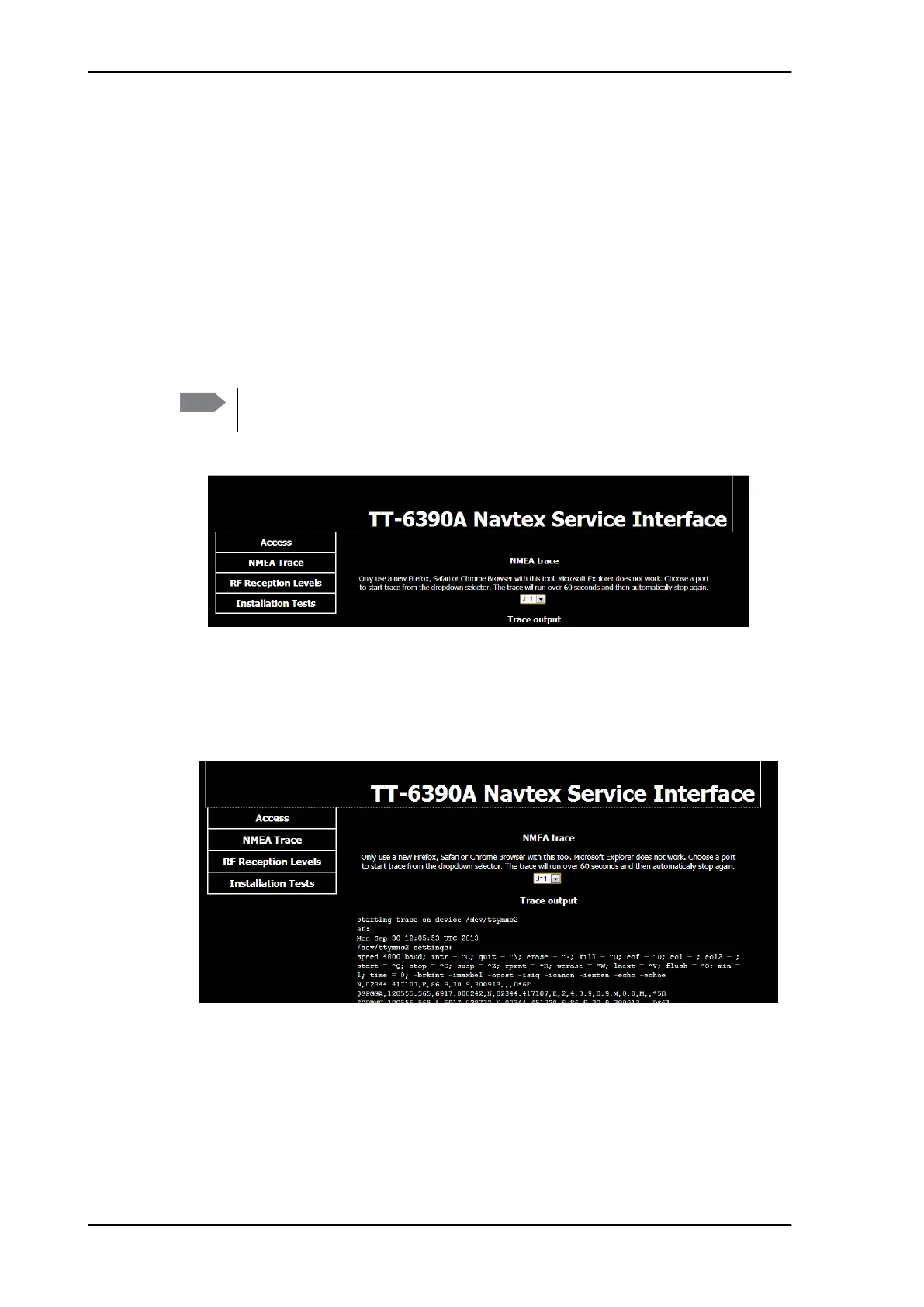
4.4.2 NMEA Trace tool
To verify the installation of NMEA devices to the SAILOR 6390 Navtex Receiver you can
start the NMEA Trace tool to see whether the connected device on a selected port receives
and sends correct NMEA information. The NMEA Trace verifies the electrical connection, it
does not guarantee that the NMEA sentence is parsed correctly. The NMEA Trace tool runs
independently from the Service Interface and you can access the SAILOR 6390 Navtex
Receiver as in normal operation.
To start the NMEA Trace tool, do as follows:
1. Access the front page of the Service Interface, see Accessing the Service Interface on
page 4-4.
2. Click NMEA Trace.
3. In the drop down list select whether you want to run an NMEA trace on:
• NMEA IN and OUT (spring-loaded terminal J10) or
• NMEA IN from e.g. GPS (spring-loaded terminal J11).
A new window opens and the tracing starts automatically.
In this window the current data to and from the port selected in the drop-down list are
displayed. At the same time you can monitor alarms related to the connected devices
and configure the connected devices in the display of the SAILOR 6004 Control Panel.
4. After ended tracing, you can download the NMEA trace log file to the PC’s default
download folder.
Note
Do not log in to the Service Interface! The NMEA Trace tool is started and works
separately.
Figure 4-16: NMEA trace (spring-loaded terminals J10 and J11)
Figure 4-17: NMEA Trace tool (example)



 To Next Page