98-139768-A 5-1
Chapter 5
5555
Service & maintenance
Service & maintenance 5
This chapter has the following sections:
• Maintenance
• Alarms and notifications
• Troubleshooting guide
• Warranty and returning units for repair
5.1 Maintenance
Maintenance of the SAILOR 6390 Navtex Receiver can be reduced to a maintenance check at each
visit of the service staff. Inspect the unit for mechanical damages, salt deposits, corrosion and any
foreign material. Due to its robust construction and ruggedness the unit has a long lifetime. Anyway
it must carefully be checked at intervals not longer than 12 months – dependent on the current
working conditions.
Contact for support
Contact an authorized dealer for technical service and support of the SAILOR 6390 Navtex Receiver.
Before contacting the authorized dealer you can go through the troubleshooting guide to solve
some of the most common operational problems.
5.1.1 System Log
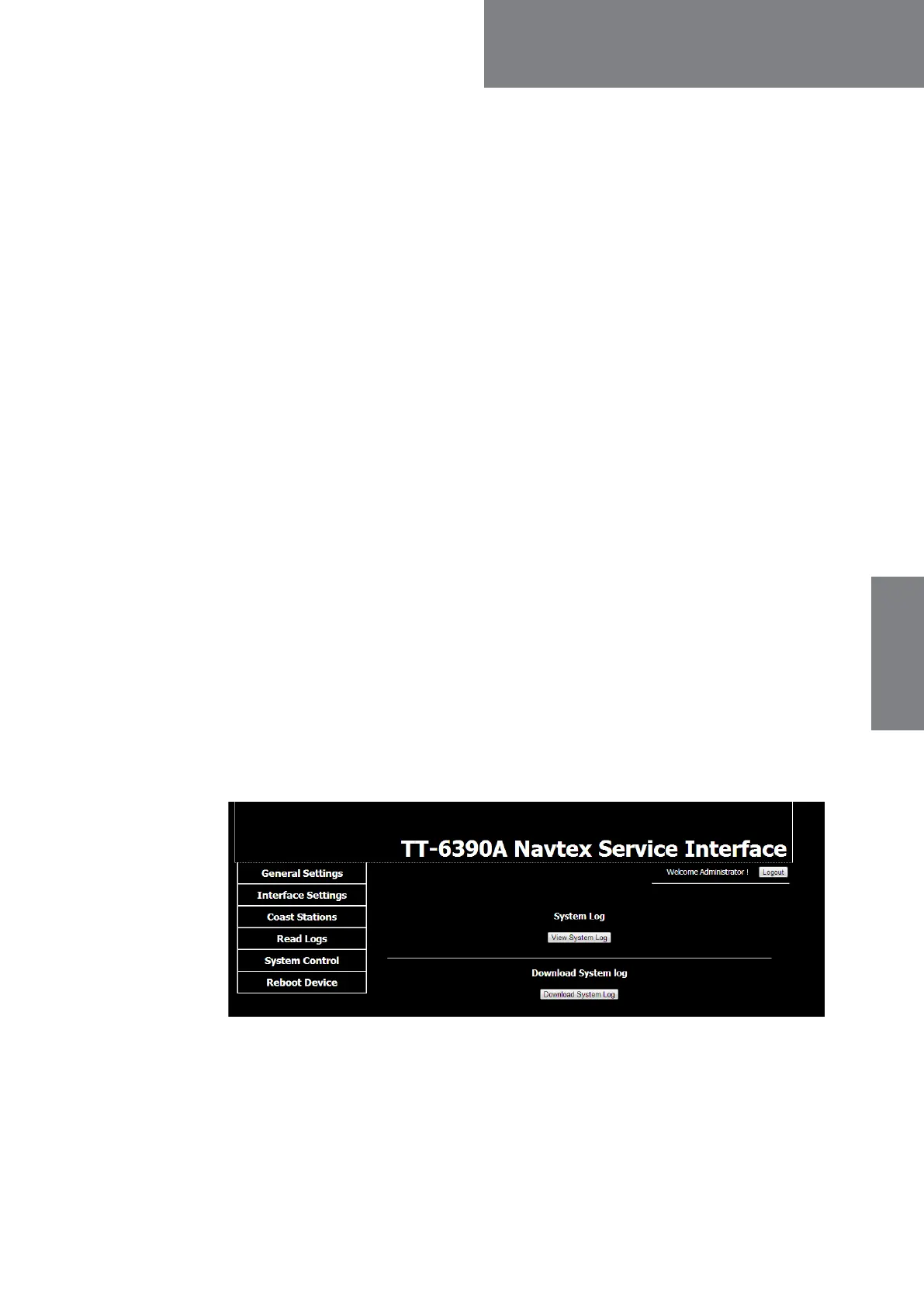
In the Service Interface you can display and download the system log. This is useful in
service and troubleshooting situations.
Click the button View System Log to display the system log.
Click Download System Log. The systems log file is downloaded into the PC’s default
download folder.
Figure 5-1: Service Interface: Read Logs



 To Next Page