Configuration with the Service Interface
4-8 Chapter 4: Configuration 98-139768-A
4.3.3 Interface settings
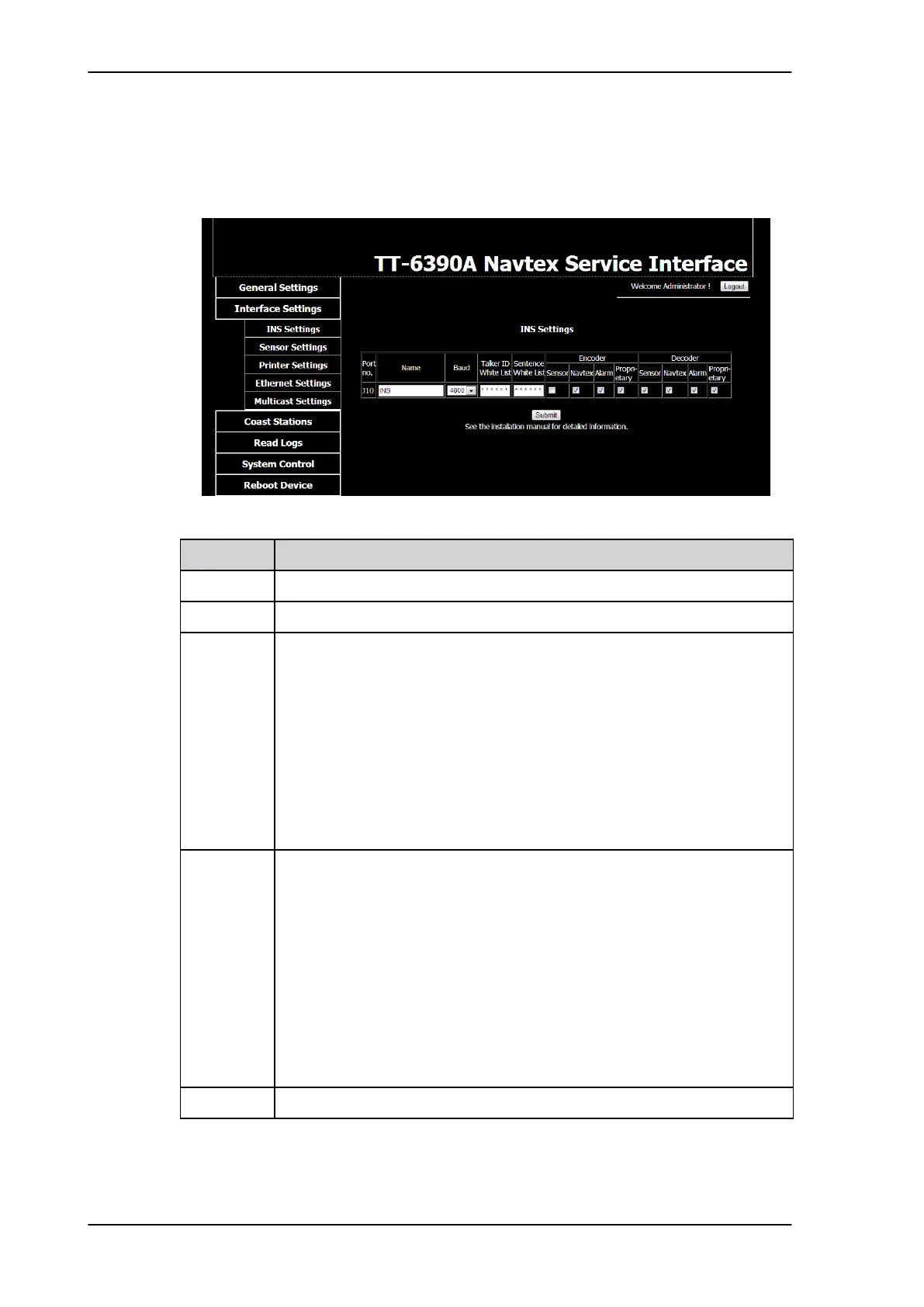
INS Settings
Figure 4-8: Service Interface: Interface Settings, INS Settings
Item Description
Name You can set the name according to your system requirements.
Baud Use the drop-down list to change the baud rate, if needed (default: 4800 baud).
Talker ID
White List
Enter NMEA talker IDs. Replace * from left to right.
Example: AI ZZ BI CC GH ZI VA ST * *
The talker ID white list is used to ensure that the SAILOR 6390 Navtex
Receiver does not get identical information from more than one physical
sensor device (identified by talker ID).
If one of the inputs receives data that shall be ignored by the SAILOR 6390
Navtex Receiver, make a positive Talker ID white list for this port, listing
only talker IDs that shall be used by the SAILOR 6390 Navtex Receiver on
this interface. Talker IDs that are not listed will be filtered out.
An empty list (* * * * * * * * * * - default) allows input from any talker ID.
Sentence
White List
Enter NMEA sentences. Replace * from left to right.
Example: RMC ZDA CRQ * * * * * * * * * * * * * * * * *
The Sentence white list is used to ensure that the SAILOR 6390 Navtex
Receiver can be configured to receive specific NMEA sentences on a
specific port.
If several devices (defined by different talker IDs) are providing the same
sentence type, make a positive sentence white list for a port to indicate
where sentences shall be taken. Sentences that are not listed will be filtered
out.
An empty list (* * * * * * * * * * * * * * * * * * * * - default) allows any sentence
to be accepted on that port.
Decoder Select which NMEA sentences you want to decode.
Table 4-1: Interface settings, Sensor Settings



 To Next Page