Configuration with the Service Interface
4-6 Chapter 4: Configuration 98-139768-A
4.3.2 Configuring the installation
To configure the installation you must log in to the Service Interface.
1. Enter the password and click Login.
Password: sailorsailor
The Service Interface
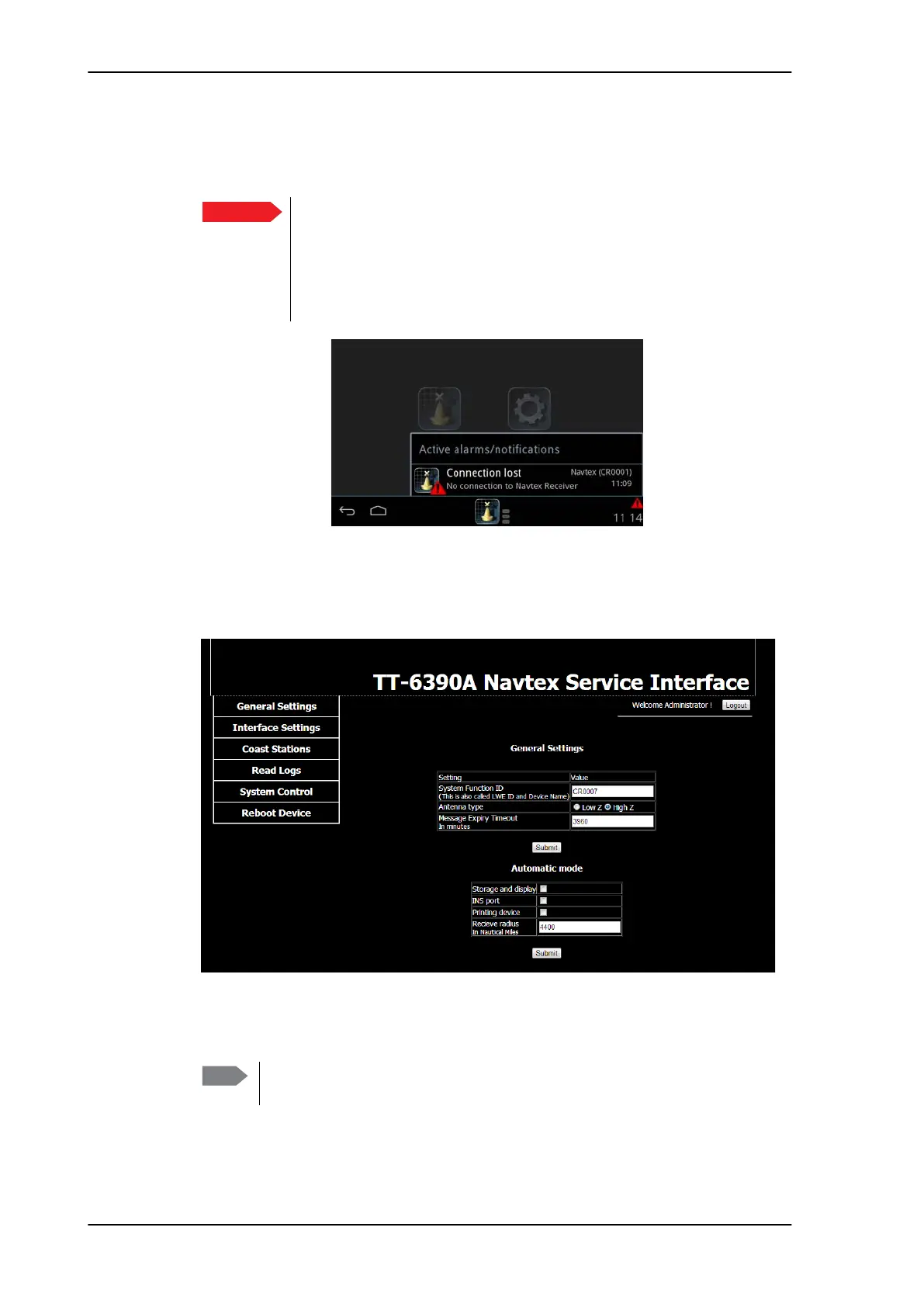
opens with the page General settings.
2. If needed, enter a new System Function ID (Remote Device Name in the Navtex app on
the SAILOR 6004 Control Panel).
Important
The SAILOR 6390 Navtex Receiver is blocked for normal use
for as long as communication with the Service Interface is
ongoing.
The SAILOR 6004 Control Panel raises the alarm Connection lost,
this will be displayed in the SAILOR 6004 Control Panel (also called
MKD).
Figure 4-6: SAILOR 6004 Control Panel display: No connection when using the Service Interface
Figure 4-7: Service Interface – general settings
Note
Change the System Function ID only if there is more than one SAILOR 6390
Navtex Receiver in the network.



 To Next Page