Maintenance
98-139768-A Chapter 5: Service & maintenance 5-3
5555
Service & maintenance
5.1.3 Dissassembling – removing the cover
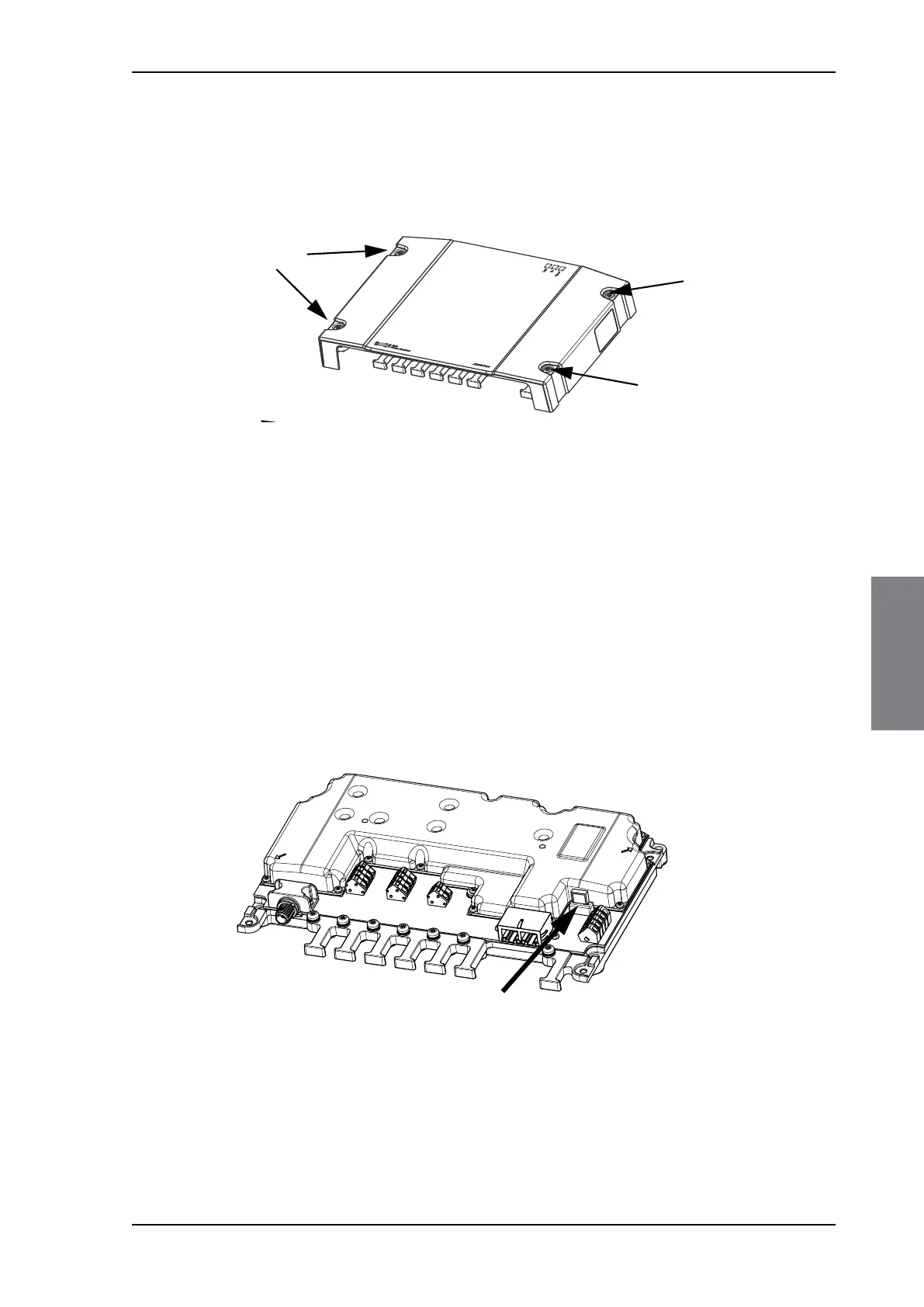
1. Remove the cover of the SAILOR 6390 Navtex Receiver by loosening the 4 screws
marked in the figure below.
2. Remove the cables from the spring-loaded terminals and the connectors.
3. Remove the SAILOR 6390 Navtex Receiver by moving it upwards, away from the
mounting surface.
5.1.4 Replacing the fuse
One fuse is installed in the SAILOR 6390 Navtex Receiver. If this fuse is blown, do as follows:
1. Track down why the fuse was blown and solve the problem, e.g. incorrect polarity at the DC
supply.
2. Remove the cover by loosening the 4 screws.
3. Take out the old fuse. Use the fuse puller.
4. Insert the new fuse. The fuse rating is 1 A.
Figure 5-3: Removing the cover
Figure 5-4: Replacing the fuse



 To Next Page